What is chatpdf? A 3-minute guide to the core functions and application scenarios of this powerful PDF conversation tool.

What is chatpdf? A 3-minute guide to the core functions and application scenarios of this powerful PDF conversation tool.
chatpdf Overview: AI-powered PDF interactive experience
chatpdfSince its launch, Chatpdf has quickly become a popular AI tool in academia, education, and among professionals. Simply put, Chatpdf is a tool that allows users to...Engage directly with PDF files“The application of artificial intelligence. Traditional PDF reading is often fraught with difficulties, especially when faced with dozens of pages of academic papers, complex instructions, and contracts, where information retrieval becomes extremely inefficient. Chatpdf, however, completely changes this situation, transforming static documents into…Interactive, allows questions, and enables summarizingIntelligent resources.
Official website:chatpdf.com
Core Function Analysis
Intelligent Question Answering
chatpdfAfter uploading a PDF, you can directly ask the AI questions about the content, details, or request a summary, just like having a conversation with a real person. For example:
- “What is the research objective of this paper?”
- “"Please summarize the core ideas of Chapter Two."”
- “List the main conclusions mentioned by the author.”
Advantages areAI can locate relevant content in a document within seconds, provide structured answers, and include...Original page numberThis makes it convenient to check again later.
One-click automatic summarization
Academic papers and reports are often dozens of pages long?Automatic summary functionYou don't need to read the entire article; simply upload a PDF, and the system will extract the core points and structure of the entire text, allowing you to quickly grasp the main idea.

| Uploaded document types | Automatic summarization function | value |
|---|---|---|
| academic papers | Clarify the research background, conclusions, and methods. | Saves time and facilitates subsequent research topic selection. |
| Legal Contracts | Extract key information such as responsibilities, obligations, and time limits. | Reduce the risk of missing information and assist in comparing contract differences. |
| Instruction manual | Summarize the steps and precautions by chapter. | Quick self-learning and initial preparation for technical support |
Supports multilingual and cross-lingual translation
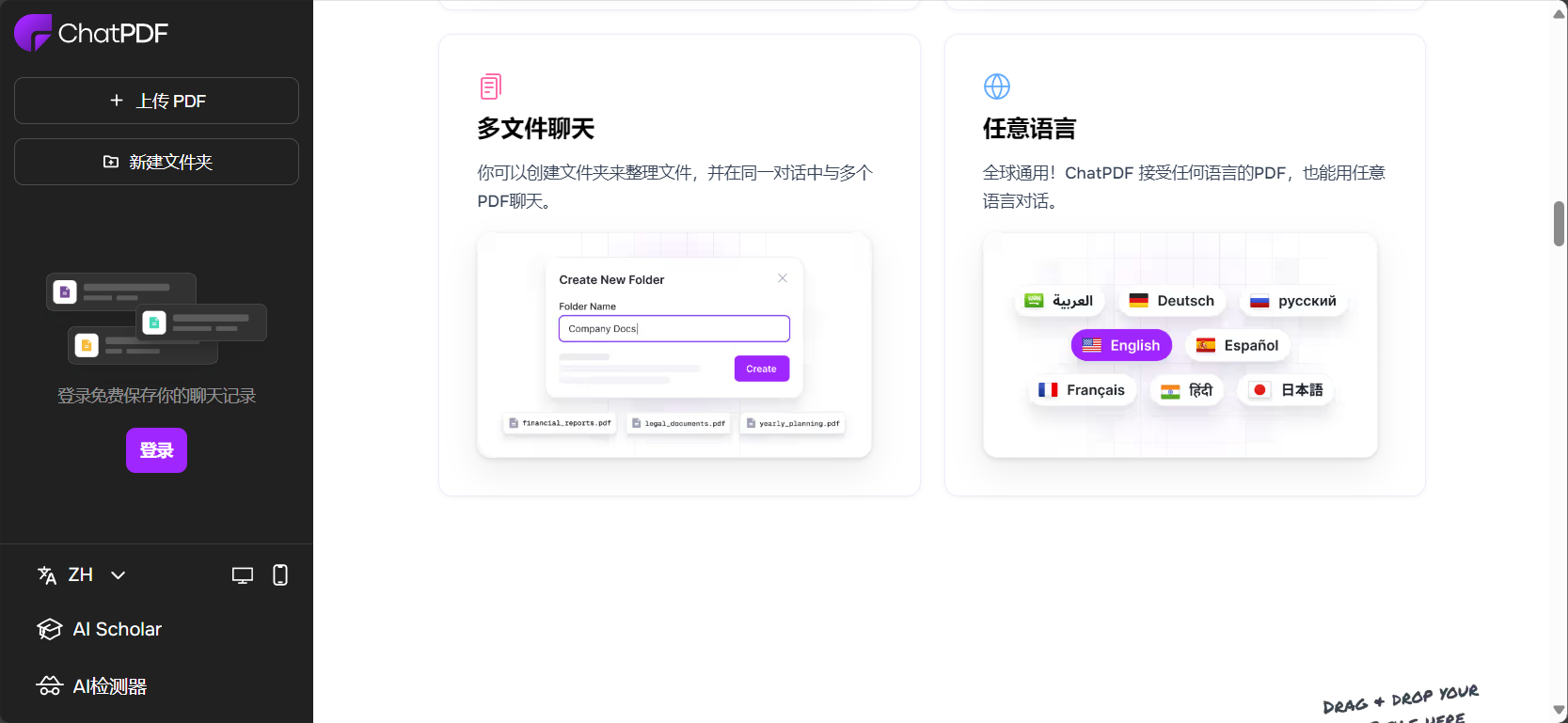
chatpdfIt not only supports documents in multiple languages such as Chinese and English, but also allows you to ask questions and get answers in your preferred language after uploading foreign language documents.
For example, if you upload a German PDF and request a brief translation of this page in Chinese, chatpdf can automatically recognize the text and return a Chinese answer, greatly facilitating the document processing needs of users worldwide.
Multi-document dialogue and data integration analysis
Users canCreate folderThis allows you to place several PDFs in the same "dialogue space." This means you can...Asking questions across multiple PDF filesComparison, for example:
- “What are the similarities and differences between the research conclusions of document A and document B?”
- “What overlaps exist between the industry trends for 2024 mentioned in the two market reports?”
ThisMulti-document conversation functionalityIt is extremely useful for applications such as academic reviews, patent comparisons, and market intelligence analysis.
Source citations and original links
Chatpdf will update after each AI response.Automatically generate reference linksIt allows users to instantly navigate to the corresponding page number in the original PDF document, effectively avoiding misunderstandings and information gaps. This is especially important in scenarios such as academic paper writing, legal risk control, and data verification.
Application Scenarios Overview
chatpdfIt is not "only for scientific research"; it covers a wider range of users and needs.
Academic research and paper review
- In-depth reading of research papers: quickly locate research hypotheses, experimental methods, and results.
- Literature review writing: Compare multiple documents and extract the commonalities and innovative points.
- Speed reading of school assignments: Save time and improve learning efficiency.
Business workplace and contract review
- Legal compliance: Automatically extracts key information such as risk clauses and scope of liability.
- Financial report analysis: Understanding data structure and gaining insights into key findings.
- Business training materials: key points summarized to aid knowledge transfer.
Typical scenario illustration table:
| User type | Main requirements | Chatpdf supports various methods |
|---|---|---|
| Researchers | Reading + Summarizing + Comparing | Intelligent question answering + multi-document comparison + automatic original text citation |
| College students | Review + Questions | Automatic summarization + knowledge point analysis |
| legal professionals | Terms Acquisition + Contract Review | Chapter-by-chapter extraction + detailed tracking + reference navigation |




chatpdf's product advantages and security guarantees
Simple and easy to use, free trial
chatpdfBasic functions are available without registration, allowing users to process a certain number of documents daily. Registration also enables saving historical conversations and managing multiple documents, making it more suitable for frequent users.
Device compatible, available on multiple platforms
It only requires a browser and can be used smoothly on Apple, Android, mobile phones, and PCs.Click here to access chatpdf。
Data encryption and privacy protection
chatpdfIndustry-standard SSL encryption is used; all document uploads and transmissions are encrypted, and the server complies with [relevant regulations/standards].SOC2 Type IIAuthentication fully protects user privacy and security.
Supports multiple file formats
In addition to supporting PDF, chatpdf has recently added support for...Word (.doc/.docx), PowerPoint (.ppt/.pptx), Markdown, TXTIt also supports more file types to meet diverse document processing needs.

How do I get started using chatpdf?
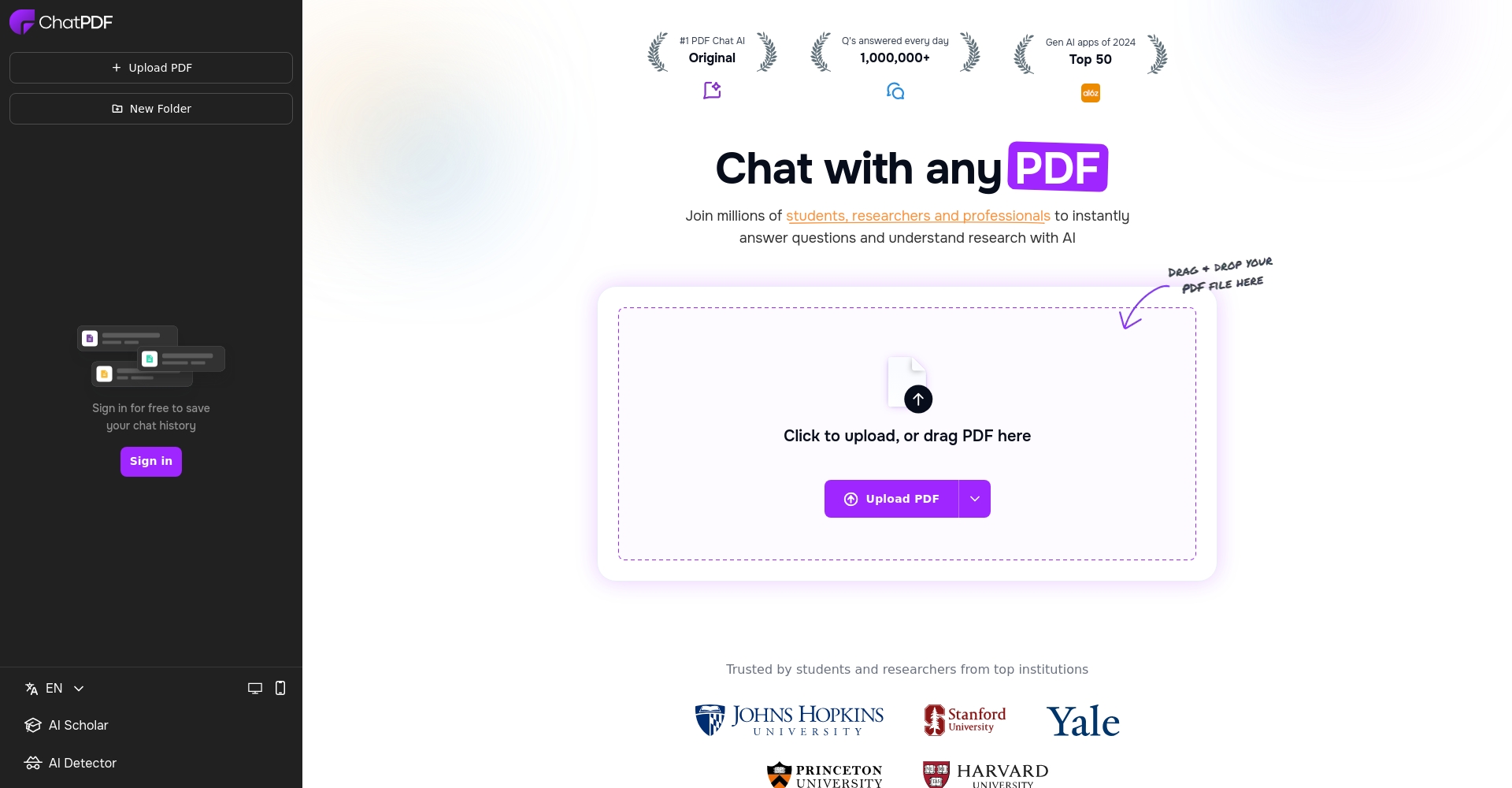
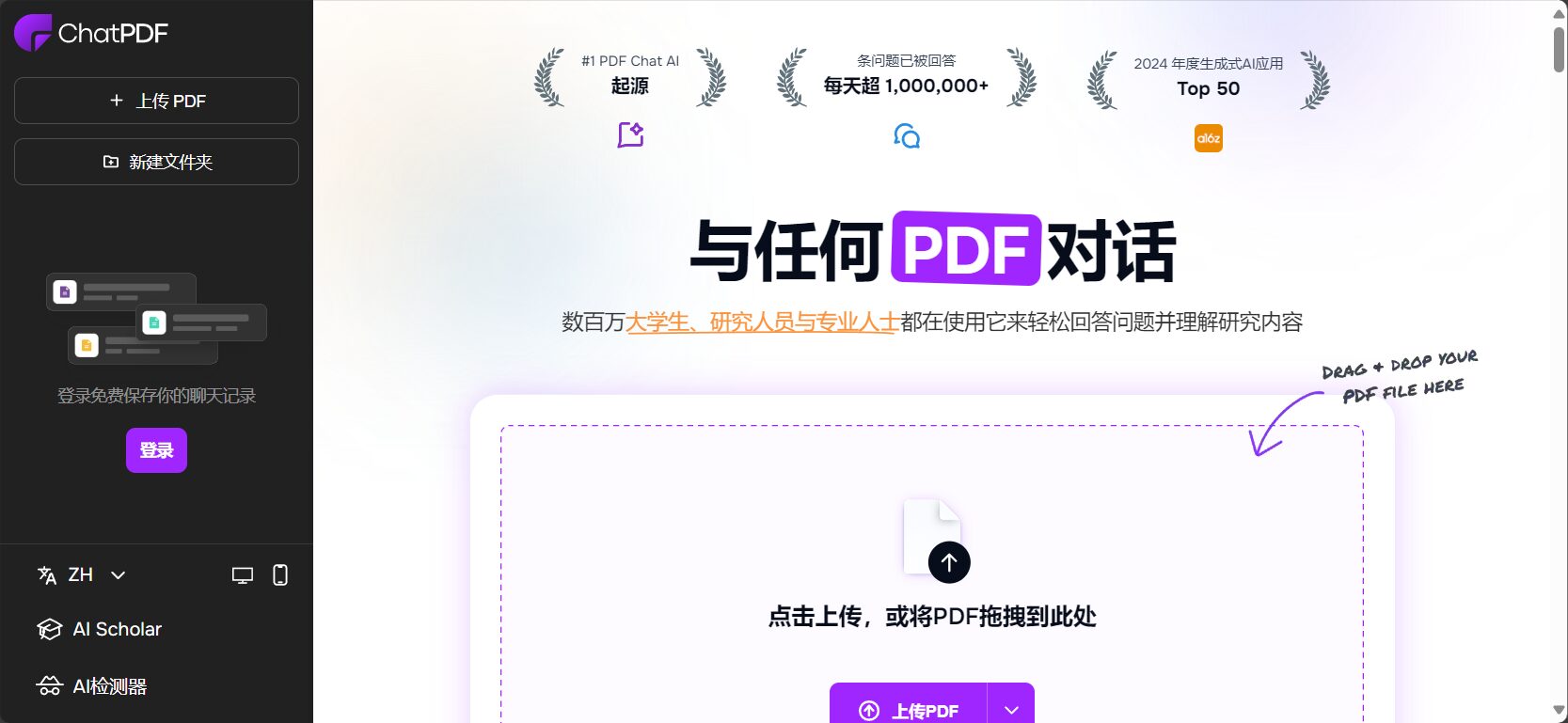
- Visit the official website:chatpdf.com。
- Upload PDF directly or drag and drop it onto the webpage.
- Start asking questions, requesting summaries, or performing multi-document analysis—enjoy core features without an account.
- Advanced features such as multi-document management and history saving can be unlocked after free registration.
Overview of commonly used operations and shortcuts:
| step | Practical Tips |
|---|---|
| Upload a single PDF | Ask questions directly about the content or generate a summary. |
| Upload multiple PDFs to a folder | Cross-file dialogue, topic summarization, comparative analysis |
| Specify summary/translation instructions | “"Please summarize this chapter in Chinese" / "Translate Section 2 into English", etc. |
| Use the original text citation function | Click on the citation attached to the AI answer to go directly to the original PDF page. |
With chatpdf, traditional static PDF documents are transformed into interactive "living documents." Whether you're a graduate student busy writing a thesis, a lawyer needing efficient contract review, or an office worker needing to understand various documents at any time, chatpdf can lend you a helping hand. Experience this PDF conversation tool now and let AI help you save time and improve efficiency!
© Copyright notes
The copyright of the article belongs to the author, please do not reprint without permission.
Related posts


No comments...
