How can I earn Fengyue Coins by editing/publishing articles through the AI Meow Navigation backend?
Welcome to join us AI Cat Navigation Join the ranks of creators!
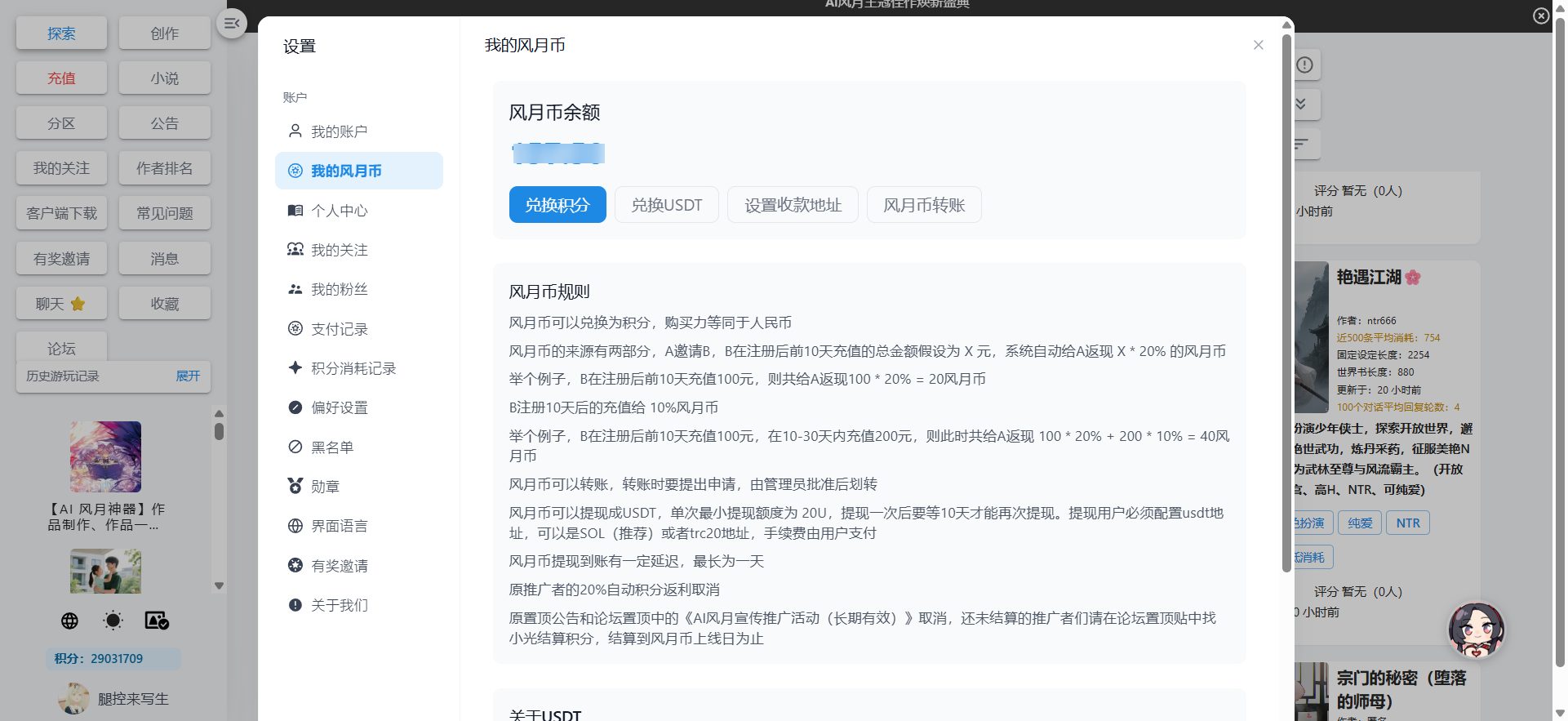
Here, you can not only share your knowledge and insights, but also earn money by publishing articles.“Fengyue Coin”"AI Romance's Romance Coins are equivalent in value to RMB and can be earned by promoting AI Romance to others. These coins can be converted into a large number of points for playing AI Romance, allowing you to accumulate points freely. They can also be exchanged for real money, bringing you tangible income."
This tutorial will guide you step-by-step through how to easily edit and publish your first article from the backend. The process is very simple, so let's get started!
STEP 1: Preparation: Register/Log in to AI Meow Navigationwebsite
Before you begin creating, please ensure that you have registered/logged in to your AI Meow Navigation account.
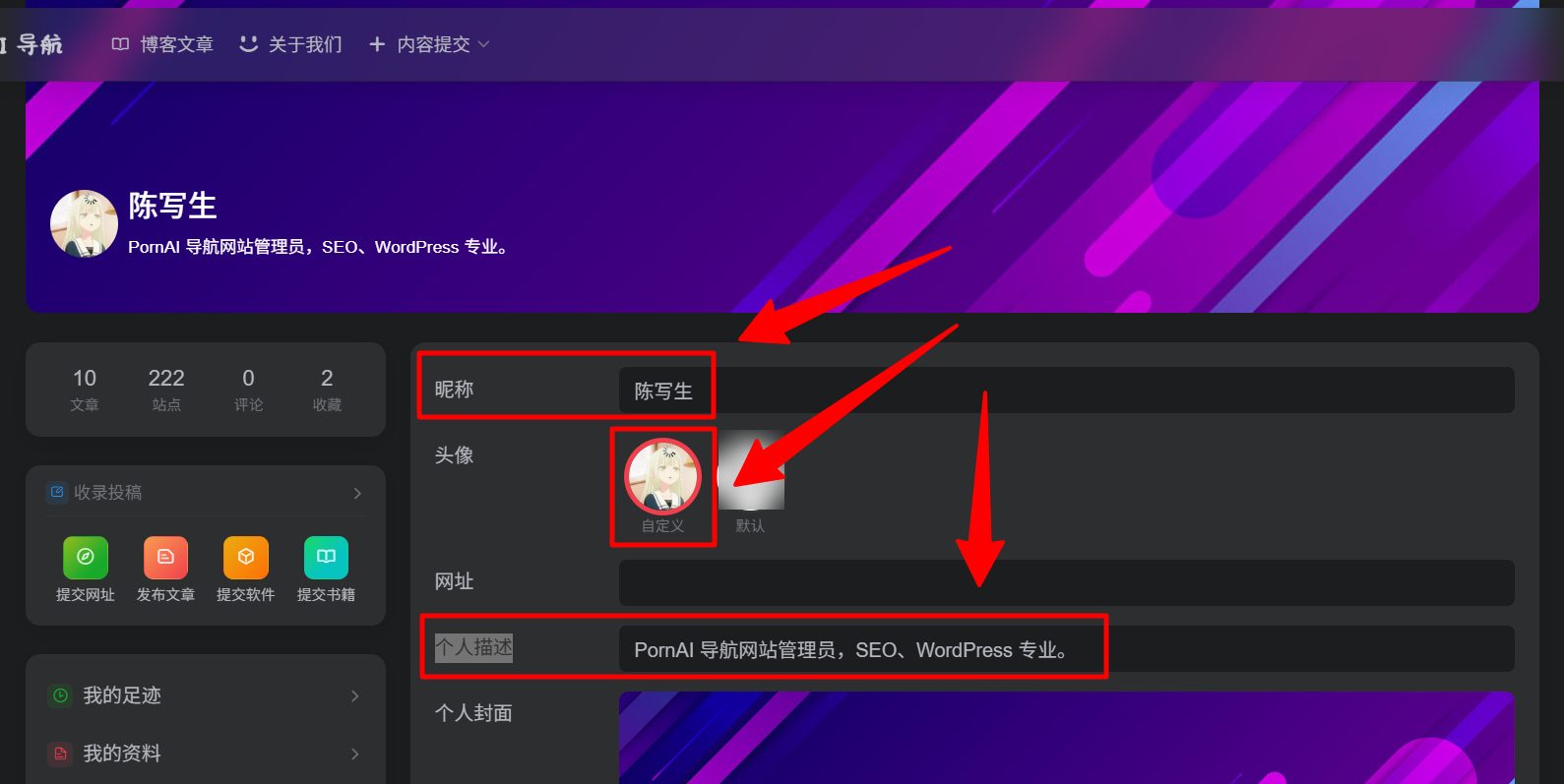
After logging in, we suggest you go to... User CenterHere, you can set your preferred nickname, change your profile picture, and fill in a personal description to help others get to know you better. A unique author persona is the first step in attracting readers!
Register an account:https://aicats.wiki/login/?action=register
STEP 2: Start Creating: Create or Edit an Article
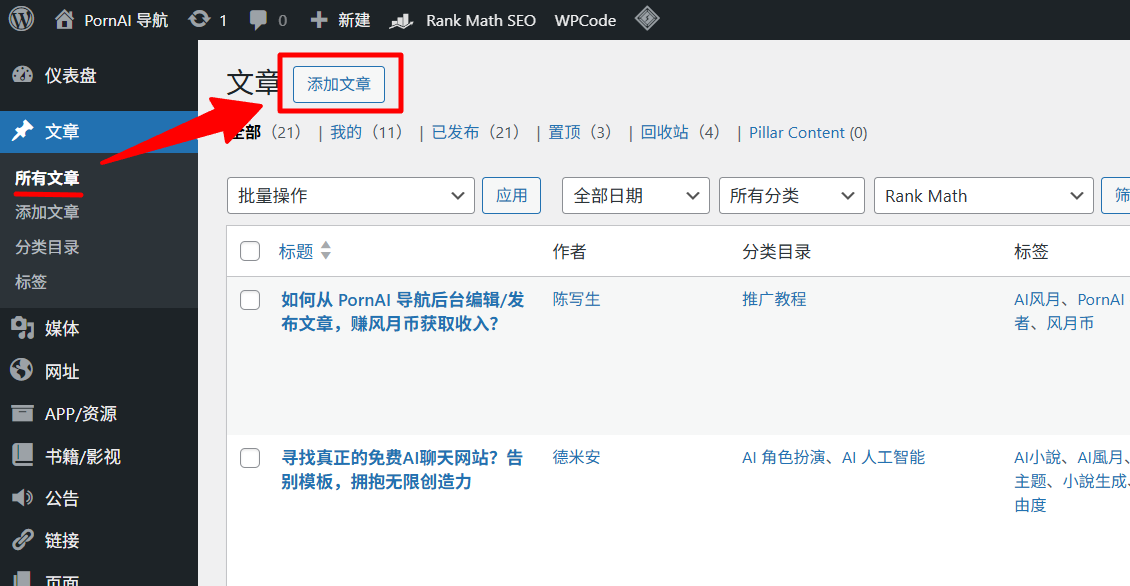
After successfully logging in, click the following link to access the website backend. Then select a draft article that interests you most and click "...".“edit”,。
Website backend:https://aicats.wiki/wp-admin/edit.php
Alternatively, if you don't want to edit the draft article we generated and want to create a new article to publish, you can also click "“Create a new article”Create a new article:
STEP 3: Enriching Content: Writing Articles and Formatting Paragraphs
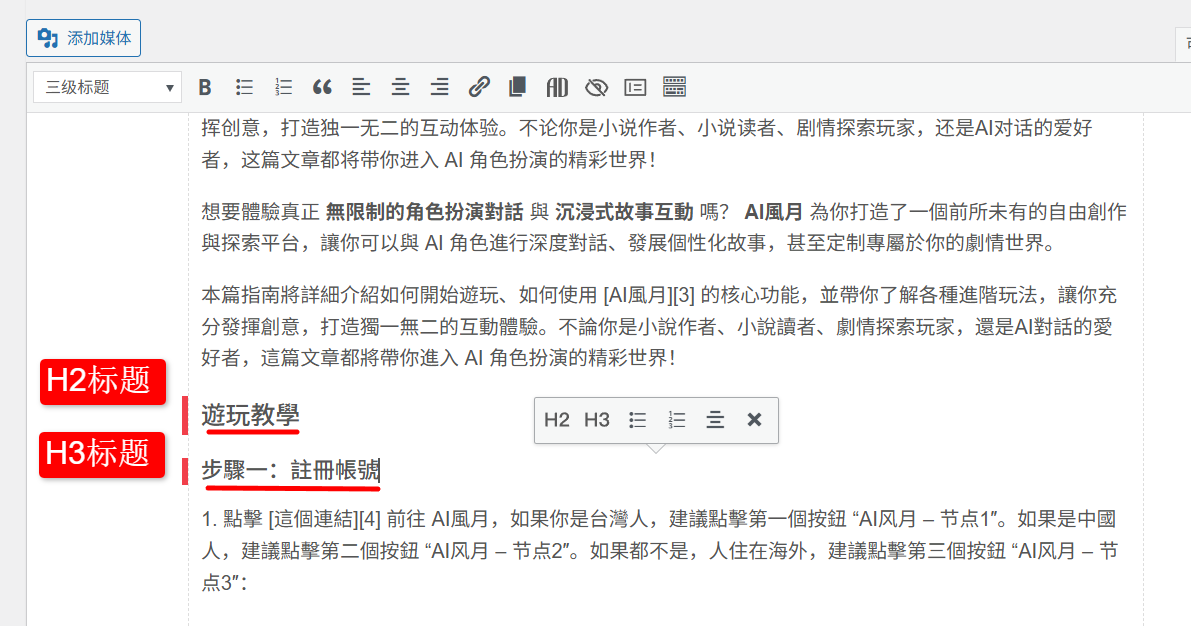
In the article editing area, you can freely express your writing style. To make the article structure clearer and easier for readers to navigate, we strongly recommend that you use headings to organize your content.
- H2 Heading (Heading 2)Used for the main outline within an article.
- H3 Heading (Heading 3)Used for sections under the H2 outline.
A well-structured article can greatly enhance the reader's reading experience.
STEP 4: Illustrated Guide: Correctly Inserting and Setting Images
A picture is worth a thousand words. Adding relevant images to your article can make the content more vivid. You can... Pixabay 或 Pexels These free image library websites are used to find suitable pictures.
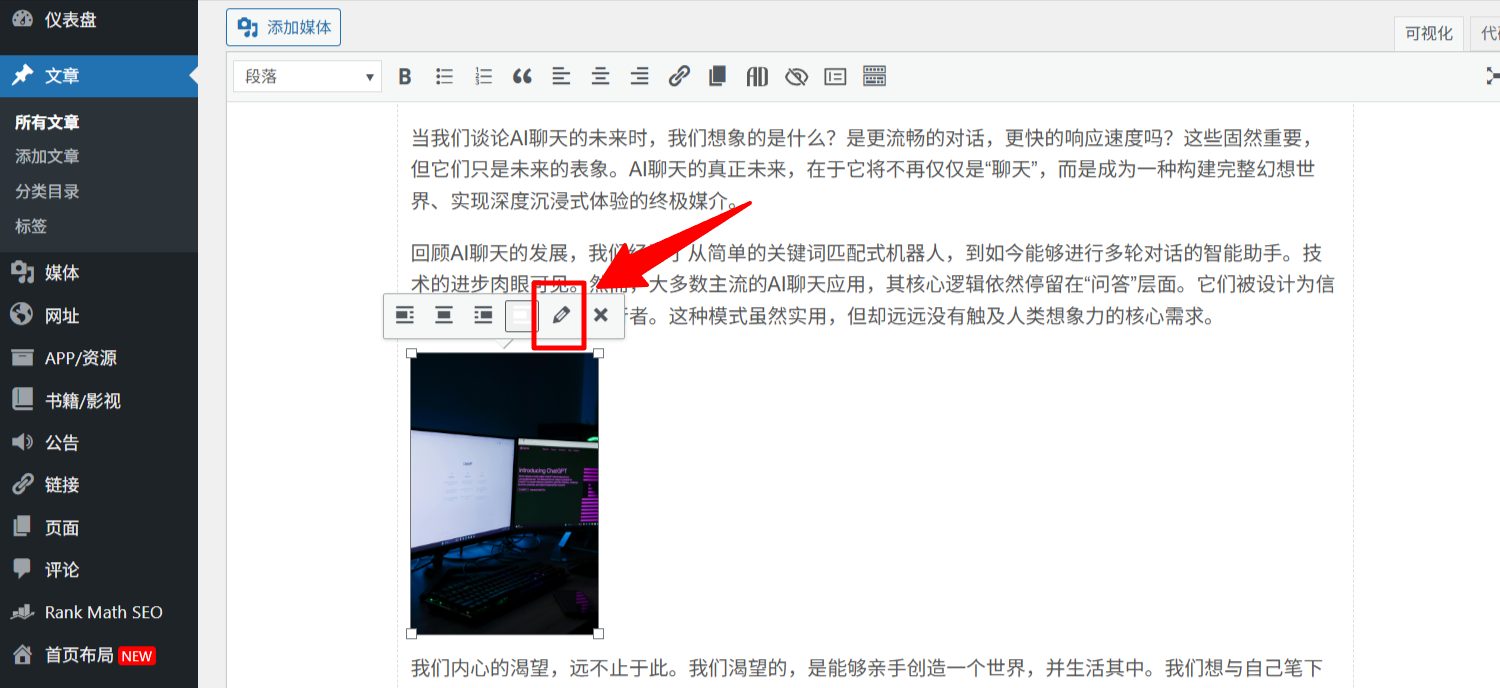
After inserting images, please be sure to make the following settings, as these are crucial for the professionalism and readability of your article:
- Click on the image you inserted, and then click "Edit" (usually a pencil icon).
- In the pop-up window, fill in the following three fields:
- Alt Text:
Image title | Article title - Caption:
Image/Image Title - Image title attribute:
Image title | Article title
- Alt Text:
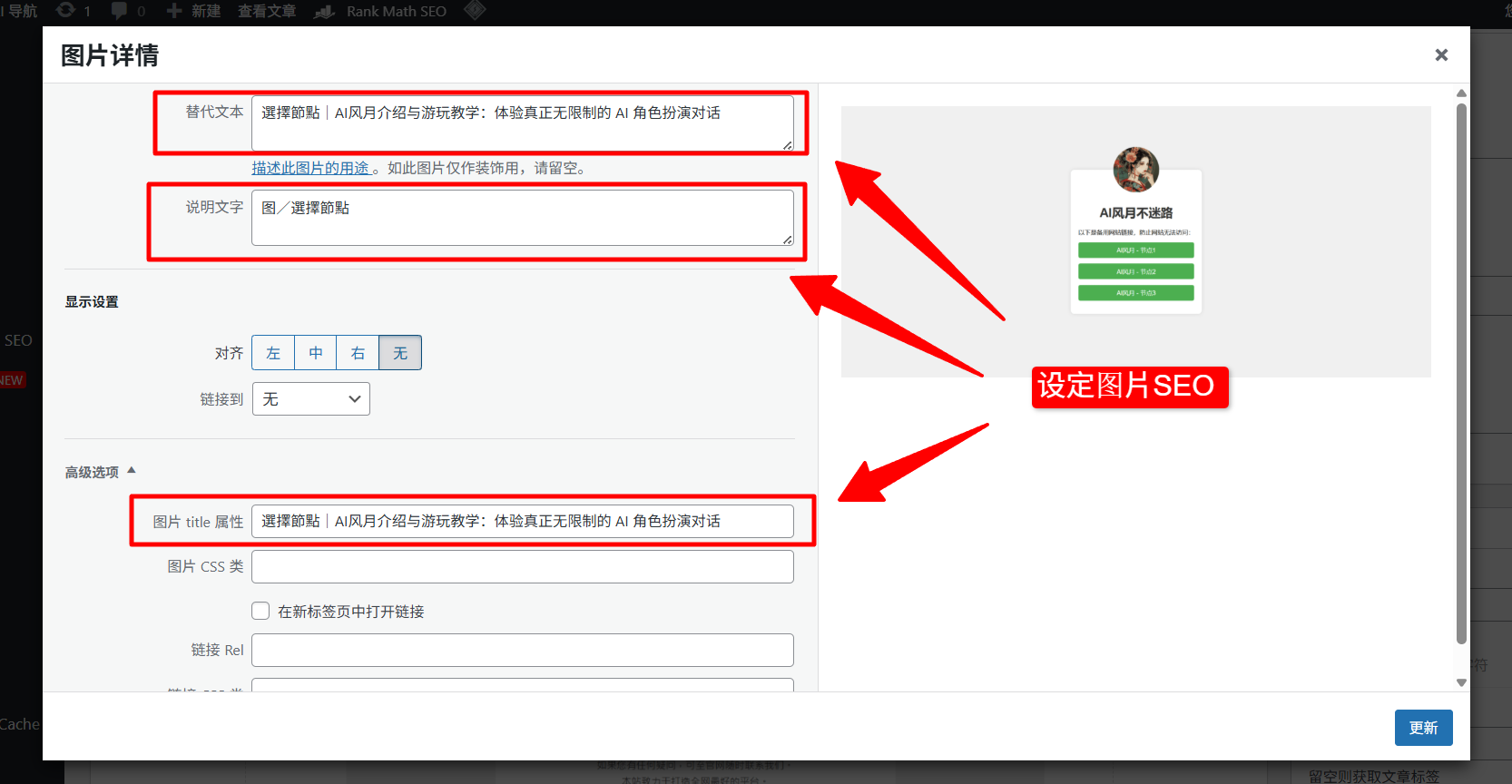
example: If your article title is "Best AI Chat Websites of 2025" and the image is of a laptop running an AI program, then the image field can contain:
- Alternate text:
Laptops that run AI | Best AI chat websites recommended for 2025 - Explanatory text:
Image/ Laptop running AI - Image title attribute:
Laptops that run AI | Best AI chat websites recommended for 2025
STEP 5: Add Value: Add promotional or reference links
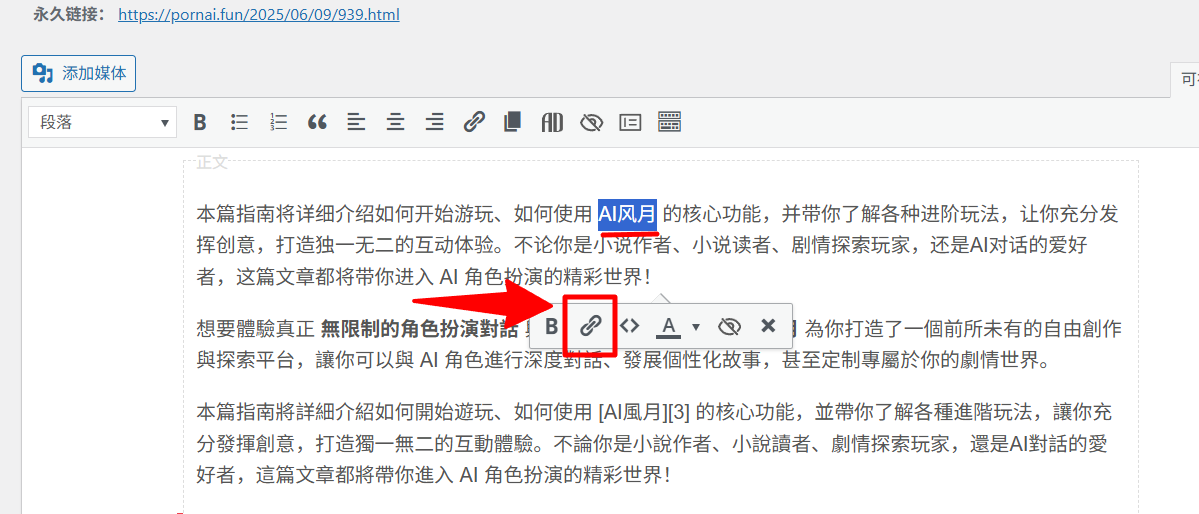
If you want to recommend a tool or cite a source in your article, you can add a hyperlink. It's very simple:
- Use your mouse to select the text where you want to add a link (e.g., "Click here to visit").
- Click the "Insert/Edit Link" icon in the editing toolbar (it usually looks like a chain).
- In the pop-up input box, paste the URL you want to point to, and then press Enter.
By sharing valuable links, your articles will be more helpful, and readers will trust you more.
STEP 6: Categorization: Set categories and tags
To ensure your articles are properly archived and recommended to interested readers, be sure to set up categories and tags.
- ClassificationChoose the main category that best summarizes the theme of your article.
- LabelAdd several relevant keywords as tags based on the article content.
STEP 7: Set the cover: Add a featured image
The featured image is like a "cover" for your article; it will appear on the website's homepage and in the article list. In the bottom right corner of the editing page, find the "Set Featured Image" option and upload an image that best represents the content of your article as the cover.
STEP 8: Submit for review: Save the draft and wait for publication.
After completing all the above steps, please carefully check your article content, layout, and image settings. Once you are sure everything is correct, click "Save as Draft".
After you save your article as a draft, our editorial team will be notified and will review it. Once approved, your article will be officially published on AI Meow Navigation, and you will begin earning "Fengyue Coins" as a result!
© Copyright notes
The copyright of the article belongs to the author, please do not reprint without permission.
Related posts

![[AI Romance] How to create a high-quality interactive AI role-playing game from scratch?](https://aicats.wiki/wp-content/uploads/2025/07/my_prefix_1753329093.jpg)

No comments...
