
Home Styler Complete Guide: How to Create Your Own AI Home Design Solution in 3 Steps
home stylerIt is the most popular in 2026One of the AI home design platformsThis article willA comprehensive explanation of Home Styler's features and highlights, in three steps.AIRapid design process, common errors and version comparisonWhether you're a beginner or a professional designer, you can create your own 3D space in just three steps, achieving a perfect experience from floor plan design to high-definition rendering. The widespread adoption of home decoration AI tools makes home design simple, efficient, and accessible to everyone.
Home Styler Overview and Market Positioning
In the wave of smart home design,home stylerrely onZero-based, instant 3D visualization, AI-powered style matchingIt quickly became a globally popular platform. Whether it's...Whether it's a homeowner presentation, a designer proposal, or a trial run for an ordinary user, the project is designed to meet their interests.For each of these, a suitable solution can be found.
Home Styler Introduction
home stylerNo installation required; simply open your browser to experience AI interior design. It supports one-click drawing, AI-powered automatic furniture matching, and a million-level material library.Advanced technologies such as 3D display, floor plan, and VREasily create professional space solutions.
| Functional categories | Key Highlights |
|---|---|
| AI Design Engine | Intelligent automatic layout, style recognition, and one-click furniture matching |
| 3D rendering | High-definition rendering, 360° panoramic browsing, VR immersion |
| Furniture Material Library | 10,000+ branded furniture, wall coverings, flooring, and soft furnishings in various styles |
| Cloud storage/collaboration | Multi-user online collaboration, instant sharing, and synchronization across devices. |
| Custom drawing | Customize room type, size, door and window layout |

Three Steps for Beginners: Creating Your Own AI Home Design
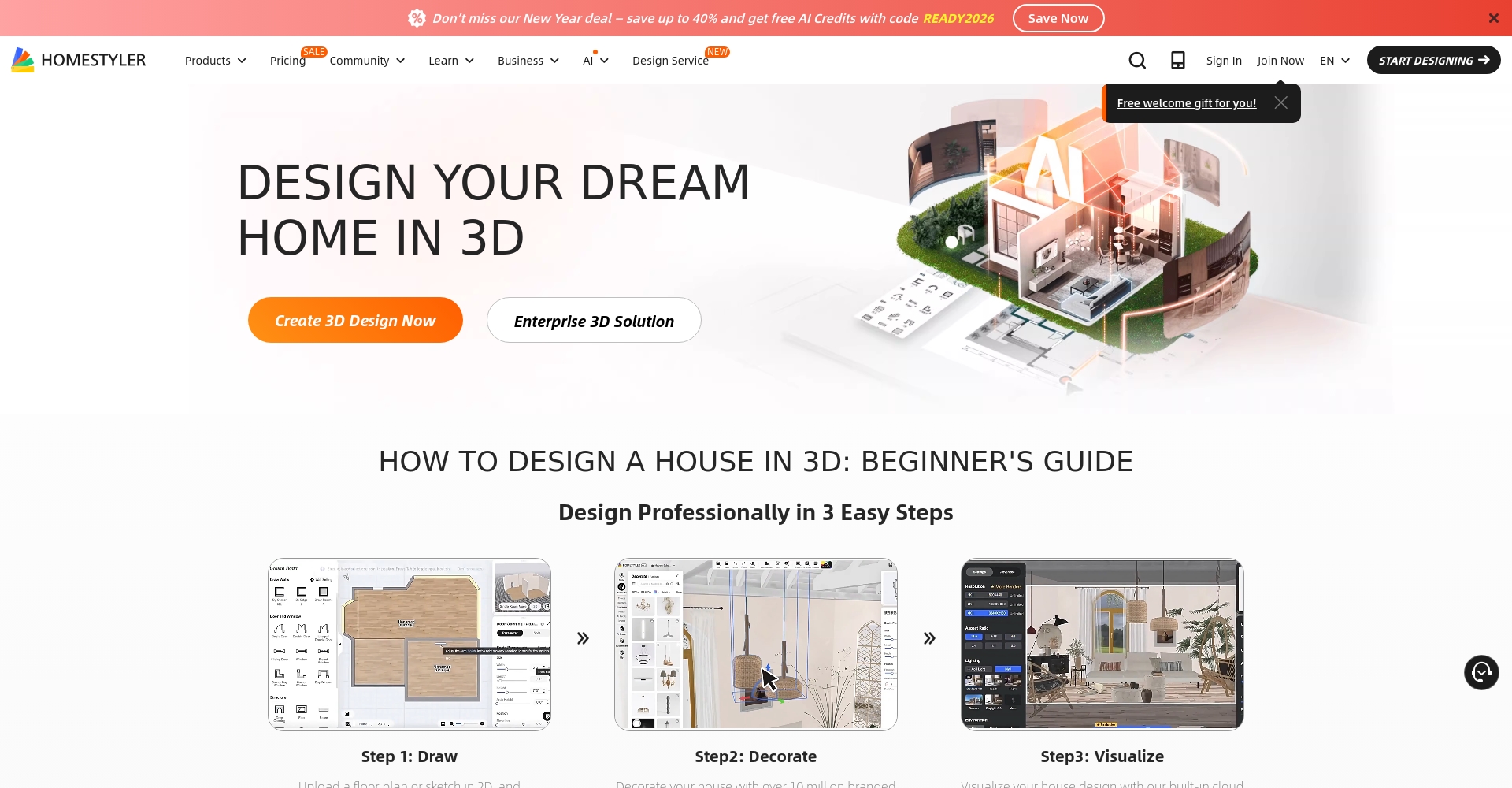
Traditional design software often presents complex workflows that deter many beginners.Home styler in just 3 stepsIt's easy to get started:
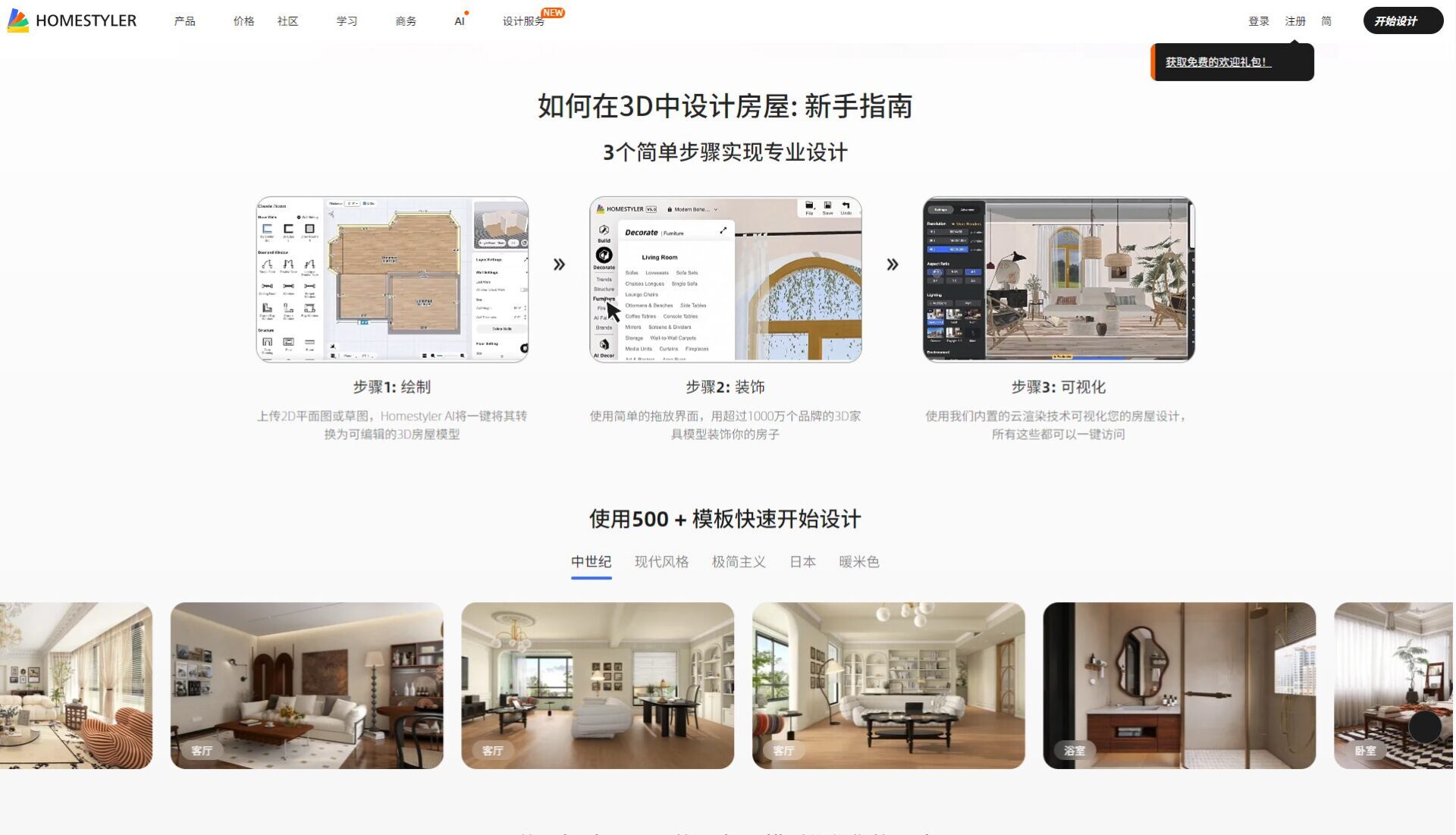
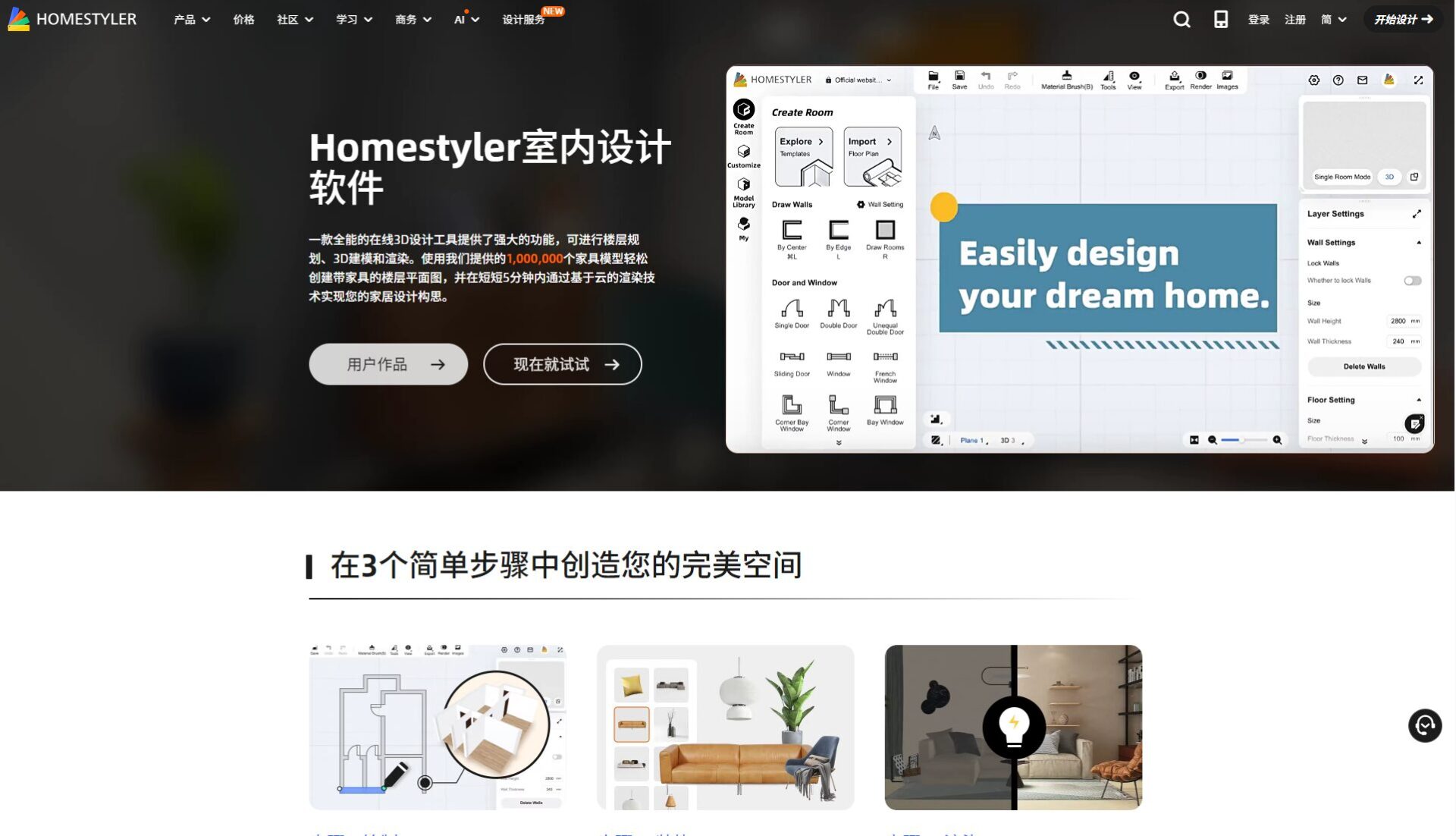
Step 1: Create a spatial plan
- Click “New Design” to...Import from custom drawing or template。
- Enter the dimensions and drag and drop walls, doors, and windows.
- Supports uploading floor plan photosAI automatically identifies the structure.
Tip:Indicating door opening direction and fixing furniture can improve the accuracy of AI placement.
Step 2: AI-powered automatic home furnishing arrangement
- Click“AI Auto Design”Select/enter style keywords (such as “Nordic, Modern Minimalist” etc.)
- AI analyzes the structure, intelligently arranges furniture, and recommends a main color scheme for decoration.
- You can switch between different themes at any time and preview in real time.
Step 3: 3D Rendering and Export Sharing
- One-click 3D renderingBrowse space from multiple angles
- Supports exporting animations, high-resolution images, and VR perspectives.
- It can generate PDF drawings and allow you to directly share the artwork link.
| step | content | Core functionalities used |
|---|---|---|
| 1 | Create structure/upload floor plan | Plane drawing/image recognition |
| 2 | AI Style Selection | Automatic recognition + matching |
| 3 | 3D Preview/Rendering/Output | High-definition rendering, sharing |
In-depth functional analysis: How does Home Styler revolutionize home decoration?
AI-powered automatic design engine
Like having a personal designer,Home Styler can automatically generate multiple theme schemes based on space data.Optimize traffic flow, color scheme, and lighting to greatly reduce the need for repeated manual adjustments.
Super Furniture Library
- Millions of genuine global brand furniture items, including sofas, tables, chairs, and bed frames.
- Supports customizable size, material changes, and instant results upon insertion.
Realistic 3D rendering and immersive experience
Through a 3D graphics engine,The changes in light and shadow are highly realistic.Users can stroll through the virtual space, fine-tune the layout in real time, and break the boundaries of imagination.
Multi-platform collaboration and cloud synchronization
All works are automatically saved to the cloud, allowing for seamless data switching across multiple devices.Suitable for cross-platform remote collaboration for individuals/teams。
Home Styler Version Selection: Free vs. Pro
The free version is sufficient for most users' daily needs; if needed...Advanced features such as high-definition output and brand materialsUpgrading to Pro is recommended.
| Function | Free version | Pro/Enterprise Edition |
|---|---|---|
| AI design times | 10 times/month | Unlimited times |
| Output image quality | Standard Definition | 4K high definition |
| Material Library | Partially open | Unlock all |
| Commercial Licensing | ❌ | ✔️ |
| Cloud capacity | 1GB | 50GB |

For subscription details, please refer to [link/reference].Pro Page。
Frequently Asked Questions/Beginner Q&A
Recommended for common user groups
| User type | Applicable functions | Version Recommendation |
|---|---|---|
| Tenant/Landlord | Quick planning | Free version |
| Small space main | Size adjustment/movement design | Pro |
| Designer | Proposal/Professional Output | Pro/Team Edition |
| Furniture brands | Model upload/High-definition rendering | Enterprise Edition |
Top 3 common mistakes
- The unit (metric/imperial) was not switched, resulting in an incorrect space dimension.
- The uploaded floor plan did not indicate the orientation of doors and windows, resulting in inaccurate AI layout.
- Choosing furniture that's too big results in a design that doesn't match the actual space.

Beginner's Guide Q&A
- Do I need to download the app?—No need, just use the webpage.
- Can it be used in special layouts?—Automatic modeling of irregular house layouts (hand-drawn/uploaded)
- Which devices are supported?—Compatible with PC, iOS, and Android
Comparison: Home Styler vs. Mainstream Competitors
| platform | home styler | Planner 5D | RoomGPT |
|---|---|---|---|
| AI-automated layout | ✔️ | ❌ | ✔️ |
| Chinese interface | ✔️ | ✔️ | ❌ |
| High-definition output | ✔️ | part | ✔️ |
| VR/3D Preview | ✔️ | ✔️ | part |
| Custom modeling | ✔️ | ✔️ | ❌ |
| Beginner-friendly | ✔️ | ✔️ | ✔️ |
| Commercial Licensing | Upgradeable | Not specified | ❌ |
Future Trends and Industry Observations
With the rise of digital native usersAI-powered automated home design has become a core driving force in the home decoration industry.AI tools like Home Styler will continuously improve design efficiency and make aesthetic experiences more accessible, leading the future trend of home aesthetics.
Conclusion
2024,AI-powered home design is no longer exclusive to professionals..Openhome stylerExperience your own personalized 3D home in just three steps. Whether it's simulation, customization, or team collaboration, everyone can define their ideal space.
© Copyright notes
The copyright of this article belongs to the author. Please do not reproduce it without permission.
Related posts




No comments...