Adobe PodcastTranslation site

2wks agoupdate 7 00

Adobe Podcast is an AI-powered, high-performance cloud-based audio enhancement and editing tool that allows users to easily achieve studio-quality sound without the need for professional equipment.

Location:
USA
Language:
en
Collection time:
2025-11-27
Adobe PodcastAdobe Podcast

Adobe PodcastIt is a product launched by AdobeAI cloud-based audio toolsIt enables podcasters, YouTubers, online teachers, and other users to easily achieve [the goal] without expensive equipment.Professional studio-quality soundIts AI-enhanced noise reduction, text editing, multi-person remote collaboration, andCloud-based web page editingFeatures such as these greatly simplify the audio content production process.Extremely low entry barrierThis is highly attractive to both individual and team creators. The paid version also supports...Video processing and more batch functionsIt is an ideal choice for modern content creators to improve sound quality and efficiency.

In the wave of content in the digital ageThe demand for high-quality audio creation continues to rise.

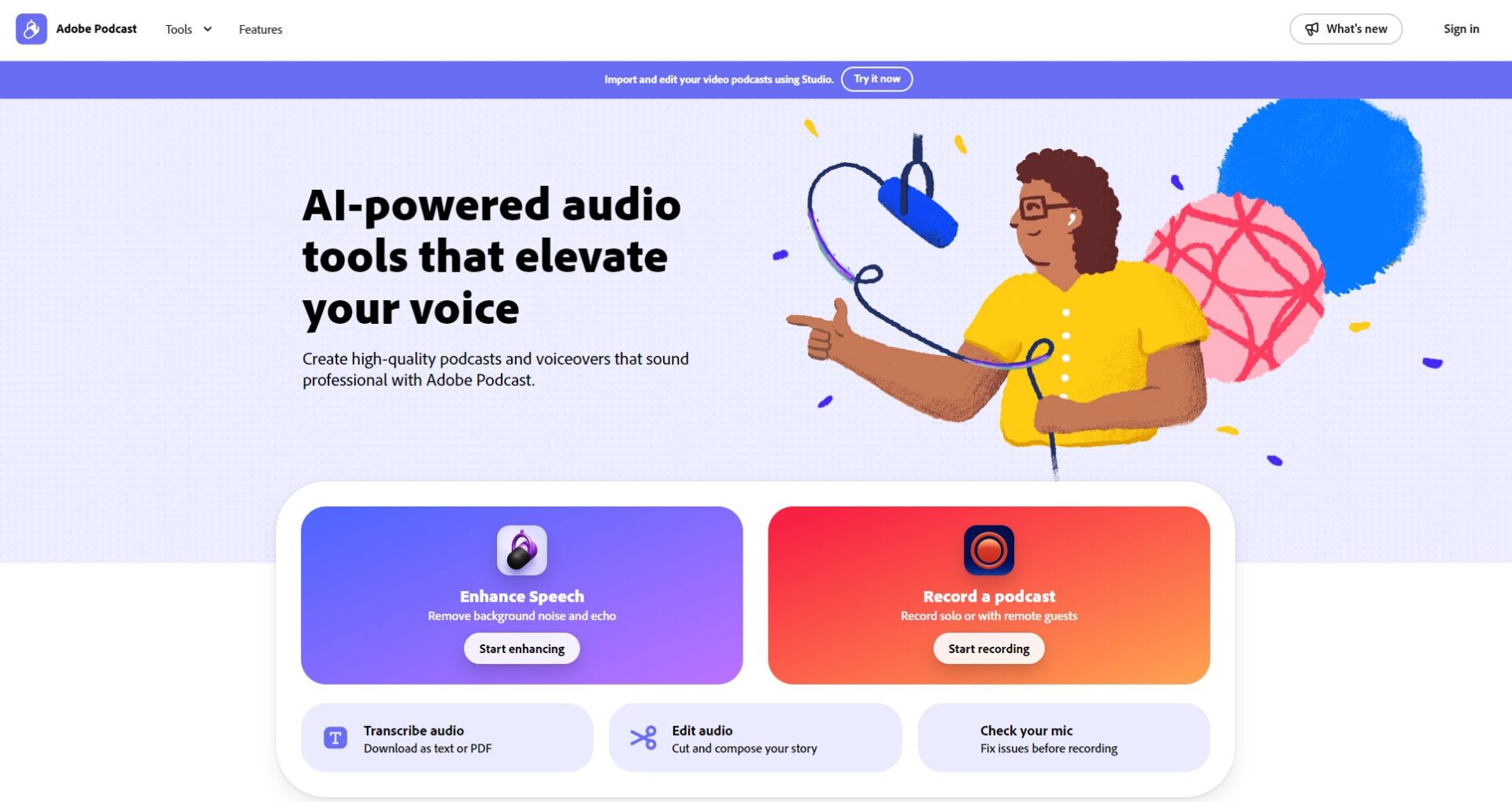
Screenshot of the Adobe Podcasts website homepage
Photo/Screenshot of the Adobe Podcasts website homepage

Whether it's podcasts, YouTube channels, online courses, or business presentations, professional, clear, and easy-to-edit audio quality is becoming increasingly important.Adobe PodcastOfficial website linkThis is a software specifically designed for content creators.AI audio toolsIt uses AI technology to achieve one-stop recording, noise reduction, enhancement and editing, improving sound quality efficiency and lowering the barrier to entry for beginners.

Main functions of Adobe Podcast

Functional official website

Adobe PodcastIt supports audio and video processing, and its core AI functions include:
1. Enhance Speech (Speech Enhancement/AI Noise Reduction)

  • AI Audio Tools: Automatically Improve Sound Quality Based on AIEven with a mobile phone or entry-level microphone, it can reproduce professional recording quality.
  • It supports audio (mp3, wav, m4a, etc.) and video (mp4, mov, etc.) files, and the Premium version supports more batch processing.
  • Suitable for various scenarios such as podcast beginners, online courses, and media reporters.
  • The Premium version allows for flexible adjustment of AI processing intensity and batch uploading.

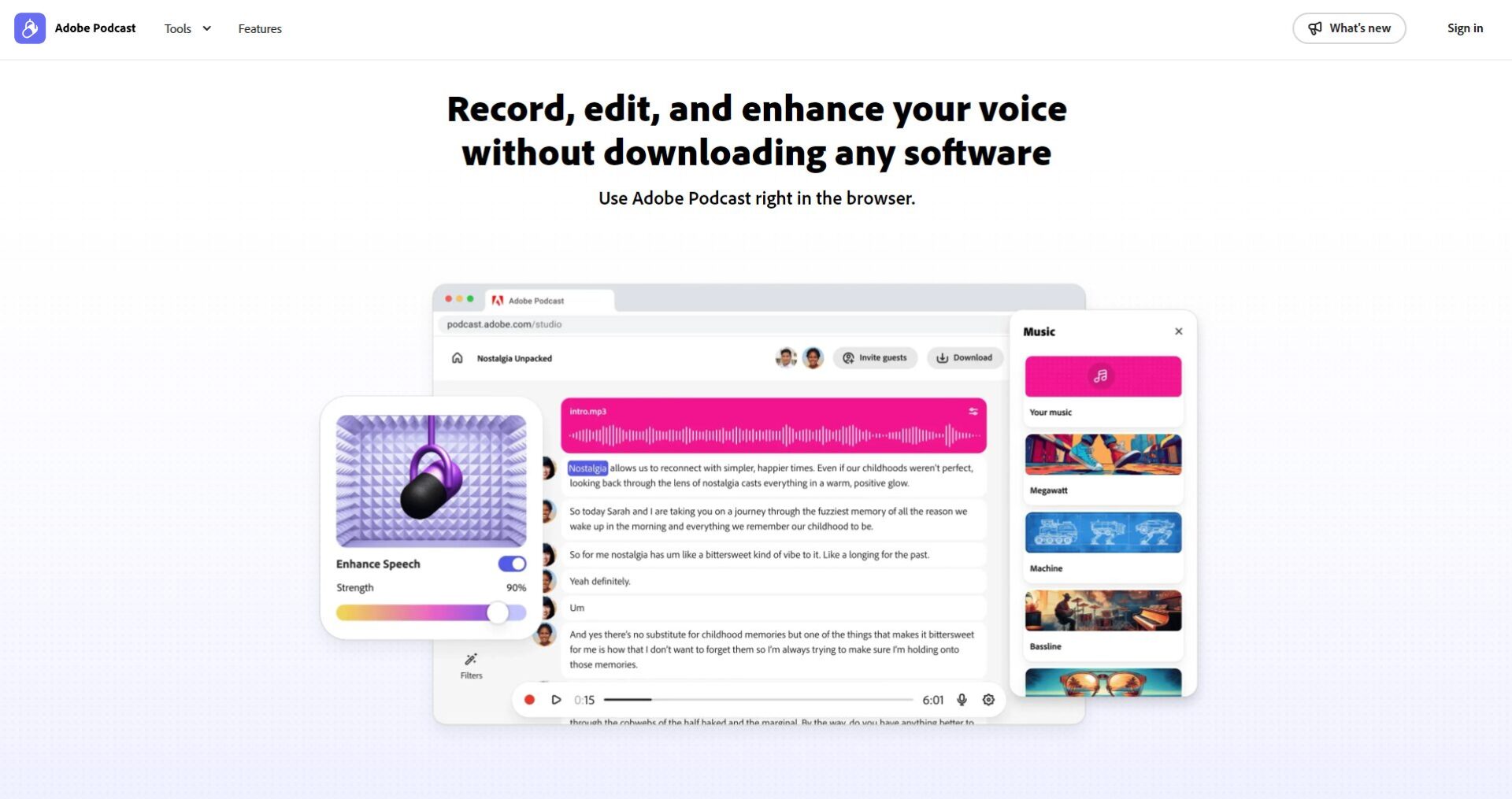
2. Studio (Real-time recording/editing/adding subtitles in browser)

Official website function introduction
Image/Official Website Function Introduction
  • No installation required; simply open a webpage to enable collaborative remote recording, audio and video editing.
  • AI automatically converts speech to transcriptDirect text editing synchronizes with audio cutting.
  • It supports multiple audio tracks, multiple camera angles, and AI-powered automatic subtitle addition and annotation.
  • The free version has limited downloads, while the Premium version has no limit and allows downloading by audio channel.

3. Mic Check (AI-based microphone detection analysis)

  • One-click testing equipmentAI analyzes microphone distance, noise, and echo.And provide optimization suggestions.
  • It helps beginners or amateur teams easily achieve professional-looking results.

Comparison of main functions

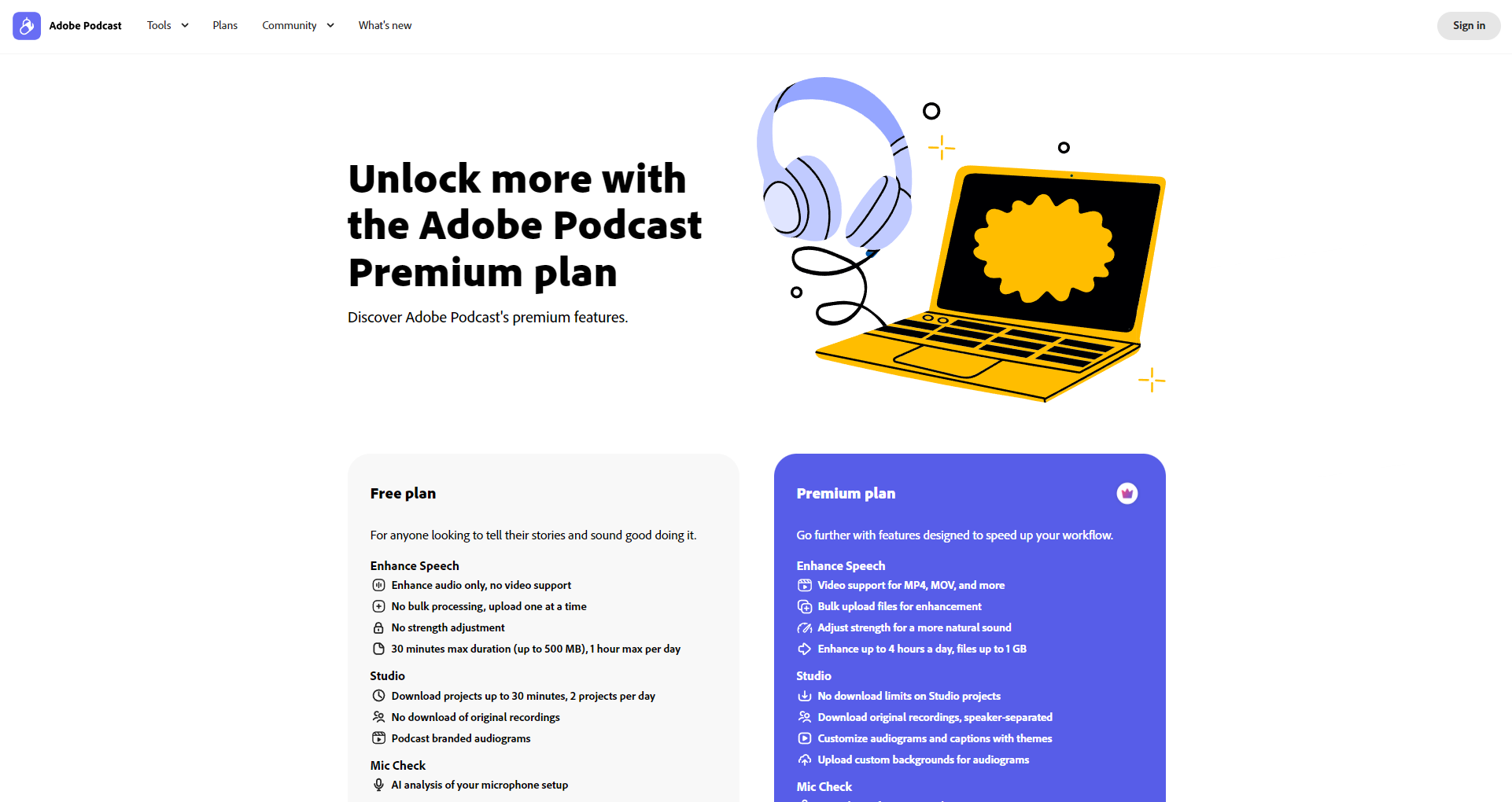
FunctionFree versionPremium version (paid)
Supported formatsSingle audioAudio + Video
Batch processing
AI intensity adjustment
Maximum duration per tier30 minutes / 500MB2 hours/1GB
Total daily processing time1 hour4 hours
Studio project download2/dayunlimited
Mic Check Analysis
AI role-playing advertising banner

Chat endlessly with AI characters and start your own story.

Interact with a vast array of 2D and 3D characters and experience truly unlimited AI role-playing dialogue. Join now! New users receive 6000 points upon login!

For more detailed features, please seeOfficial website function page

Adobe Podcast Pricing & Plans

Official plan details

Official pricing plan page
Photo/Official pricing plan page
planpriceSupported contentTarget audience
Free version0 yuanAudio AI enhancement, basic web page editing, daily 1-hour batch quotaBeginner/Occasional Creation
Premium version$14.99/month (US pricing)Features include adding video, batch processing, custom intensity settings, unlimited downloads, and multi-channel export.Podcast professionals, content team
  • New users can apply for a 30-day free trial of Premium.
  • Supports authorization and invoicing for educational, team, and enterprise collaborations.

How to use Adobe Podcast

  1. Registration and login: Quick registration for Adobe, Google, Facebook, Apple accounts, etc. Free to use immediately, or try Premium for 30 days.
  2. AI noise reduction optimization: EnterEnhance Speech toolsUpload the file, and the AI will process it in seconds.
  3. Studio editing/recording: Webpage recording, remote connection, automatic transcript generation, text-to-audio editing, support for subtitles and exporting short videos.
  4. Microphone detection: Analyze your device with one click and get AI diagnostic suggestions.

AvailableOfficial tutorialforumGet support.

Registration and login page
Image/Registration/Login Page

Who is Adobe Podcast for?

  • Podcast beginners/personal branding: The system is simple and directly optimizes the effects of mobile phones or basic microphones.
  • Team creators/YouTubers: Batch editing and remote multi-person recording significantly improve collaboration efficiency.
  • Online courses, news, and radio: Fast batch processing saves time later.
  • Education/Corporate Sector: Supports group licensing, improving the efficiency of enterprise digital content communication.
  • The general public without IT background: It's ready to use right out of the box, delivering studio-quality sound without requiring any audio expertise.

Advanced features and usage

  • AI-powered verbatim editing and remote audio recording reduce post-production time.
  • Supports multilingual verbatim transcripts (English is preferred, with gradual expansion).
  • Premium supports batch audio enhancement for videos, making it suitable for simultaneous audio-visual enhancement in vlogs, online classes, and other similar formats.
  • Generate Audiogram value-added features such as brand templates/logos, automatic captions, and dynamic sound waves.
Official forum page
Photo/Official forum page

Advanced Comparison Table

Advanced featuresFree usersPremium users
Remote multi-party simultaneous recordingsupportAdvanced Collaboration
AI verbatim editingsupportsupport
Video and audio enhancementBasic formatFull support
Batch processing/editing
Logo removal template

Frequently Asked Questions

1. Which languages are supported?

Currently, the English verbatim transcript is the best, while other languages are being tested and developed gradually.

2. Can videos be processed for free?

The free version only supports audio.Video noise reduction requires Premium.You can register for a trial experience.

3. Do I need to download and install the app?

No installation required at all!All operations are completed on the web page, compatible with Windows/Mac/iPad, and can be used with mainstream browsers.

4. Which devices and browsers are supported?

Compatible with Windows, Mac, and major browsers (Chrome, Edge, etc.). Microphone optimization settings are recommended.

In the wave of AI audio revolutionAdobe PodcastIt's setting a new standard for content creation. If you also want to...Use AI to efficiently create high-quality audio content.Welcome to visitAdobe Podcasts official websiteUnleash your new future in sound!

AI role-playing advertising banner

Chat endlessly with AI characters and start your own story.

Interact with a vast array of 2D and 3D characters and experience truly unlimited AI role-playing dialogue. Join now! New users receive 6000 points upon login!

data statistics

Data evaluation

Adobe PodcastThe number of visitors has reached 7. If you need to check the site's ranking information, you can click ""5118 Data""Aizhan Data""Chinaz data""Based on current website data, we recommend using Aizhan data as a reference. More website value assessment factors include:"Adobe PodcastAccess speed, search engine indexing and volume, user experience, etc.; of course, to evaluate the value of a website, the most important thing is to base it on your own needs and requirements, and some specific data will need to be obtained from [research institutions/resources].Adobe PodcastWe will negotiate with the website owner to provide information such as the website's IP addresses, page views (PV), and bounce rate.

aboutAdobe PodcastSpecial Announcement

This site's AI-powered navigation is provided by Miao.Adobe PodcastAll external links originate from the internet, and their accuracy and completeness are not guaranteed. Furthermore, AI Miao Navigation does not have actual control over the content of these external links. As of 6:33 PM on November 27, 2025, the content on this webpage was compliant and legal. If any content on the webpage becomes illegal in the future, you can directly contact the website administrator for deletion. AI Miao Navigation assumes no responsibility.

Relevant Navigation

No comments

none
No comments...