
Copy.ai
Copy.ai is favored by marketing teams and content creators worldwide for its market-oriented AI copy generation capabilities, brand voice management, and workflow automation support.
Raycast AI is a smart launcher and AI office tool deeply integrated into macOS, combining intelligent dialogue, automated commands, and multi-model support to greatly improve office and development efficiency.
 Raycast AI
Raycast AI It has the deepest integration on macOS.AI office toolsCombining intelligent dialogue, automated commands, rich extensions, and team collaboration, it greatly enhances your work and development efficiency. Its multi-model support, security compliance, and developer ecosystem enable individuals and teams to achieve efficient and intelligent office work. Visit now. Raycast AI Official Website Explore more!
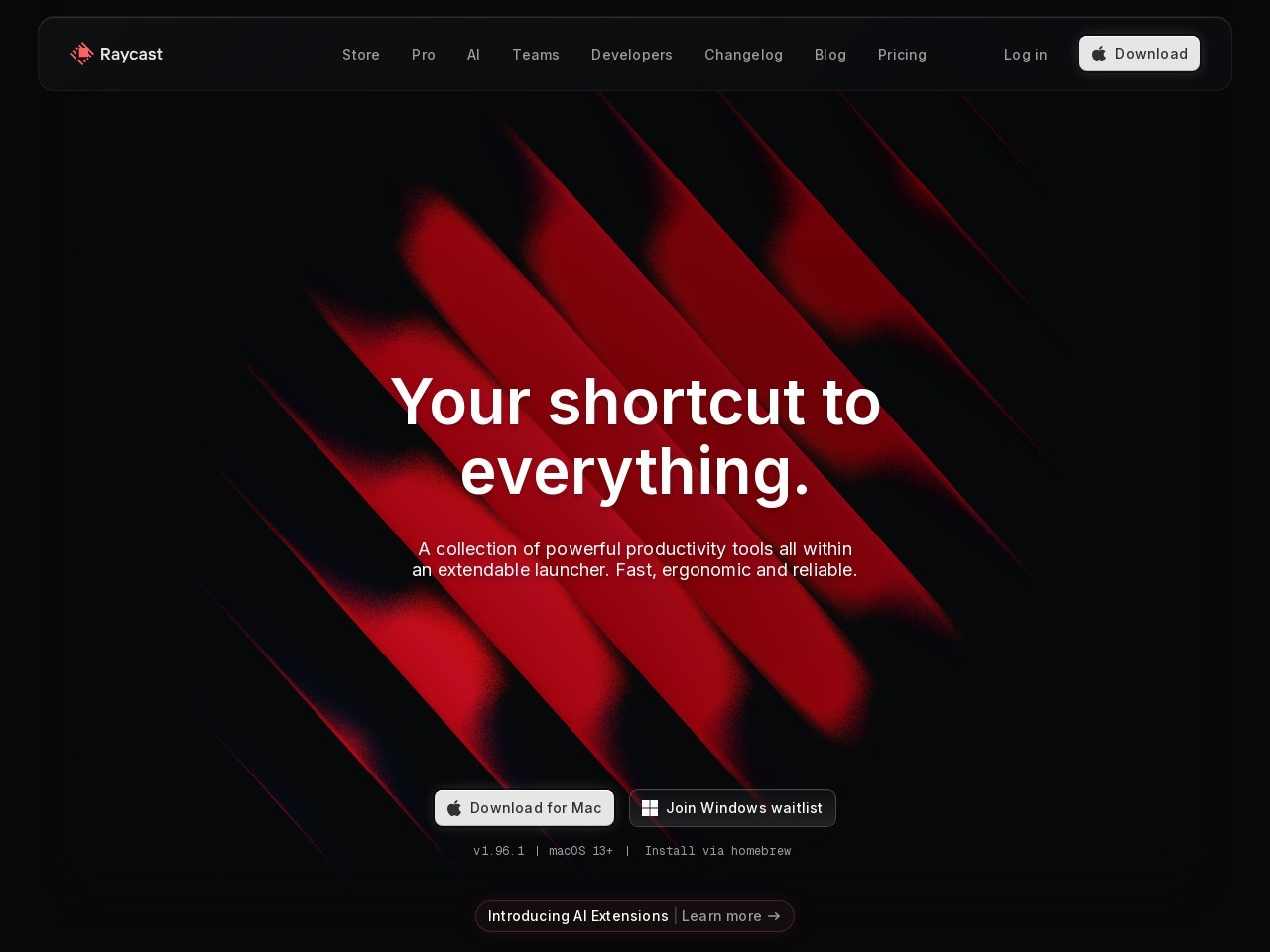
With the continuous improvement of artificial intelligence technologyAI office toolsIt's quietly changing the way we work. Recently, Raycast, the highly anticipated high-efficiency launcher for macOS, officially launched Raycast AI, becoming an innovative productivity platform that Mac users can't miss. This article will take you through a detailed look at Raycast AI and how it facilitates smart office work. Visit now!Raycast AI Official WebsiteGet more first-hand information.
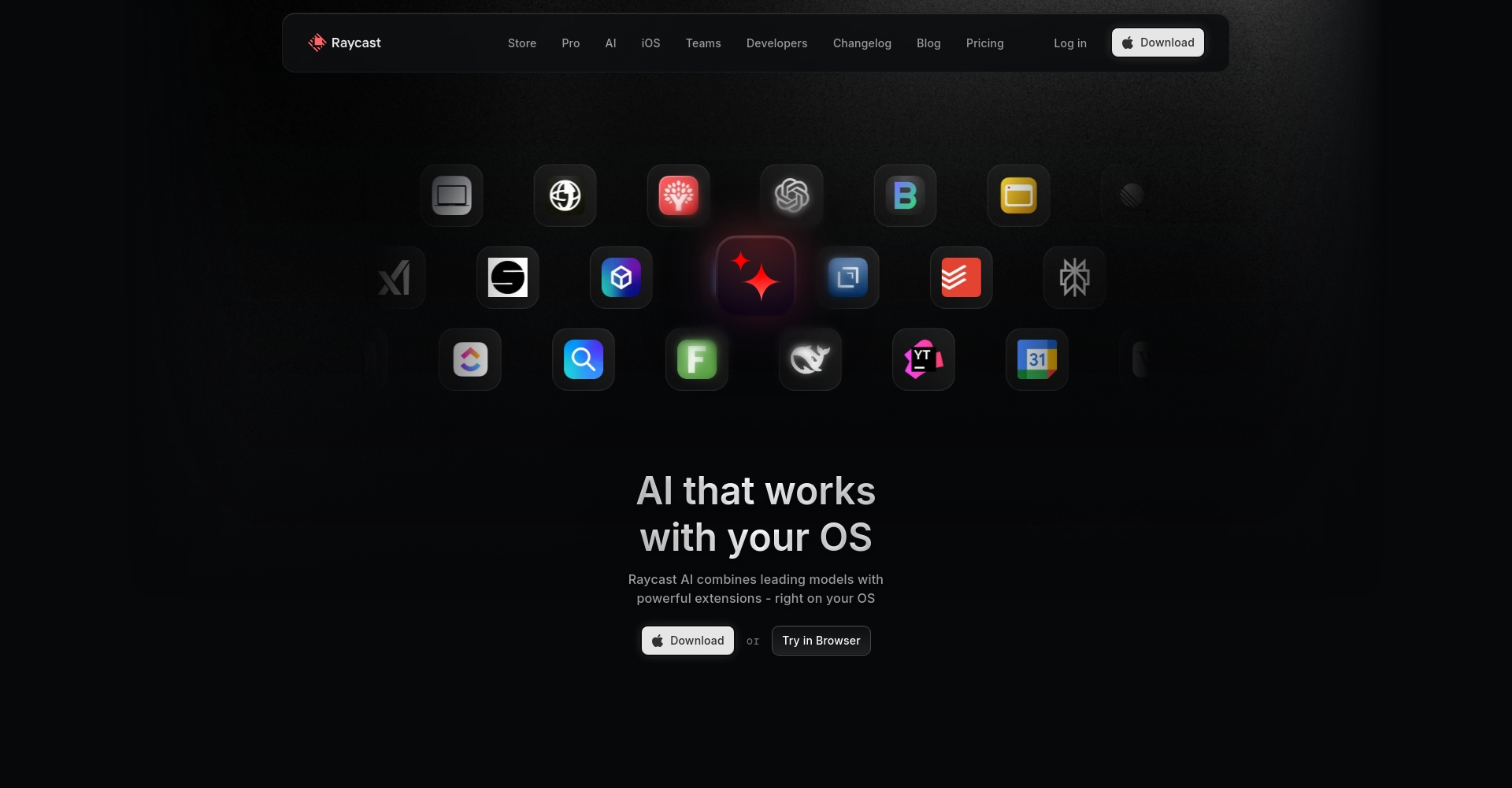
Raycast AI is a high-performance application designed specifically for macOS users. AI office toolsUnlike traditional chatbots or single command-line tools, it deeply integrates artificial intelligence into the operating system.Greatly improves the efficiency of office and development processes.。
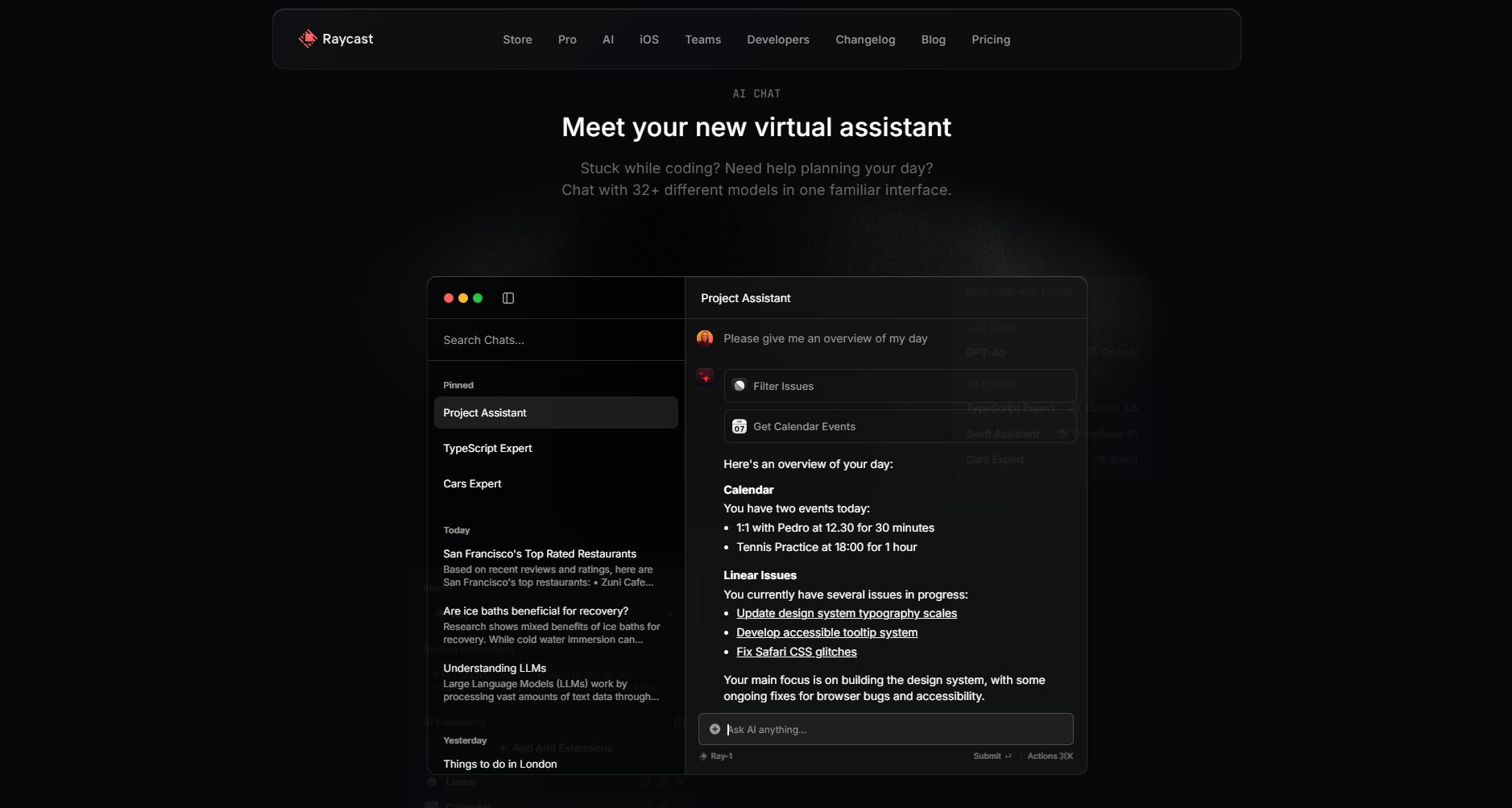
You can view more feature details directly on the Raycast AI core feature introduction page.
| Functional categories | Detailed description | Features |
|---|---|---|
| Intelligent dialogue | Integrated ChatGPT, supporting multiple model selection | One-click output, quick paste to the current application |
| Automated commands | Supports AI-defined commands and batch execution. | Automatically complete common work scenarios by waking up commands |
| API/Extension Support | Plugin development interface with a wealth of built-in extensions | Support community development and personal extensions |
| Cross-device synchronization | Cloud sync notes, shortcuts, settings | Pro supports unlimited synchronization and collaborative sharing. |
| Data security and privacy | No uploading of private data, localized access | SOC2 compliance in accordance with enterprise-specific security standards |

Raycast is free as a basic launcher, while Raycast AI and related advanced features are available via subscription. Users can access... Raycast official website pricing page Get real-time solutions.
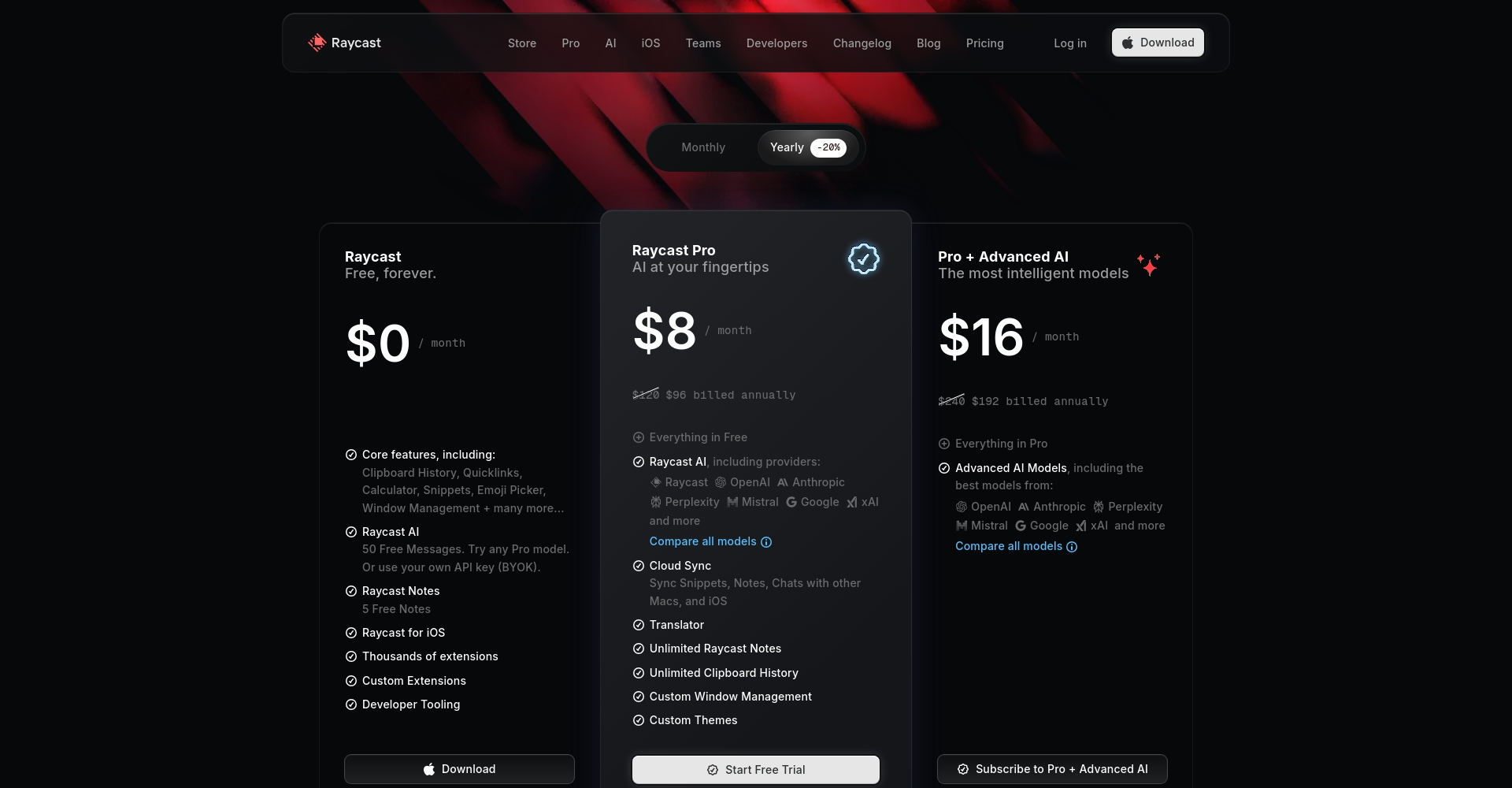
| Version | Monthly payment price | Annual payment price | Main interests |
|---|---|---|---|
| Free | free | free | Basic launcher, 3-month clipboard history, limited notes, thousands of extensions |
| Pro | $10/month | $8/month | Unlimited clipboard, unlimited notes, cloud sync, custom themes, Raycast AI base package |
| Pro + AI Advanced | Pro+$8/month | Pro+$8/month | Supports top-tier AI models (GPT-4o/Claude, etc.), custom APIs, model aggregation options, etc. |
| Team | $0/user/month | $0/user/month | Suitable for small teams, limited collaboration and sharing, and basic AI experience. |
| Team Pro | $15/user/month | $12/user/month | Unrestricted collaboration, team AI, enterprise-grade security, and full-featured sharing. |
| Enterprise | custom made | custom made | Enterprise-grade SAML, SCIM, full access control, compliance and security features, customized services |
For more pricing details and package options, please refer to [link/reference].Raycast Official Solution Comparison Table。
Raycast AI is extremely easy to install and use.Seamlessly integrate into your daily macOS workflowFollow these steps to experience Raycast AI:
brew install --cask raycast。/ai Alternatively, you can use a keyboard shortcut to activate the intelligent dialogue experience.
Detailed instructions can be found at [link to website].Raycast Official ManualConsult.
Raycast AI is a top-tier...AI office toolsThis brings productivity innovation to a wide range of professional users:
Different roles/positionsRaycast AI usage examplesMore real-world examples can be found there.
| characteristic | Raycast AI | Alfred + Chatbot | General web version of ChatGPT | POE |
|---|---|---|---|---|
| System integration capabilities | Extremely powerful (deep macOS integration) | Strong (third-party) | extremely weak | Webpage as the main focus |
| AI multi-model support | GPT-4/Claude/Claude etc. | Requires self-built plugin | limited | Rich |
| Command Automation | One-click packaging, customizable | Script customization | 无 | 无 |
| Teamwork | 完善(协作共享) | 弱(手动同步) | 无 | 弱 |
| Corporate Compliance | SOC2/自定义API/全控 | 无 | 无 | 无 |
| Transparent pricing | 直营+年付优惠 | 多数免费或一次性 | Monthly payment | Monthly payment |
current Raycast AI 仅限 macOS 11 及以上,官方已表示 Windows 客户端开发中,用户可关注更新日志获取最新进展。Linux 暂无官方支持。
Raycast AI 明确遵循用户隐私保护原则,不会上传或收集敏感数据,AI处理均由官方正式API端点完成。企业和团队用户支持自定义API密钥以及供应商白名单,符合国际主流数据合规标准(例如 SOC2 等),详情见安全及合规中心。
详细对比请参考官方方案介绍。
普通免费版用户每月可获得50次AI对话体验,用完后可选择订阅 Pro 或使用自有API Key(BYOK)继续享用服务。更多详情参见FAQ页面。
开发者不仅可利用 ChatGPT 自动生成、修改代码,还可通过插件市场和 API 平台(开发者平台地址),深度集成个人工具、快捷命令、甚至本地LLM模型,大幅提升开发和测试流程自动化能力。
Raycast AI 集合高效启动器、命令自动化和多模型AI聚合于一身,为 Mac 用户构建了全新的 AI office tools 生态新标杆。无论是个人效率极客、开发者,还是注重协作的组织团队,均能在 Raycast AI 体验到“懂你的 AI 工作助手”带来的智能变革。想要开启工作方式的 AI 时代?请立即访问Raycast AI Official Website下载安装吧!
This site's AI-powered navigation is provided by Miao.Raycast AIAll external links originate from the internet, and their accuracy and completeness are not guaranteed. Furthermore, AI Miao Navigation does not have actual control over the content of these external links. As of 8:16 PM on October 24, 2025, the content on this webpage was compliant and legal. If any content on the webpage becomes illegal in the future, please contact the website administrator directly for deletion. AI Miao Navigation assumes no responsibility.
