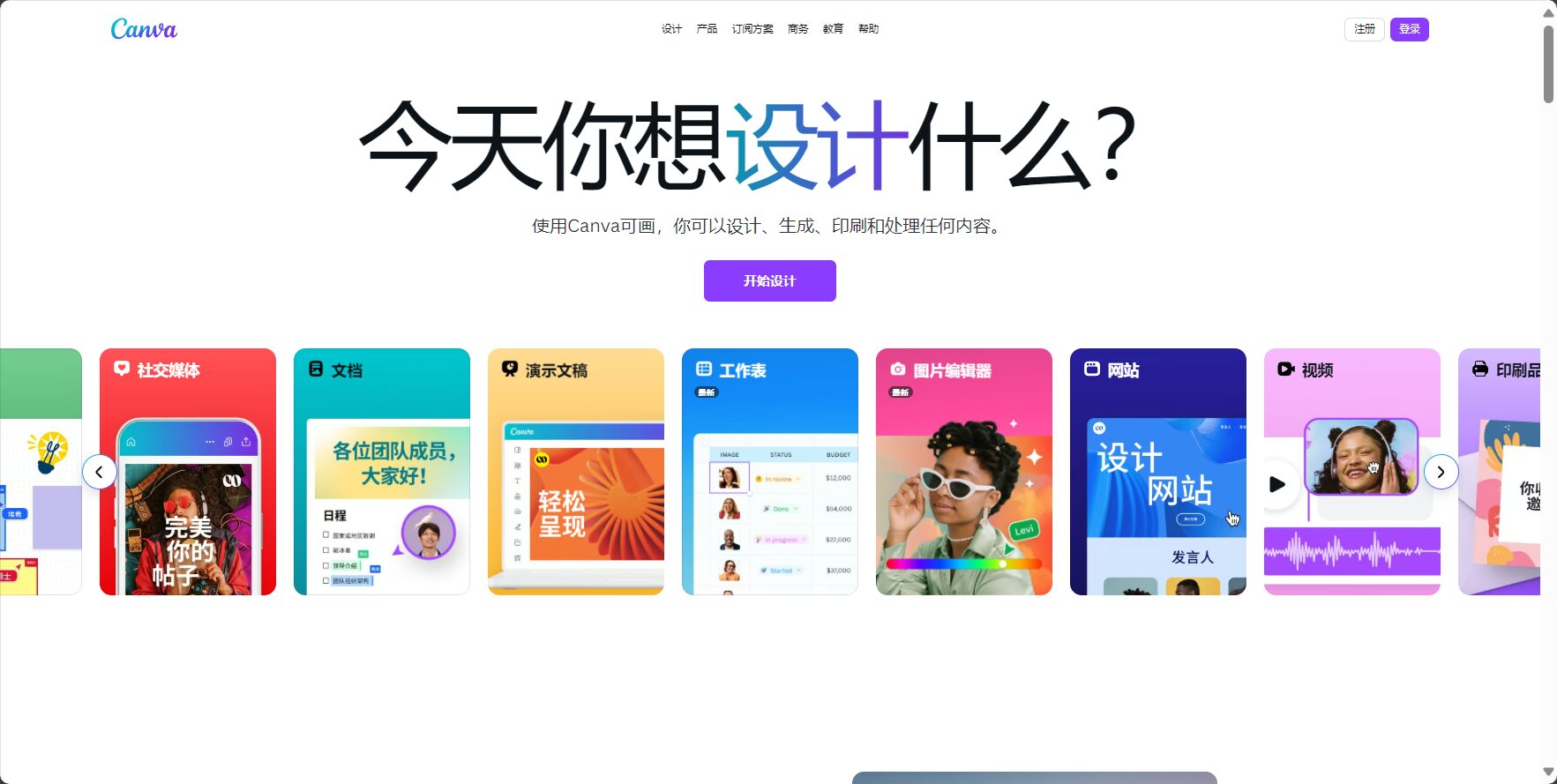
Canva AI Image Generator is an intelligent image generation tool integrated into the Canva platform. It supports text-to-image generation, style customization, and team collaboration, helping users easily create visual content for various scenarios.
CANVA AI Image GenerationIt was launched by the Canva platform.Intelligent image generation toolsTargeting users such as designers, content creators, and enterprise teams, it focuses onSimple to use, commercially viable, safe and compliant, feature-rich, generates multiple style images simply by entering a description.This article provides a detailed analysis of its product features, pricing plans, usage process, and comparison with mainstream AI image tools, and also uses...One-stop integration is its biggest advantageIt helps users of all kinds efficiently overcome design barriers and quickly realize high-quality original visual ideas.
[Reporter's Report] In 2024, the AI image generation field experienced a significant surge in popularity.CANVA AI Image GenerationAs a well-known platform in the design tools industry, CANVA has once again taken center stage. Whether for corporate brand design or the daily work of content creators, CANVA's powerful AI image generation capabilities have become a creative tool for millions of users worldwide. This article will provide a detailed analysis of its core functions, pricing options, suitable users, practical operation steps, and frequently asked questions, helping you fully master this star product hailed as a "commonly used AI image tool." Official website:https://canva.com
CANVA AI Image Generation Main Functions
As an AI-driven visual creativity platform,CANVA AI Image GenerationIntegrated into Canva's vast collaborative design ecosystem, it caters to diverse scenarios such as posters, social media, presentations, and advertisements, emphasizing an innovative experience that is "usable by everyone."
AI-powered image expansion, repair, background switching, and object removal.
Magic Edit, background removal, one-click filters, etc.
Intelligent content recommendation
Automatically provide visual suggestions based on the content context.
Intelligent calculation of suitable templates and optimization suggestions
Integrated with Canva design
AI-generated images can be dragged into various design projects with a single click.
Seamlessly integrates into Canva projects, supporting cloud synchronization and collaboration.
Batch generation and hybrid creation
Supports batch generation, inspiration collage, and mixed editing.
One-click generation of multiple images and combination of materials
AI Image Search / Copyright Protection
AI-generated content enjoys standard copyright protection and supports image library licensing.
Legitimate commercial use, project safety and compliance
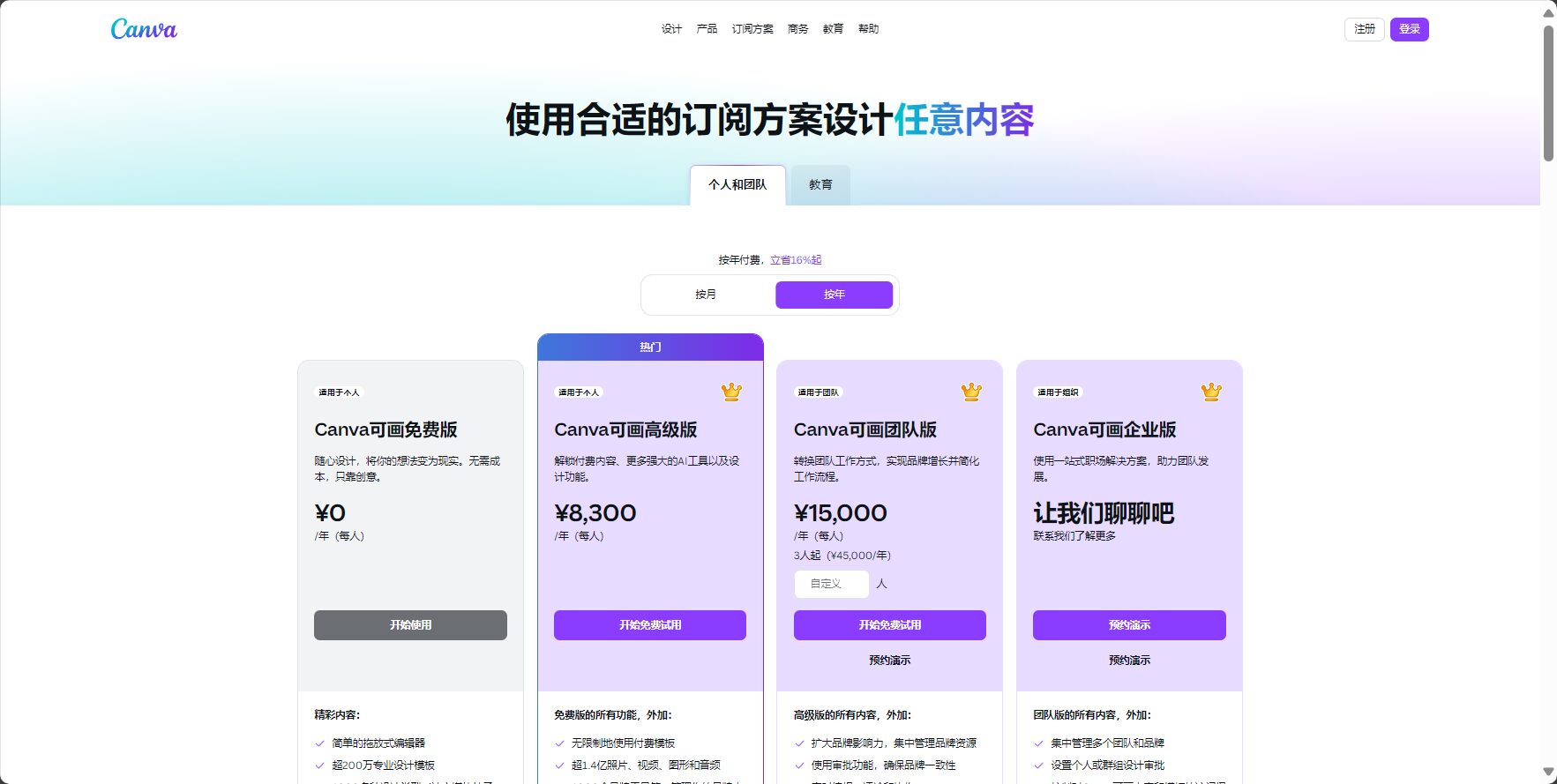
CANVA AI Image Generation Pricing & Solutions
CANVA AI Image GenerationAs one of the advanced features of the Canva platform, it offers both free and paid models for different user groups. Its cost-effectiveness and flexibility have become hot topics in the market.
Interact with a vast array of 2D and 3D characters and experience truly unlimited AI role-playing dialogue. Join now! New users receive 6000 points upon login!
Designers, marketers/social media professionals, content creators
Surge Quota
Full AI functionality including lock-free operation, batch generation, and collaboration.
$15/month / $120/year
Teams
Enterprises or teams of 3 or more people
Team total amount
Team AI collaboration, brand management, advanced security
$30/3 people/month
For instructions on how to try the Pro version, please refer to the following:Canva Pro Free Trial
Once the free user quota is used up, users can upgrade to Pro to unlock more generation quotas and professional features.
Pro and Teams support higher quality output, with cloud storage space increased from 5GB to 1TB.
How to use CANVA AI image generation
CANVA AI Image GenerationEmphasizing "foolproof operation" with no technical barriers: simply enter your creative description to instantly obtain customized visual materials. See below for complete steps.Official website guidance。
Select "Create Design" and AI Image Generation FunctionOn the left side of the design interface, search for "AI Image Generation" or "Magic Media" in the "Applications" panel.
Enter descriptive textDescribe the scene, style, and details you want to achieve in Chinese or English.
Select output style and scaleImages can be in various formats, such as realistic, illustrative, or cartoon styles, and the required image size can be set.
Click "Generate"“AI will generate several images for you to choose from with a single click.
Drag and drop into the design or edit further.Select a satisfactory image, drag and drop it directly into your design project, and use the "Magic Edit" tool to enhance and retouch the image.
Save and DownloadAfter completion, export the file to your local computer or cloud storage via "Share" - "Download".
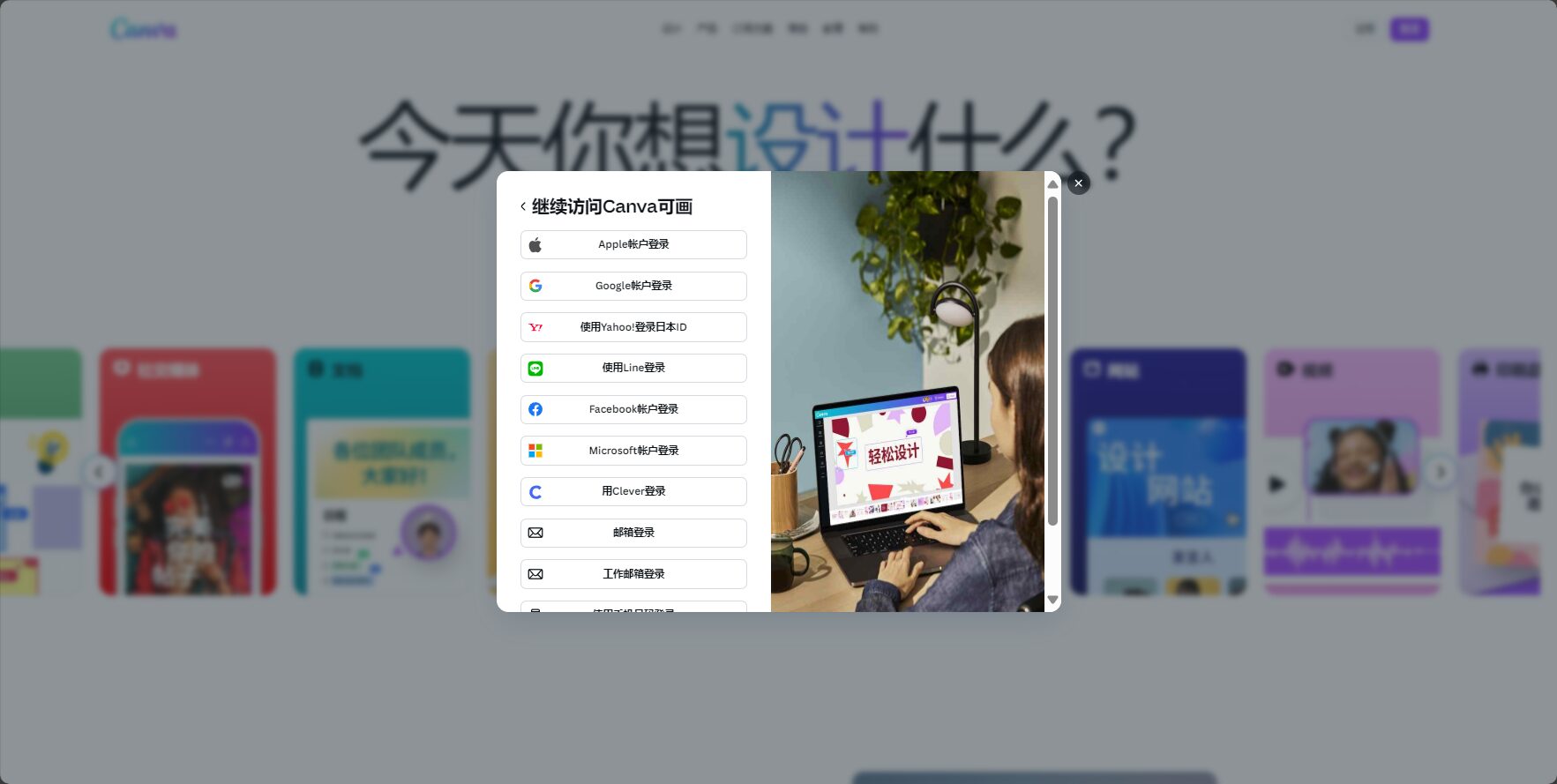
Account registration and login (email/Google/Apple accounts are all acceptable)
Find the entry point for AI image generation function
Enter a clear description (refer to the suggestions provided by commonly used AI image tools).
Make flexible use of templates and post-processing filters
Image/Register/Login
Who is CANVA AI image generation suitable for?
CANVA AI Image GenerationThe platform has a broad positioning, but people from different backgrounds have vastly different perceptions of its value:
Target audience
Application scenarios
Typical requirements
Individual creators
Blog banners, social media posts, custom avatars
Quickly obtain original illustrations, art processing, and personalized stylization.
Self-media/New Media Editor
Cover images, trending posters, short video posters
Breaking down the barriers to drawing, accurately reflecting creativity, and accumulating practical experience
Workflow for Small and Medium Enterprises
Corporate social media posts and internal posters
Self-creation avoids outsourcing, ensuring information confidentiality and accurate materials.
remind:Paid users can enjoy full AI features, while team users are more suitable for brand departments that require collaboration among multiple people.
Comparison of CANVA AI Image Generation and Mainstream Commonly Used AI Image Tools
In the AI image processing field, Canva differentiates itself from commonly used AI image tools such as Midjourney and Adobe Firefly. The following table provides a feature comparison for users' reference:
Tool Name
Free quota
Generate style diversity
Editing and integration
Commercial security
Unique advantages
Canva AI Image Generation
有
Rich in content (illustrations/realistic depictions, etc.)
Seamless design
有
Integrated with the overall design process
Midjourney
small amount
Extremely diverse
No integration
有
The style is highly experimental and the finished product is rich in artistic sense.
Adobe Firefly
有
Abundant and highly controllable
有
有
Integrated with the Adobe ecosystem, offering strong professional attributes
DALL-E
Partially free
Rich
无
有
The prompts are flexible in expression and have high brand awareness.
Advantages and limitations of CANVA AI image generation
one,Advantages and Highlights
Extremely low barrier to entryBeginner-friendly.
Deeply integrated with Canva's basic templates and design toolsThe generated images can be quickly dragged into various finished designs.
Copyright complianceIt is officially supported for commercial use, so there is no need to worry about the risk of non-compliance.
Frequent maintenance and constant feature updatesIt closely follows the hot topics of AI and business vision.
two,Limitations and precautions
The free version has a limited number of generation slots, and core AI advanced features are mostly concentrated in Pro and Teams.
Some image styles (such as hyperrealism or surrealism) are slightly inferior to those of professional AI drawing tools.
The ability to process complex image details is limited; for special requirements, it is recommended to combine it with other methods.Common AI Image ToolsTo assist and improve.
Frequently Asked Questions
1. Which languages and style descriptions does CANVA AI image generation support?
Content Description: at presentCANVA AI Image GenerationIt supports input in dozens of languages (including Chinese and English). Users can freely describe content, style, atmosphere, and details using ordinary sentences, and the AI can automatically recognize them. For specific effects, it is recommended to directly specify keywords, such as "futuristic illustration style," "oil painting texture," or "fresh and romantic couple strolling on the beach."
2. Can images generated by CANVA AI be used commercially? Are there any copyright risks?
Content Description: CANVA has officially stated that AI-generated images on its platform enjoy the same commercial licenses as other built-in Canva elements. Users in the paid Pro or Teams environment need not worry about copyright infringement and can widely use them for commercial purposes such as social media, advertising, and publishing. However, it is still recommended to avoid generating images containing sensitive content that is not permitted by national laws and regulations or that infringe on the portrait rights or trademark rights of others. Reference link:Canva Terms of Use and Copyright Policy
3. How does CANVA AI image generation differ from other AI image tools (such as Midjourney, DALL-E, etc.)?
Content Description: CANVA AI image generation focuses on "end-to-end design workflow integration," and its biggest difference from commonly used AI image tools is:No additional navigation required, no code or complex commands needed, output is readily available, and can be added to other Canva project designs with a single click.Midjourney and DALL-E are geared towards professional visual generation, requiring high precision in parameter tuning and prompts, and necessitating manual secondary processing after output. Canva, on the other hand, offers one-stop image generation and is suitable for users without design backgrounds.
This round of AI vision revolution has reshaped the creator ecosystem.CANVA AI Image GenerationWith its exceptional ease of use, integrated ecosystem, and multifunctionality, CANVA has firmly established itself as a leader in the industry. Whether you are a new media professional, brand owner, educator, or an ordinary user passionate about creativity, by making good use of CANVA's AI image generation capabilities, you can easily overcome the barriers to creative expression and ignite boundless imagination. In the future, the deep integration of commonly used AI image tools and design platforms will continue to empower global innovators with more efficient and outstanding visual expression capabilities.
Interact with a vast array of 2D and 3D characters and experience truly unlimited AI role-playing dialogue. Join now! New users receive 6000 points upon login!
CANVA AI Image Generation浏览人数已经达到125,如你需要查询该站的相关权重信息,可以点击"5118 Data""Aizhan Data""Chinaz data""Based on current website data, we recommend using Aizhan data as a reference. More website value assessment factors include:"CANVA AI Image GenerationAccess speed, search engine indexing and volume, user experience, etc.; of course, to evaluate the value of a website, the most important thing is to base it on your own needs and requirements, and some specific data will need to be obtained from [research institutions/resources].CANVA AI Image GenerationWe will negotiate with the website owner to provide information such as the website's IP addresses, page views (PV), and bounce rate.
aboutCANVA AI Image GenerationSpecial Announcement
This site's AI-powered navigation is provided by Miao.CANVA AI Image GenerationAll external links originate from the internet, and their accuracy and completeness are not guaranteed. Furthermore, AI Miao Navigation does not have actual control over the content of these external links. As of 5:38 PM on September 13, 2025, the content on this webpage was compliant and legal. If any content on the webpage becomes illegal in the future, please contact the website administrator directly for deletion. AI Miao Navigation assumes no responsibility.