

Adereso AI
Adereso AI是一款专为企业级客户服务与销售自动化设计的智能多渠道对话平台,集成AI与人机协同,有效提升客户沟通效率和转化。
PixCake is an AI-based image processing tool that supports intelligent retouching, batch optimization, and high-resolution output, making it suitable for photographers, designers, and individual users.
 PixCake
PixCakeIt is an emerging AI image processing tool that integrates...One-click intelligent RAW conversion and color correction, AI portrait retouching, batch automatic image retouching, and high-resolution output.Features such as these greatly improve image optimization efficiency. Its membership and pay-as-you-go pricing models cater to different user needs and are suitable for various applications.Photographers, designers, e-commerce professionals, new media professionals, and personal photography enthusiastsThe platform is secure and reliable, supports multiple formats, and is dedicated to empowering creativity and efficient workflows.
In the digital imaging era, professional photographers, designers, and everyday users alike are all seeking more efficient and intelligent image processing solutions. In line with this market trend,PixCakeIt was born out of necessity. This AI-powered image tool is dedicated to helping users complete high-quality image retouching and batch optimization with extremely high efficiency, and has become a star product that has received much attention in the post-production imaging industry in recent years.Click to visit the official homepage

As a platform integrating multiple AI image processing technologiesPixCakeIt provides users with a wealth of powerful one-stop functions. According toOfficial introductionAnd industry evaluation, its core functions include:
| Functional categories | Detailed description |
|---|---|
| Raw to Color Correction | Supports Raw formats from various brands and AI automatic color correction. |
| Skin liquefaction | One-click portrait skin smoothing, whitening, and body liquefaction |
| Batch photo editing | Supports simultaneous uploading and batch processing of multiple images. |
| Advanced comparison and preview | Real-time comparison before and after processing, manual parameter adjustment |
| Advanced AI noise reduction | AI-powered noise reduction preserves details. |
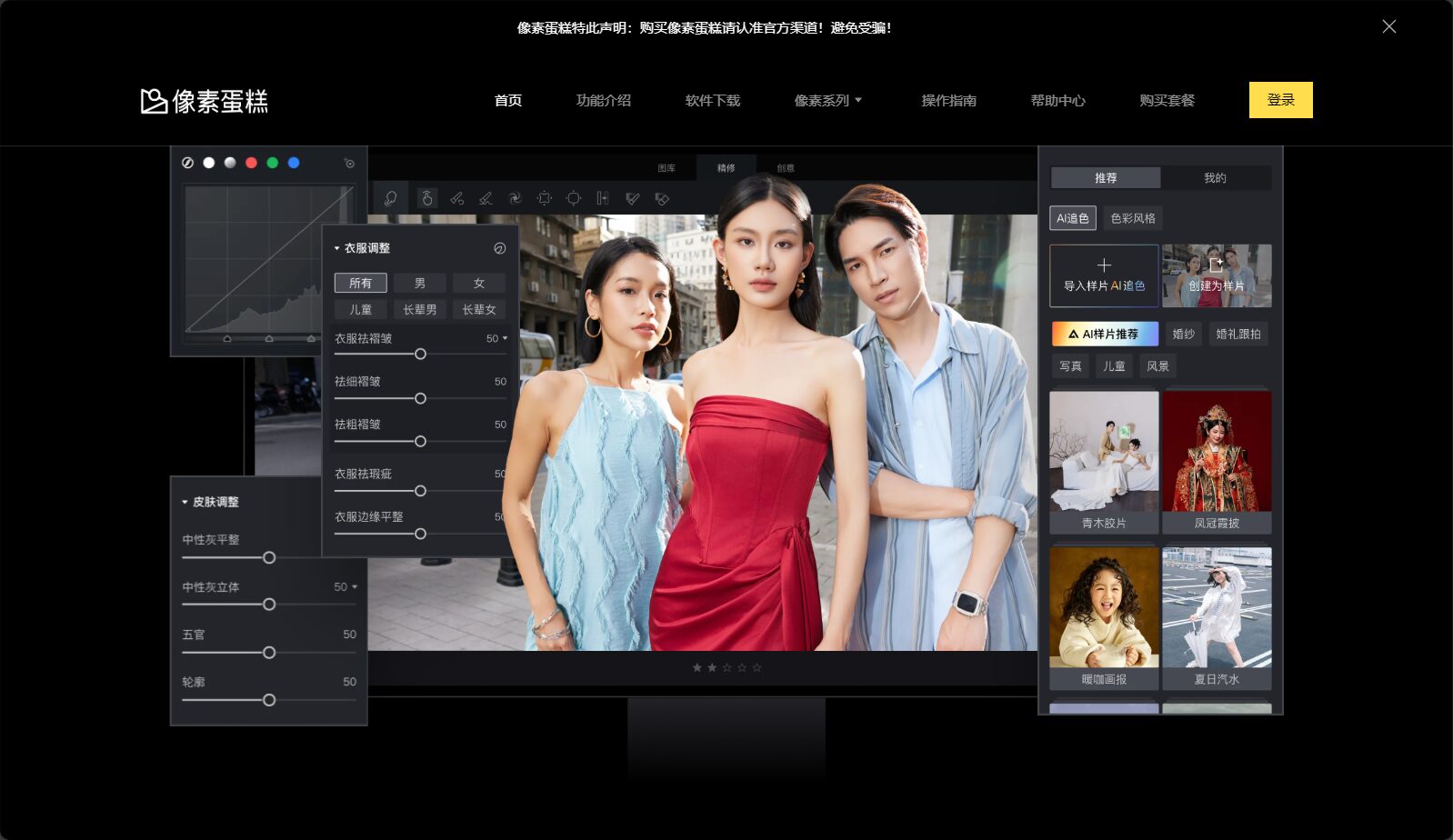

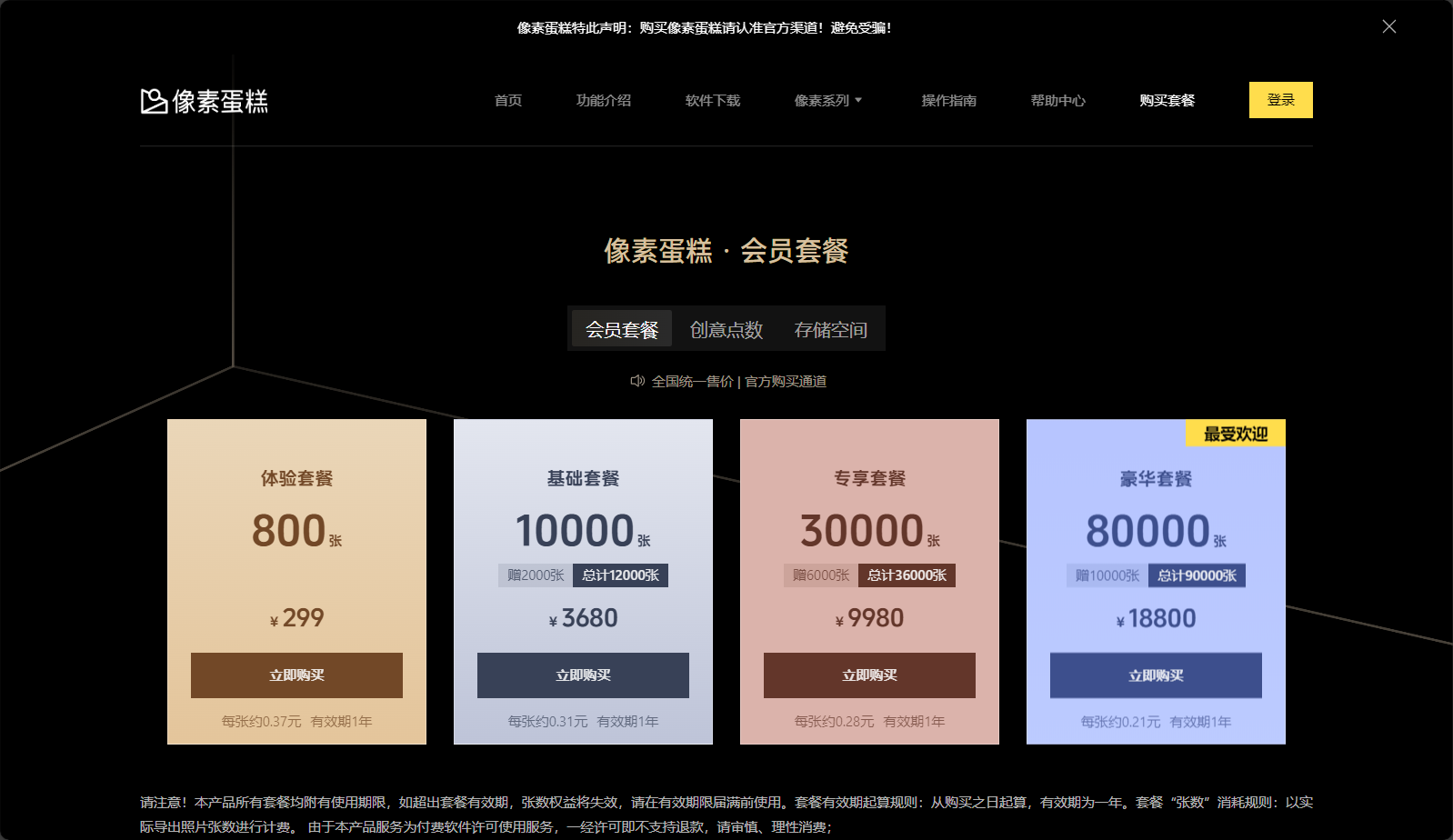
PixCakeIt adopts a membership system and a pay-as-you-go billing model to flexibly adapt to the needs of different users.
| Scheme type | Applicable users | Price range | Features |
|---|---|---|---|
| Monthly membership | Individual/Small Team | ¥99 yuan/month | Full-featured and unlimited, supports batch processing |
| Annual membership | Corporate/Professional Studios | ¥888/year | More discounts |
| Pay-per-use | users with scattered needs | ¥0.3~¥0.7/piece | Charged based on the actual number of images exported. |
| Free trial | All new users | Some features are available for a limited number of free uses. | Register to experience |
For more details on the latest packages, please see [link/reference].Official price page。
See detailed tutorialOfficial New Player GuideOr a video demonstration on Douyin/Bilibili.
PixCakeThis product is designed for the following users and is applicable to multiple professional and everyday scenarios:
| User type | Main Scenes |
|---|---|
| Photo studio team | Wedding photos, portraits, group photos retouching |
| Advertising design company | Batch processing of posters and advertising materials |
| E-commerce operations | Product and model image optimization |
| Personal photography/studio | Photo editing for everyday life, portraits, and landscapes |
| Tool Name | AI color correction | Skin liquefaction | Batch processing | High resolution output | user interface | Price friendliness |
|---|---|---|---|---|---|---|
| PixCake | 强 | 强 | 强 | support | concise | 高 |
| PS Enhancement Plugin | generally | generally | support | support | complex | 中 |
| General Image Enhancement App | Weak | Weak | Not supported | limited | Simple | 高 |
PixCakeDeveloped by Xiamen Xiangtian Technology Co., Ltd., this app uses an encryption protocol to ensure the security of images and data, and users can delete them after processing.
Supports web-based (Windows/Mac) and is compatible with JPG, PNG, TIFF, and mainstream Raw formats.
New users have a free trial period; refunds are available for paid services that encounter problems.
Facing the era of AI image retouching, PixCake, with its deep learning algorithms and efficient one-stop processing experience, has become an indispensable AI image platform for photography, design, and content creation.
If you want to break free from tedious photo editing and empower creative expression, you might want to try this innovative tool.Visit the PixCake website now and experience a new level of AI photo editing!
This site's AI-powered navigation is provided by Miao.PixCakeAll external links originate from the internet, and their accuracy and completeness are not guaranteed. Furthermore, AI Miao Navigation does not have actual control over the content of these external links. As of 4:33 PM on August 14, 2025, the content on this webpage was compliant and legal. If any content on the webpage becomes illegal in the future, you can directly contact the website administrator for deletion. AI Miao Navigation assumes no responsibility.
