

What is MacWhisper? A detailed introduction and practical application analysis of this AI audio-to-text tool.
MacWhisper is a software designed specifically for Mac users.AI audio-to-text softwareBased on advanced OpenAI Whisper model, supportsHigh-precision transcription of over 100 languages, all completed offline locally.It fully protects privacy and security. It is compatible with multiple audio and video formats and features AI summarization, batch processing, and other functions, making it suitable for various applications in media, conferencing, education, and other scenarios.Both the free and Pro versions are available, offering a wide range of features and ease of use.It is an excellent choice for improving audio and video productivity.
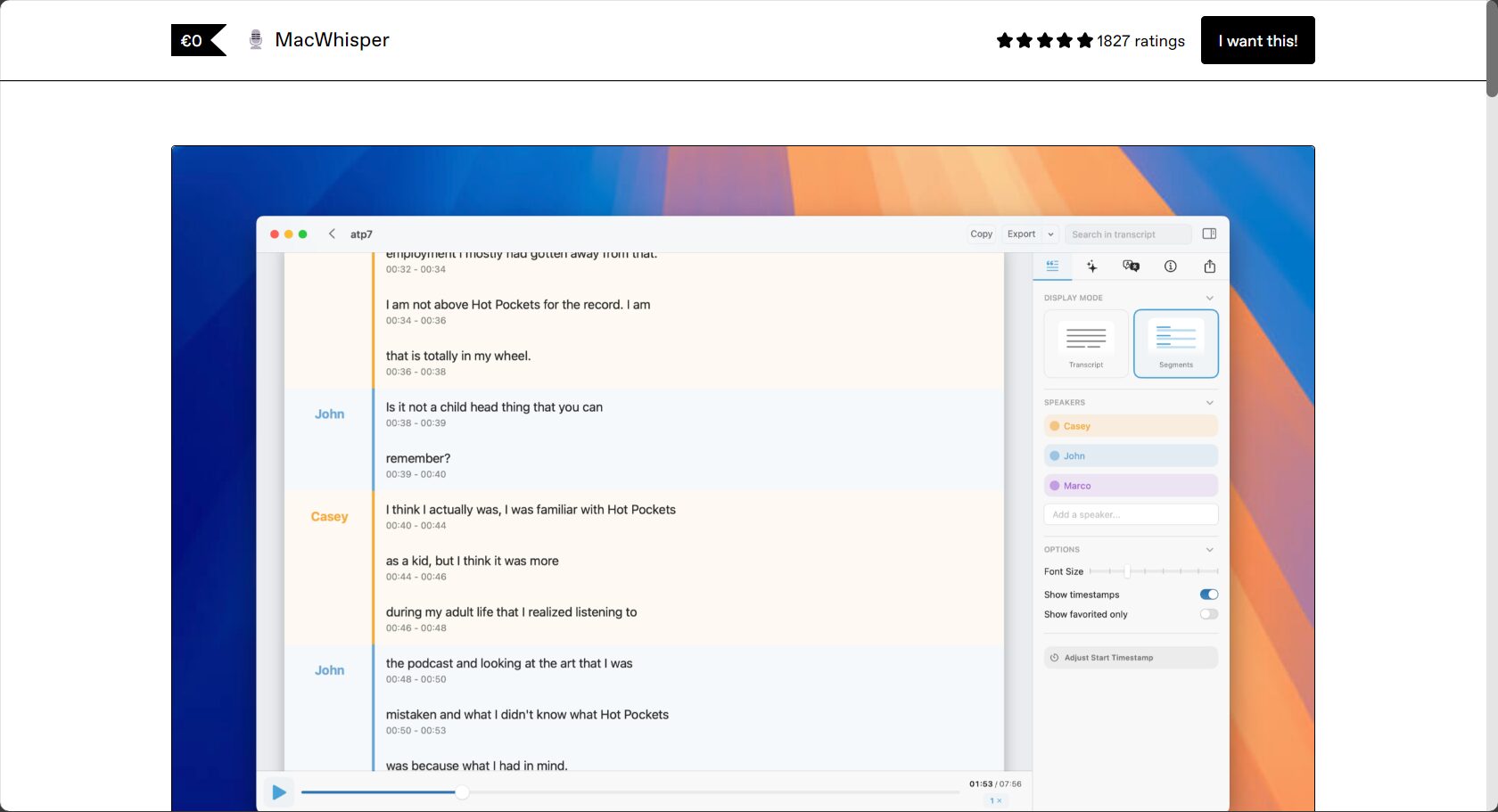
What is MacWhisper? Product Overview
MacWhisper It is a high-efficiency AI audio-to-text tool specifically developed for Mac systems.It adopted the local execution method of the OpenAI Whisper AI model.It enables accurate transcription of various audio and video content. It supports over 100 languages, is compatible with mainstream audio and video formats, and all data processing is completed locally, greatly protecting user privacy.
- Official website:https://goodsnooze.gumroad.com/l/macwhisper
Core Product Advantages
| Main advantages | Detailed description |
|---|---|
| Local AI model processing | The transcription process is entirely offline.Protect privacyNo need to upload audio |
| High accuracy multilingual recognition | support100+ languagesShe performed excellently in Mandarin, Cantonese, and English. |
| Multi-format audio and video support | Compatible with MP3, WAV, MP4, M4A, MOV and other audio and video formats. |
| Various output formats | It can export text files such as SRT, VTT subtitles, Markdown, and TXT. |
| Buyout license | haveFree and Pro versionsLow long-term investment costs |

MacWhisper Key Features Explained
Local AI model technology
MacWhisper's biggest highlightIt is a local AI model calculation that performs full processing of user audio and video data.“Data does not leave the local machine”。
No need to upload to the cloud, suitable for needs such as meeting minutes, business conversations, and handling sensitive content.
Diverse model selection and transcription accuracy
| Model Name | File size | transcription rate | accuracy | Applicable Scenarios |
|---|---|---|---|---|
| Tiny (English only) | <1GB | Extremely fast | generally | Short English text, extremely high-speed scenarios |
| Base/Small | 1~2GB | 快 | 高 | Ordinary Chinese/English, everyday transcription |
| Medium | 2.5GB | 中 | higher | Longer recordings, complex content |
| Large/Large V3 | 3.1GB | 慢 | Highest | Accurate recognition of multiple dialects, including Cantonese |
The free version supports Tiny, Base, and Small models, while the Pro version supports all models.
Supports integration of scenarios and AI
- Supports drag-and-drop transcription of local audio and video.
- Supports direct transcription of YouTube links (no CC subtitles required).
- It can be used for meeting recording and real-time transcription of system audio.
- Supports integration with AI summarization tools such as OpenAI and Google Gemini (API key configuration required).
Export and post-processing in multiple formats
- Supports exporting SRT/VTT subtitles
- Exportable to TXT, Markdown, and HTML text files
- AI summarization and automatic translation can be achieved with one click.
Application Scenarios Full Analysis
MacWhisperIt is suitable for a wide range of scenarios, including media interviews, meetings, office work, education, and content creation. See the table below for details:
| Application scenarios | illustrate | Recommendation Model | Accessibility |
|---|---|---|---|
| Interviews/Media Reports | Recording and transcribing improves efficiency. | Small/Large | AI Summary |
| Meeting Minutes | Virtual meeting/telephone content transcription | Small/Medium | Speaker recognition |
| Education and Learning | Course lecture notes, audio-to-text transcription | Small | Automatic summarization |
| YouTube/Video Subtitles | Video to text conversion, collaboration/translation | Large | SRT/VTT Export |
| Language learning | Speech-to-text, assisted foreign language learning | Small/Large | Automatic translation |
| Legal/Medical/Consulting Industry | Massive collection of speech standard documents | Medium/Large | Local data security |
| New Media Creation | Podcast/Short Video with Subtitles | Small/Medium | Batch processing |
Application Examples
- Media interviewsDrag and drop audio recordings to convert them directly into verbatim transcripts, and AI will automatically summarize and organize them into reports.

Image/Illustration of AI-generated summary of media interviews - Remote conferencingRecords Zoom, Teams, and FaceTime calls in real time for easy archiving.
Image/Conference transcription interface - Video creationEnter a YouTube link to automatically generate multilingual subtitles and transcripts.
- Professional sensitive industriesLegal/medical cases are processed entirely locally, with no privacy risks.
- Content proofreading and reuseExport files in multiple formats for easy archiving and redistribution.
MacWhisper Purchase and Installation Instructions
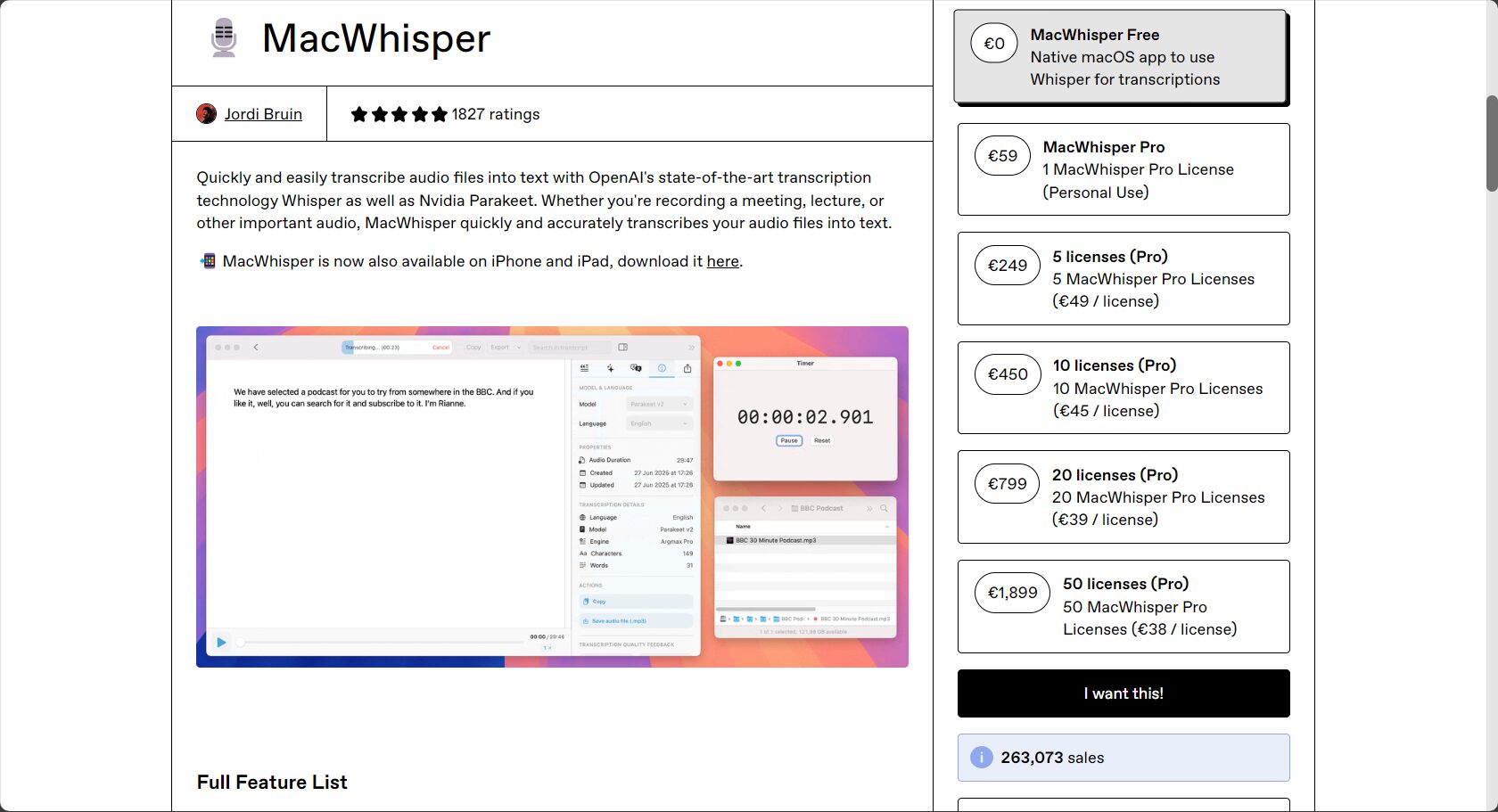
Currently divided intoFree version and Pro versionTwo types:
- Official download:Click to download and install
- Free version: Basic model, unlimited functionality.
- Pro version: One-time purchase of €29, unlocking large models, batch processing, and AI summarization.
Installation and Usage Procedures
- Download and install (unzip the .dmg or .zip file) to the application directory.
- First-time use of the AI model required for guided download
- Drag in audio/video, set the target language, and select the recognition model.
- Click "Transcribe," wait for the task to complete, and then export the desired text/subtitles.
- For AI summarization functionality, you can configure the OpenAI/Gemini API key.
Compatibility and System Requirements
| project | Detailed Explanation |
|---|---|
| Support System | macOS Sonoma/Sequoia 14.0 and above are recommended. |
| Minimum compatibility | macOS Monterey/Ventura (specific version required) |
| Recommended hardware | Apple Silicon M series (M1 and above) |
| Memory requirements | 8GB and above |
| storage space | 5-10GB is recommended for model data. |
| Remark | Better hardware means faster transcription |

Frequently Asked Questions (Q&A)
Q1: Which languages does MacWhisper support?
answer: Supports 100+ languages: Chinese, Cantonese, English, German, French, Japanese, Korean, etc.
Q2: Which input file formats are supported?
answer: MP3, WAV, M4A, OGG, OPUS, MP4, MOV and other mainstream audio and video formats.
Q3: Can MacWhisper be used on Windows?
answer: Currently only supports macOS. Windows users may consider alternatives such as WhisperDesktop.
Q4: Is it secure and private? Do I need to upload any data?
answer: All transcription operations are completed locally without uploading to the cloud, ensuring strict data self-control, making it ideal for industries or individuals with extremely high privacy requirements.
Q5: Is the Pro version worth buying?
answer: For professional users who need high-frequency, high-precision batch transcription, subtitling, and AI summarization, the Pro version is an excellent value for a one-time purchase.
Conclusion
With the development of AI voice technologyMacWhisperThis significantly improves the efficiency and security of automatic audio-to-text transcription for Mac users. It's a powerful productivity boost for media professionals, students, content creators, and others. Looking for a reliable, secure, and easy-to-use transcription tool?MacWhisperIt's worth trying and I recommend it!
© Copyright notes
The copyright of the article belongs to the author, please do not reprint without permission.
Related posts



No comments...
