The Complete Guide to Trae: How to Improve the Deployment Efficiency of AI Projects Using Trae
traeLaunched by ByteDance in 2024, this AI-native IDE greatly simplifies the entire process of building and deploying AI projects with its core features such as Builder mode, intelligent question answering, multimodal development, and one-click deployment.
This article details Trae's product highlights, unique modules, practical application efficiency comparison, competitor tool analysis, and practical operation techniques, providing developers with best practices for improving the deployment efficiency of AI projects.

trae: A key tool for developing a new era of AI
What is a trae?
traeTrae is ByteDance's AI-native integrated development environment (IDE) launched in 2024-2025, centered on "AI collaborative programming" and "conversational project development." Users can generate, complete, debug, and deploy complete AI projects through dialogue, achieving a truly automated development experience throughout the entire process. Whether you are a programming novice or a seasoned developer, you can greatly improve development and deployment efficiency with Trae, achieving a highly efficient transformation from "idea to deployment."

| Functional modules | Core Values | Main beneficiaries |
|---|---|---|
| Builder pattern | Automatically build project structure/code/dependencies/environment with a single line of code | Programming novices, AI development team |
| Intelligent Question Answering | Code explanation, bug fixing, and cross-project requirement completion. | Beginners and advanced developers |
| Multimodal development | Convert design drafts/images to code to enable front-end and back-end collaboration. | UI, Full-Stack Engineer |
| Zero-code deployment | One-click generation and push of Docker images, with automatic deployment scripts. | Enterprises, DevOps engineers |
| Historical Review | One-click rollback to quickly restore code history/conversation chain | Team development and operations |
| Sidebar Assistant | Automatic contextual reasoning and rapid location of multi-layered problems | All |

How Trae can improve the deployment efficiency of AI projects
Builder pattern: Making deployment start with "making requirements".
Users only need to describe their requirements in Chinese, and Trae can automatically create project directories, code, dependencies, deployment environments, and debugging scripts, enabling barrier-free, end-to-end AI project development.
- Example:“"Generate a Python Django image recognition API, deploy it to a Docker container, and support stable diffusion inference." Trae automatically completes the directory, requirements, image, script, and interface.
- If you encounter problems with the environment, dependencies, or ports, simply ask the AI for help and it will automatically fix them.
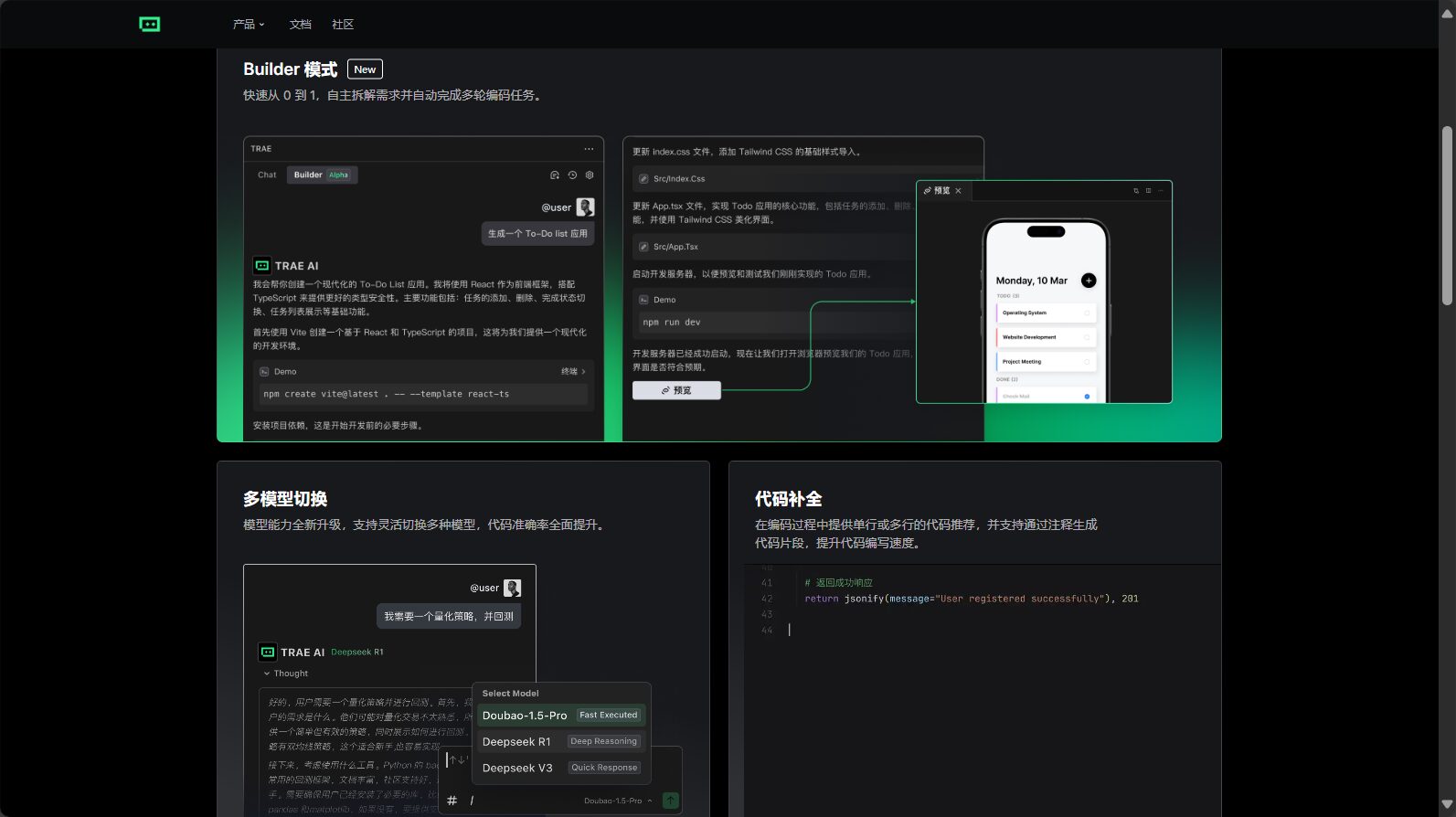
Intelligent Q&A: A complete workflow assistant from coding to deployment
Trae binds each project to its historical conversations, supporting code logic analysis, exception location, auto-completion, and bug fixing. Whether it's dragging and dropping logs or completing APIs, it can be done simply through a conversation.Significantly reduces configuration, search, and processing time.
| Operational scenarios | Traditional time consumption | trae assist time |
|---|---|---|
| Environmental dependency investigation | 40 minutes | 5 minutes |
| Cloud deployment | 50-80 minutes | 8-15 minutes |
| Interface documentation/structure generation | 60 minutes+ | 3-5 minutes |
| Historical bug rollback and fixes | 30 minutes | 3 minutes |
Multimodal development: Image-to-code conversion saves a significant amount of time.
It supports direct upload of design drafts from Axure, Figma, etc., and AI automatically generates complete front-end/back-end code and UI components, significantly reducing the threshold for front-end/back-end integration and reuse.
One-click deployment and cloud deployment
- Clicking "Publish" automatically packages the application, generates a Docker image and deployment script, and pushes it to mainstream cloud platforms, eliminating the need for manual environment configuration.
- Supports integration with CI/CD to comprehensively improve project delivery efficiency.

In-depth analysis of Trae's five new features (V3.2)
1. MCP Intelligent Hub: Modular Intelligent Scheduling
By using JSON to customize API calls, AI models, and third-party libraries, it enables "building block" style custom intelligent development and deployment, suitable for one-stop integration of complex applications.
2. Agent Building Platform: Ultimate Automation
By introducing a dialogue/command-activated intelligent agent system, testing, mocking, data collection, and automatic deployment are completed automatically, greatly saving manpower.
3. Dynamic rule engine: Automated project management
It scans code for security, quality, performance, and compliance issues in real time, and AI automatically provides remediation suggestions to ensure the quality of large projects.
| Standard type | Typical rules | AI Actions |
|---|---|---|
| Safety | SQL injection detected | Automatic repair or suggested replacement |
| performance | Multiple loops | Optimize algorithms or refactor code |
| style | Code formatting mismatch with PEP8 | Automatic beautification and annotation |
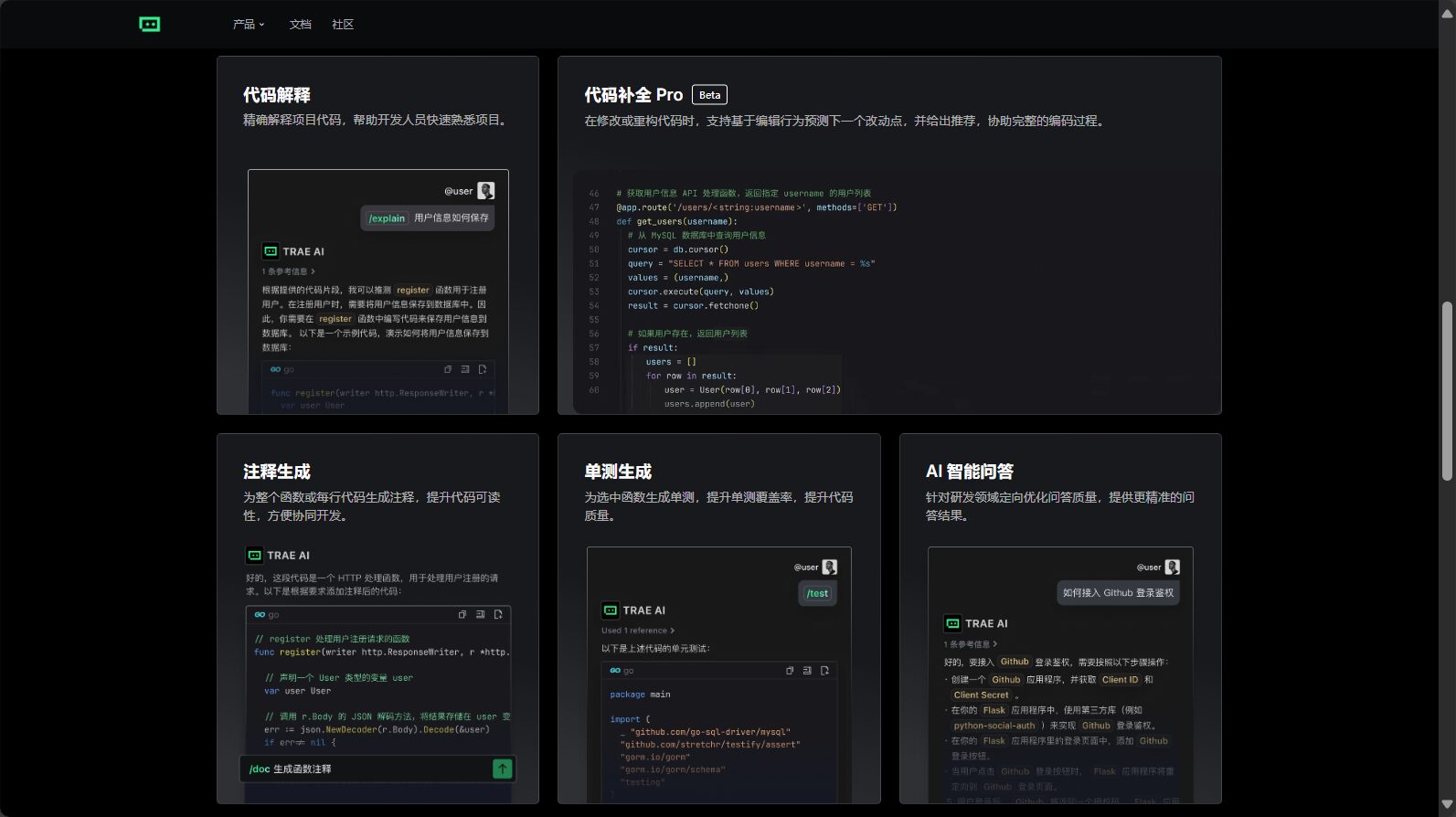
4. Multithreading and context memory: High responsiveness for complex projects
Supports over 32K tokens and offers strong context penetration. Response time is 1-2 times faster than mainstream competitors in comparable scenarios, and it supports multi-project merging and concurrent development.
5. Enterprise-level knowledge base and full-network search
Import enterprise API documentation/manuals and other materials, and use AI to assist in deployment and troubleshooting, achieving ultimate efficiency in team collaboration and knowledge transfer.
Trae vs. other AI programming tools
| Functional dimensions | trae | GitHub Copilot | Cursor |
|---|---|---|---|
| Chinese experience | Fully optimized | English as the main language | English as the main language |
| Automated deployment | One-click Docker/Cloud Push | Requires self-built script | No automatic deployment |
| Multimodal development | Image to code | Not supported | Not supported |
| Intelligent Question Answering | Full project context | Local | Local |
| Agent Customization | Open Platform | Not supported | Not supported |
| Enterprise Knowledge Integration | Fully supported | The interface needs to be expanded. | No support |
Trae practical usage full process demonstration
- Quick Start and Environment Setup
Register for Trae, download the corresponding system version, and select the local/cloud AI model. - AI-driven project development
Use the Builder to describe requirements, automatically install dependencies, drag and drop design drafts or interface documents, and AI will automatically generate and complete them. - Debugging and Repair
When an error/bug occurs, simply drag and drop the log or select the file into the chat area, and AI will analyze and fix it instantly. - One-click deployment and rollback
Releases automatically synchronizes historical data and conversations to the cloud; comparison and rollback are done in one step. - Team collaboration and enterprise knowledge management
Share historical dialogues, AI analysis, and automatically generate business process diagrams and interface specifications to accelerate project handover.

Five practical tips to improve project deployment efficiency
- Builder mode automatically builds the project and environment.It was launched extremely quickly during its initial stage.
- Multi-level contextual question answeringThis allows for quick focus and resolution of deployment challenges.
- Multimodal collaborative developmentThis significantly reduces front-end and back-end communication and repetitive work.
- Fully automated deployment (Docker/Kubernetes/CI/CD)Project delivery efficiency has increased significantly.
- Enterprise knowledge base bindingThis will accelerate project migration, upgrades, and long-term operation and maintenance.
Conclusion
AI-native IDEs, such as Trae, are reshaping the development and deployment model of AI projects.Trae makes AI project deployment no longer the privilege of experienced engineers; every developer can efficiently experience the intelligent process of "idea to deployment".If you haven't tried Trae yet, I highly recommend downloading and giving it a try.Let the Builder pattern and AI-driven collaborative development accelerate project deployment and innovation!
© Copyright notes
The copyright of the article belongs to the author, please do not reprint without permission.
Related posts

No comments...
