BigJPG User Guide: AI Lossless Image Enlargement, Essential Skills for Designers and Photographers
bigjpg is a deep learning-based application.AI image lossless enlargement toolIt is designed to solve the high-resolution image needs of designers and photographers. This article will detail the working principles, core functions, and operation steps of BigJPG, as well as a comparison between free and paid versions, practical application scenarios, and advanced usage tips to help you efficiently improve image quality and creative efficiency.
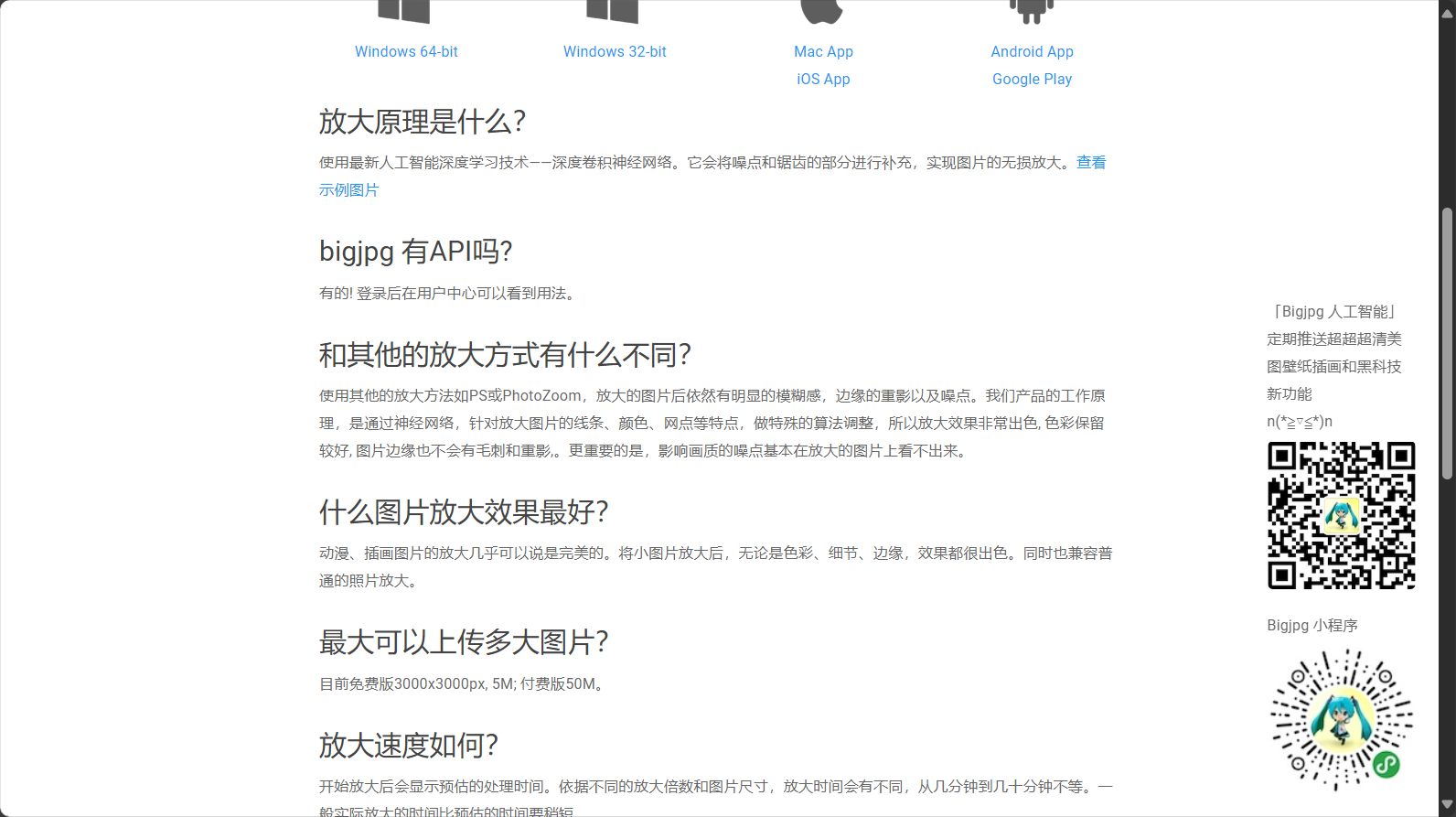
Introduction to bigjpgAIlossless amplification technology principle
What is BigJPG?
bigjpgThis is an AI image upscaling tool based on the Deep Convolutional Neural Network (DCNN) algorithm, focusing on lossless upscaling. Its AI technology can intelligently identify and reconstruct the structure, color, and details of images, significantly reducing the blur and jagged edges of traditional algorithms.
Official website link:bigjpg.com
Comparison of BigJPG and traditional zoom tools
| Features | bigjpg online AI tools | Traditional tools such as Photoshop |
|---|---|---|
| Intelligent noise reduction capability | Extremely strong | generally |
| Edge sharpness | Clear | Easily blurry |
| Ease of operation | Simple | complex |
| Supports image formats | JPG, PNG | Multiple formats |
| Magnification | 2x/4x, more can be paid. | Customizable, but prone to distortion. |
Bigjpg's biggest advantageEven when magnified 16 times, it retains detailed colors and is extremely easy to use, requiring no professional software experience.
In-depth analysis of the principle of AI lossless amplification
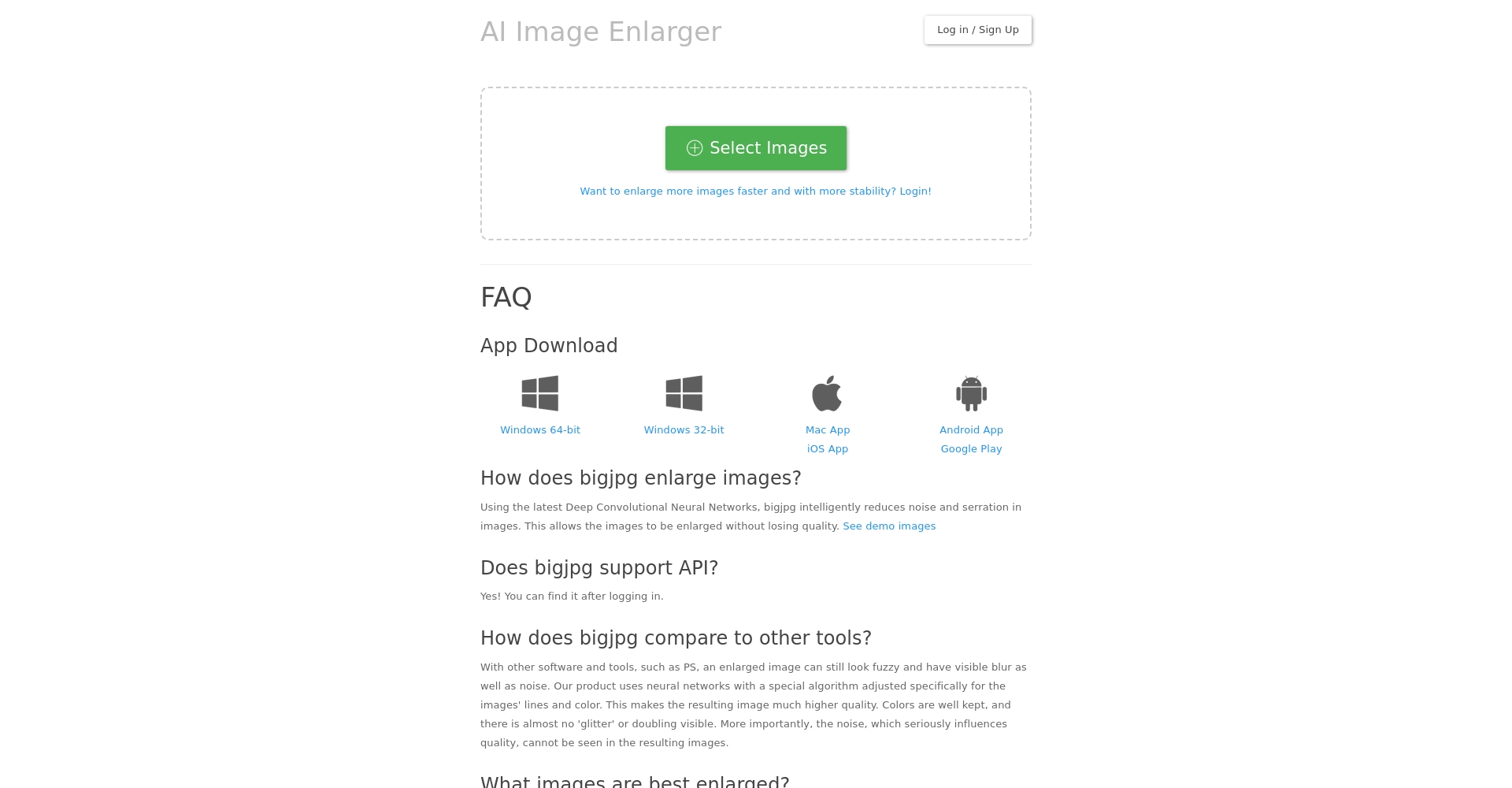

bigjpg integrates an AI model similar to waifu2x.By training a neural network with high-resolution images, the system can automatically identify image textures and edges.When zoomed in, it intelligently reconstructs and compensates for missing details, achieving near-native high-definition image quality.
Bigjpg's core functions and practical applications
Target audience and main scenarios
bigjpg is not only suitable forPhotographers and graphic designersIt also provides an efficient lossless enlargement solution for illustrators, e-commerce businesses, and advertising production, suitable for needs such as large-scale output of small-sized images, printing, large-screen display, and online covers.
| User type | Typical uses |
|---|---|
| Photographer | Old photo restoration, enhanced model details |
| Designer | Poster printing, large exhibition image enlargement |
| E-commerce/WeChat business | Product main image optimized, details improved. |
| Anime illustrator | Portfolio, Wallpaper Enlargement |
| New Media Editor | High-resolution processing of WeChat official account and social media header images |
Bigjpg Features Overview
- Intelligent image lossless enlargementSupports lossless magnification of 2x, 4x, 8x, and 16x (2x/4x free).
- High-efficiency noise reduction adaptiveFive levels of noise reduction with intelligent selection, accurately restoring the texture of images.
- Image type modeTwo AI recognition algorithms, one for "illustration/cartoon" and one for "photo", are available to adapt to different styles.
- Batch enlargement (member function):

Image/Batch upload of images Batch upload multiple images and automatically queue them for processing.
- API supportProgram developers can integrate the entire image optimization process.
Detailed usage steps and operation instructions for bigjpg
Registration and Interface Navigation
- access bigjpg official websiteFree trial available.
- Register an accountIt can save image history, has batch processing capabilities, and expand its functionality.
Lossless amplification process
- Upload ImageClick "Select File" or drag and drop the image. The free version is limited to 5MB, and the paid version is limited to 10MB.
- Select image type and zoom level:
Settings illustrate Image type For cartoons/illustrations and photographs, it is recommended to test and compare the effects separately. Magnification Free: 2x/4x, Paid: 8x/16x Noise reduction level Five settings are available; we recommend "High" or "Highest".“ - Start processing:
Click "Start" and the AI will enter the processing queue, completing the process in 1-5 minutes.
- Download ImagesOnce processing is complete, simply click to download.All images are automatically saved as bigjpg for 7 days for easy download and review.
Tips
- Multi-style comparisonTry the same graph using two different modes and choose the optimal solution.
- Noise Reduction Level GradientFor low-quality images, select the "highest" noise reduction setting; for high-quality original images, you can downgrade to preserve details.
- Batch upload + history managementQuickly compare parameter changes to improve efficiency.
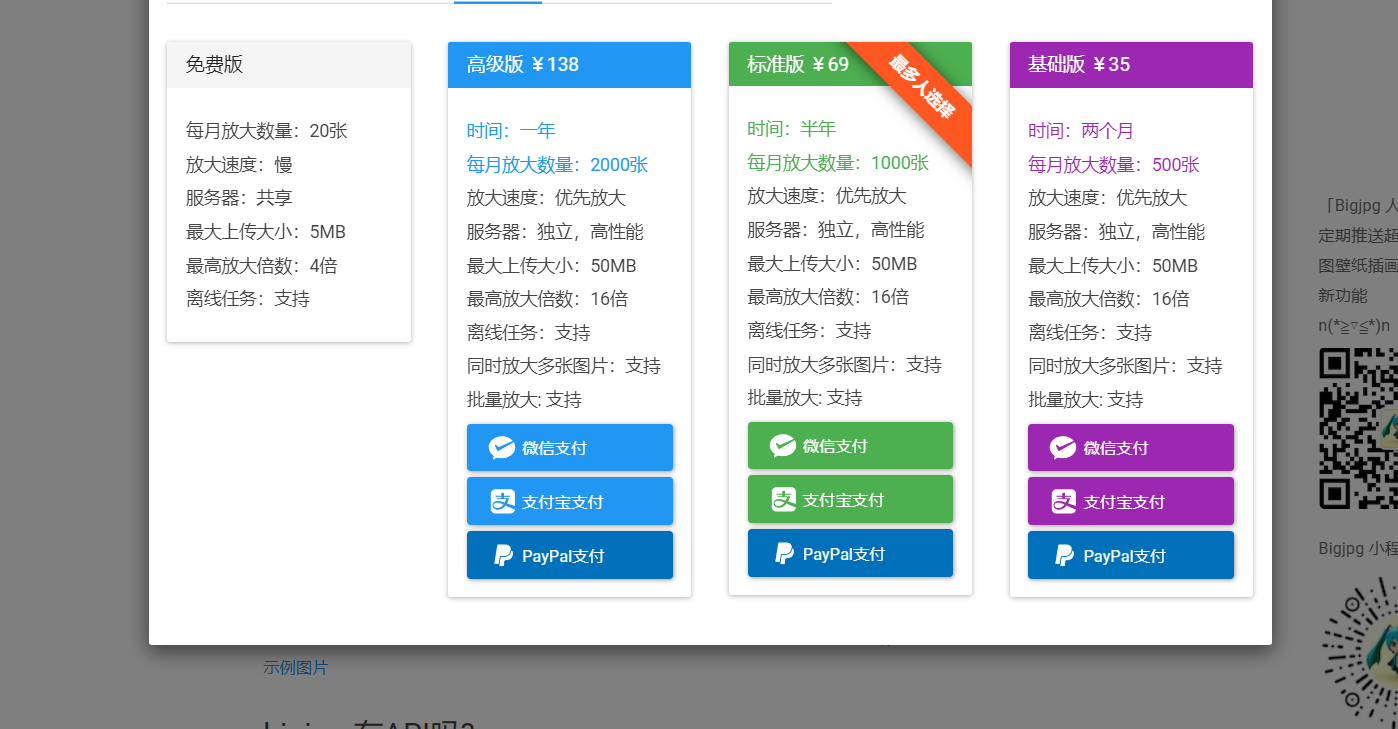
BigJPG Free and Paid Features Comparison & Price List
| Functions/Services | Free version | Paid version |
|---|---|---|
| Maximum size of a single sheet | 5MB | 10MB |
| Maximum image size | 3000x3000px | 10000x10000px |
| Supported magnification | 2x/4x | 8x/16x |
| Noise cancellation function | 有 | 有 |
| Number of parallel processing tasks | 1 | 10+ |
| Processing speed | standard | High speed (5 times faster) |
| Batch Upload | 否 | 是 |
| price | free | From ¥15/month |
More pricing details:
Purchase Recommendations
- For occasional users or those using only a single image, the free version is generally sufficient.
- Professional designers and a wealth of output suggestions are available in the paid version, unlocking more features.
- Enterprises and developers can use the API for automated customization.
Bigjpg Practical Experience and Professional Application Techniques
Classic problems and optimization suggestions
- Q1: How to choose the best mode for anime/photos?
- For anime style, we recommend selecting "Illustration/Cartoon"; for realistic photography, select "Photograph". If the results aren't satisfactory, try alternating between the two.
- Q2: How do I use the noise reduction levels?
- For images with lots of detail, select "Medium" or "High" for noise reduction; for images with lots of noise, it is recommended to use "Highest" noise reduction.
- Q3: How to manage a large number of images in batches?
- The upgraded paid version allows for batch uploading, enabling efficient processing and making it essential for large projects.
- Q4: How to optimize the occasional blurring of image edges in AI processing?
- Downscaling to reduce noise, switching image types, or zooming in step by step will result in sharper images.
Advanced Techniques for Designers/Photographers
- In conjunction with Photoshop post-processingThe image was enlarged from a BigJPG file, and then local retouching was done using Photoshop.
- Large-format printing/advertising/exhibition boardsSmall images can also be enlarged to over 2 meters without loss of quality.
- Restoration of old photosThe effect of blurry or low-resolution historical photos has been greatly improved.
- Illustration e-book/wallpaperIllustrators can also easily create publication-quality large-format images.
- API integration automation:
Image/API Batch Automated Process Team integration APIs improves batch production capacity and efficiency.
Conclusion
Bigjpg leverages AI algorithm innovation to efficiently empower content production industries such as design and photography. Struggling with high-quality output? Limited source material? Bigjpg helps you solve these problems with minimal effort.
Whether it's design, printing, e-commerce, photography, or illustration, bigjpg is an indispensable AI-powered tool. Visit now. bigjpg official websiteUsher in a new era of high-definition image magnification!
© Copyright notes
The copyright of the article belongs to the author, please do not reprint without permission.
Related posts

No comments...
