How to use Bing AI for drawing? A complete beginner's guide with pictures and text (including answers to common questions).
Bing AI DrawingBing Image Creator is based on OpenAI DALL·E technology.Free Chinese-friendly image generatorIt is loved by both beginners and professionals. This article providesRegistration and login, user interface, prompt input, artwork adjustment, frequently asked questionsThis includes a complete tutorial with images and text, along with function tables for major AI drawing tools, providing a one-stop introduction.How to quickly get started with Bing AI drawing in 3 minutesIt also addresses practical questions. Suitable for all beginner and advanced users who want to experience AI-powered art creation!
What is Bing AI drawing?
Bing AI graphics (also known as Microsoft Bing Image Creator)Official entrance)yesMicrosoft integrates OpenAI DALL·E technologyLaunchedFree image generation toolUsers simply need to enter a descriptive text (prompt), and AI will automatically generate a unique image.Multilingual support (including Chinese), multiple style options, no professional design requirementsIt also seamlessly integrates with various Microsoft applications such as Bing search and Copilot.
Bing AI Drawing: A Complete Beginner's Guide
Registration and Login
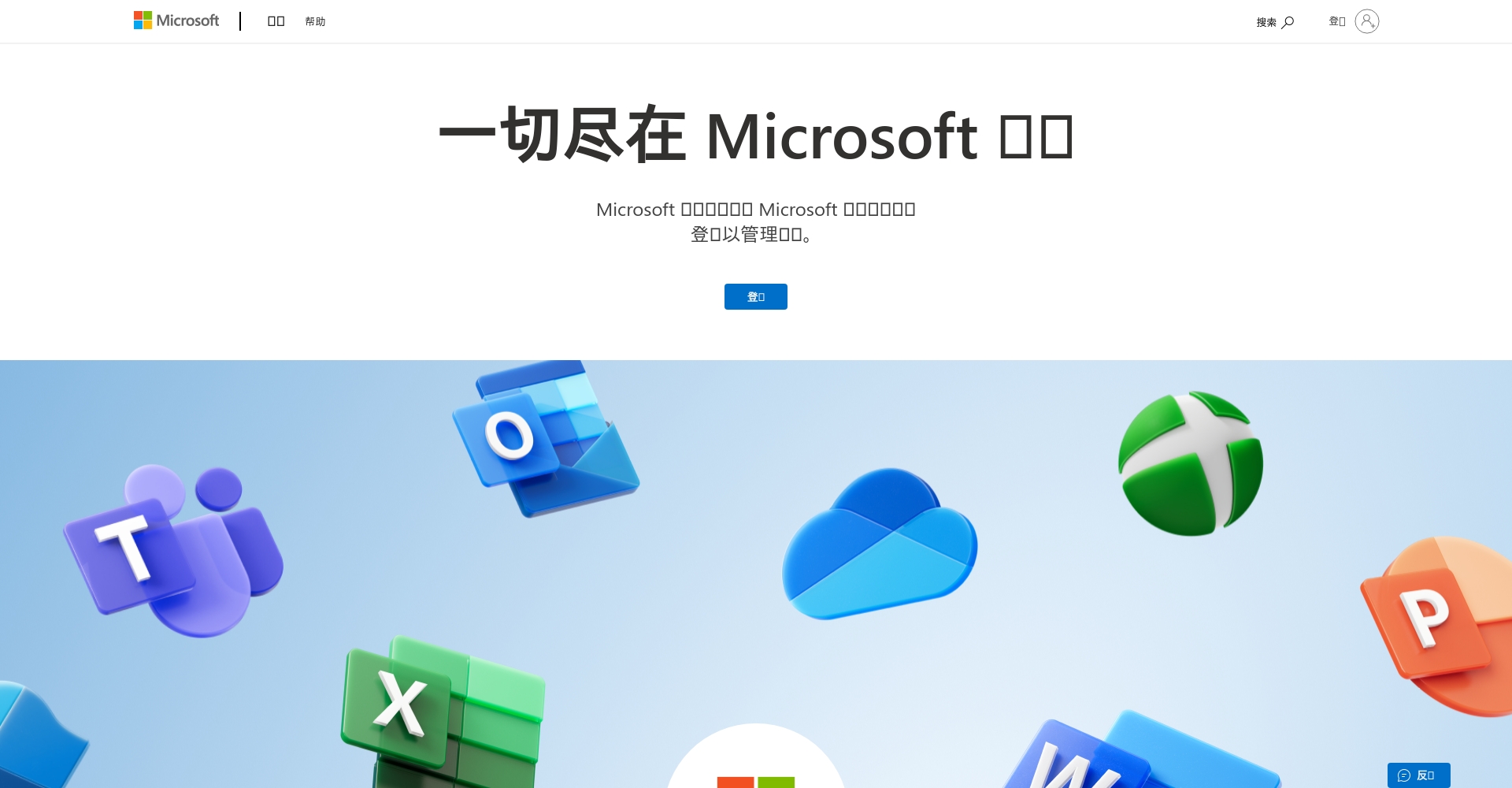
- Prepare a Microsoft accountIf you don't already own it, you can go toMicrosoft registration pageApply for free.
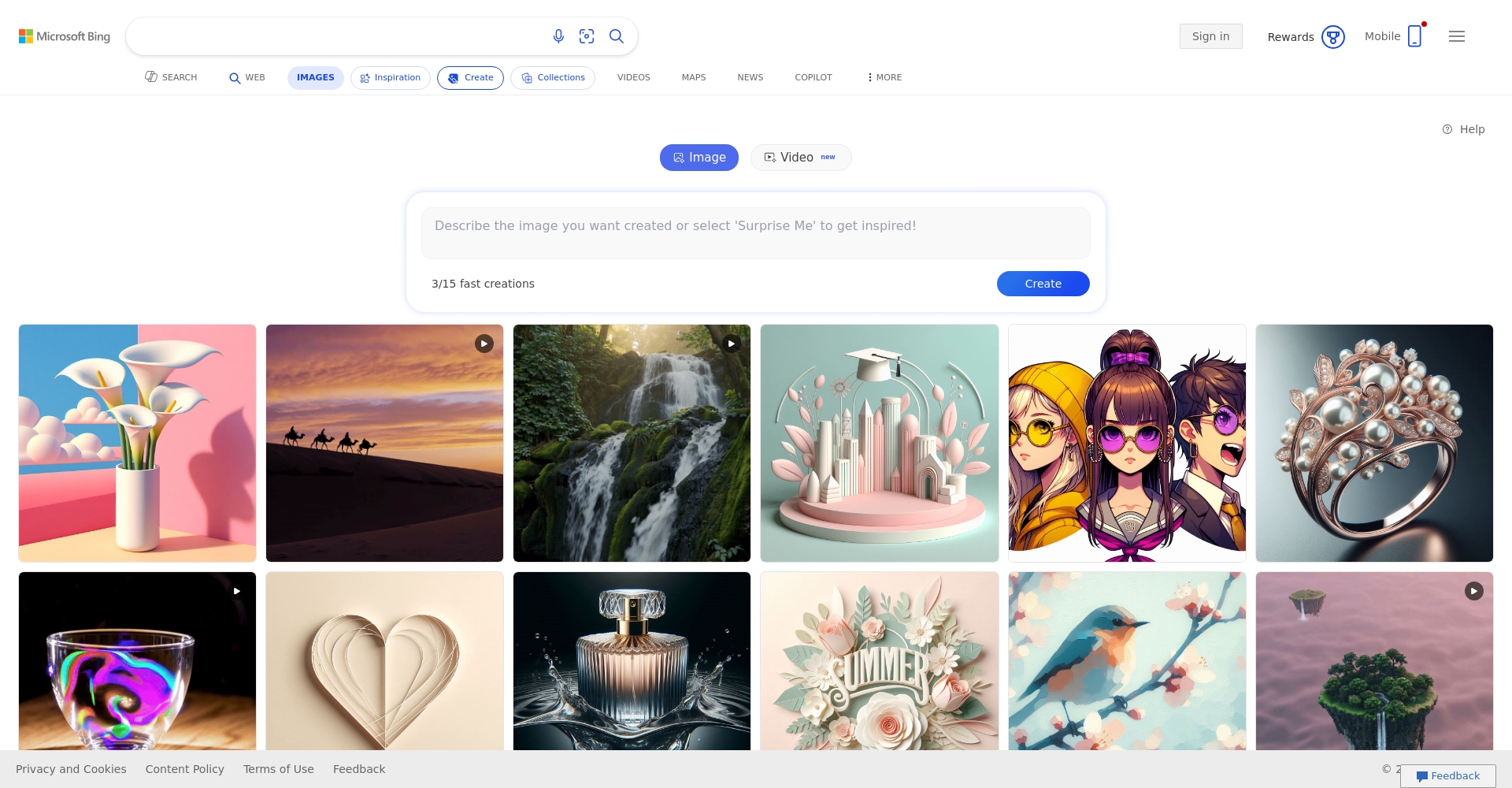
- Visit the Bing Image Creator website:Open https://www.bing.com/images/create。
- Click "Log in" / "Sign in"“Enter your Microsoft account email and password to enable it.Free Bing AI drawingExperience.
A friendly reminder:Windows PC users have a Microsoft account by default, and Office 365 subscribers can also log in directly.

Interface Introduction and Function Description
| Functional area | Main content |
|---|---|
| Search bar | Enter a description (Prompt), such as "A cat dancing in space".“ |
| Creative Results Area | The demonstration shows four images generated by AI, each with a different effect. |
| Points hint | Displays the remaining available points; the more points, the faster the generation speed. |
| Download button | Click to save or share the selected image. |
| Historical records | Convenient for reviewing recent creations, and for editing or downloading at any time. |
Start creating: How to input prompt words
- Input explicit description,For example:
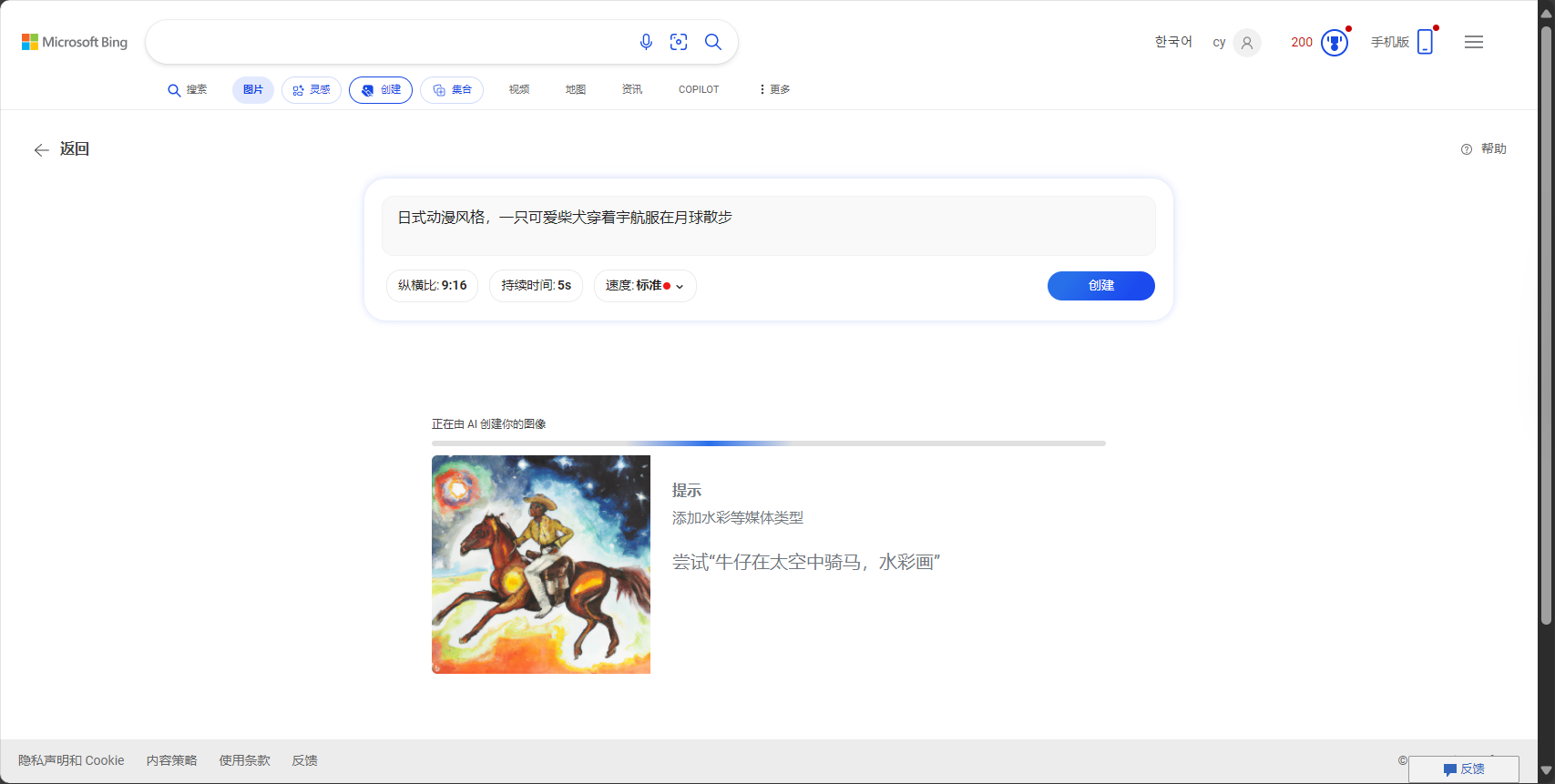
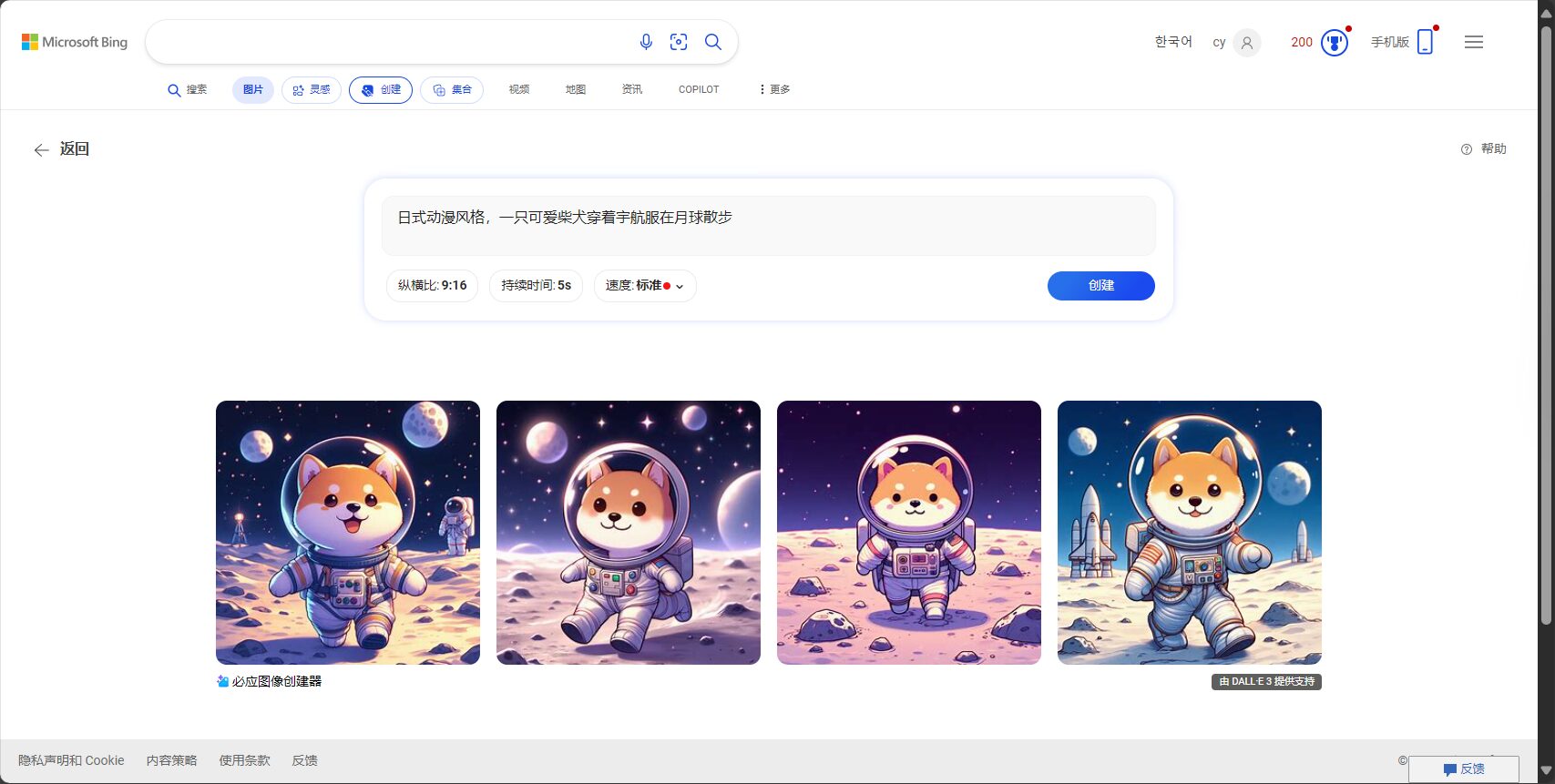
“"A cute Shiba Inu in a spacesuit walks on the moon, in a Japanese anime style."”
“"A business-style setting: two young people discussing the application of AI drawing at a conference table."” - Set style keywords(Optional): such as "illustration", "realism", "fantasy", "oil painting", "3D", "pixel style", etc., to allow AI to capture the desired style.
- Click "Create"“The system automatically generates four images in different styles.
Bing AI drawing tips:
The more detailed the description, the closer the AI effect will be to expectations.Adding photography keywords such as "low light," "colorful background," "wide angle," and "close-up" will more accurately express your needs.
Retouched Works: Commonly Used Adjustment Techniques
- RegenerateIf you are not satisfied, simply click "Regenerate" to try a new version.
- Adjust descriptive wordsBased on the finished product, add or remove details such as "remove background", "add light", "pixelate", etc.
- Style switchingTry different style suggestions, such as "watercolor," "3D," or "comic style." Multiple combinations will inspire even more creative works!
Download and share images
- Click "Download".Store to local device
- Copy share linkEasy to share with friends and communities or for presentations
- Save to Bing account albumIt can be reused or modified later.
Bing AI Drawing Common Problems Analysis
Q1: Is Bing AI drawing free? Are there any limits on the number of times you can use it?
answer:Basic functions are completely free.You get 25 quick points per day. If you exceed that, you'll be put into a queue. You can still use it without paying, but you'll have to wait a bit.
Q2: How can we make AI generate images that match our realistic imagination?
answer:Use detailed descriptions, specify details, and repeatedly adjust keywords.Use it wisely when necessaryCopilotAutomatically generate an English Prompt.
Q3: Can AI-generated images be used commercially?
A: Due to the licensing policies of Microsoft and DALL·E.Some images are not suitable for direct commercial use.We recommend consulting the official authorization statement.
Q4: What are some tips for typing "Prompt"?
| Key points of description | example |
|---|---|
| Main objects/scenes | “A grey British Shorthair cat” |
| Specific behavior/emotion | “"Sitting by the window, contemplating life, gazing into the distance."” |
| Style Type | “"Hand-drawn illustrations, realistic photography, retro pixel art, futuristic 3D"” |
| Color and Atmosphere | “"Bright colors, colorful backgrounds, soft lighting, nighttime, neon lights"” |
| Remove elements | “"Only animals, no background."” |
Q5: Can it generate Chinese and English text?
answer:English words are generally more accurate, but Chinese words and logos are more prone to errors.If text is required, please provide details in the Prompt.
Q6: Image size/resolution?
A: Bing AI generates images withThe longer side is approximately 1024 pixels.The primary focus is on the image itself; for higher precision, additional AI-enlarged processing can be performed later.
Q7: How can I experience it on my phone or in the app?
A: I recommend downloading it.Copilot App或Bing Official AppYou can experience it by logging into your Microsoft account.
Comparison table of functions of various AI drawing tools
| Tool Name | Core technologies | Is it free? | Supports Chinese | Features | Link |
|---|---|---|---|---|---|
| Bing AI Image Creator | DALL·E 3 | ✅ | ✅ | Free, points queue, multiple styles, app support, user-friendly interface | Bing Image Creator |
| Midjourney | Midjourney | ❌ | ❌ | High quality, requires Discord, professional grade | Midjourney |
| Canva Magic Media | Stable Diffusion, etc. | Partially free | ✅ | Integrates a vast library of design templates/themes, easy to use | Canva |
| Adobe Firefly | Self-developed | Partially free | ✅ | Commercially usable / Chinese interface / Copyright friendly | Adobe Firefly |
| Leonardo AI | Stable Diffusion | Partially free | ❌ | Daily free coins, high quality, English preferred | Leonardo AI |
Extended Resources and Experience Links
- Official Bing AI drawing:Bing Image Creator
- Copilot Smart Chat:Copilot
- ChatGPT plotting tutorial:OpenAI official
- Firefly, an advanced design tool:Firefly
With AI drawing technology advancing rapidly, as long as you learn how to use the tools and master the prompting techniques,Even beginners can quickly create excellent works.。Bing AI drawing features: free, easy to use, and Chinese-friendly.This makes it the top choice for beginners in AI art creation. Try it now and enjoy the boundless creativity that AI drawing brings!
© Copyright notes
The copyright of the article belongs to the author, please do not reprint without permission.
Related posts

No comments...
