

Radiant Photo
Radiant Photo是一款基于AI的本地智能照片优化工具,支持自动增强、细节提升和人像美化,适用于各类摄影、设计及内容创作者。
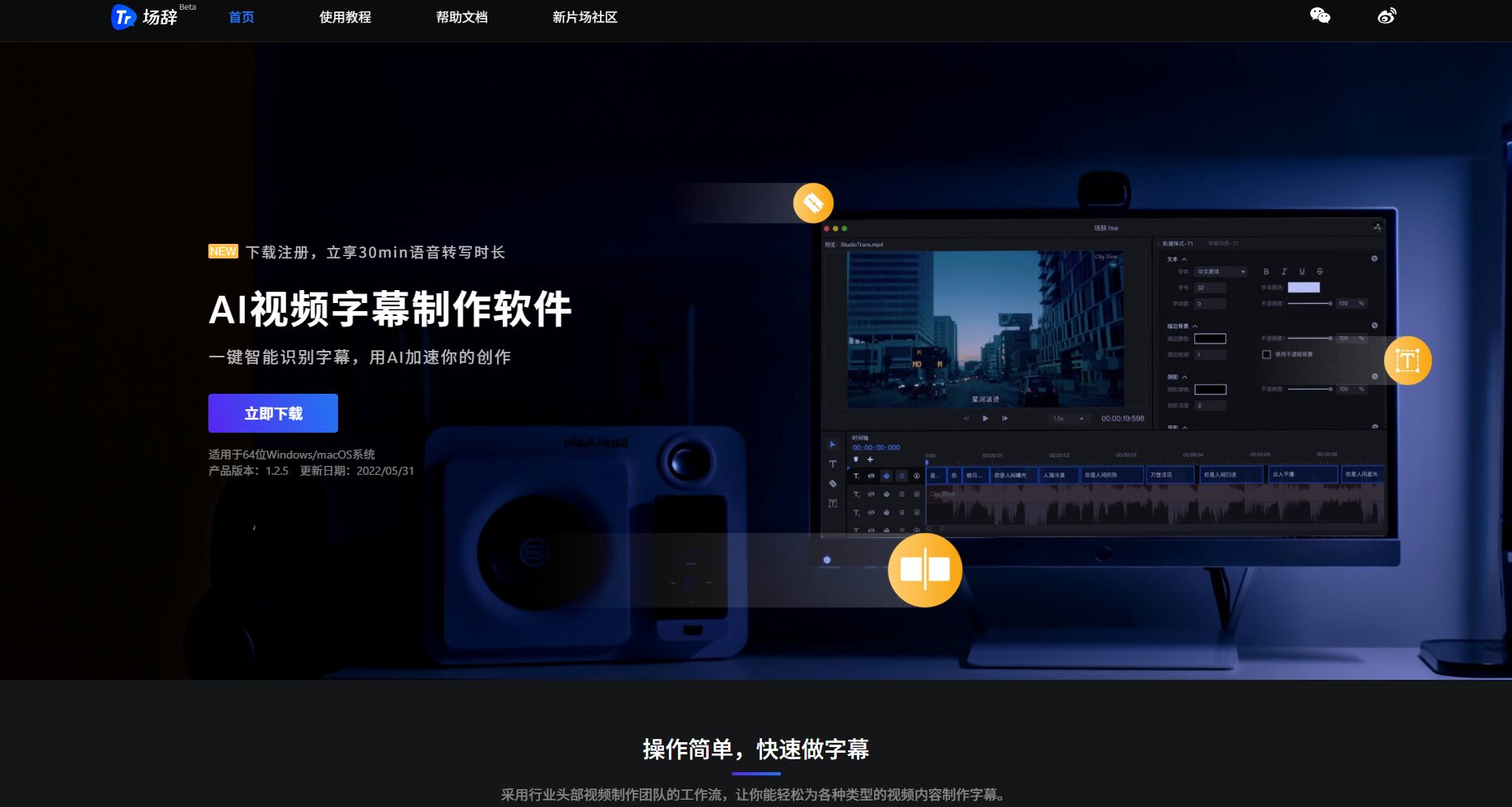
Changci is an AI video subtitle creation tool launched by NewFilm Studio. It supports automatic speech recognition, intelligent subtitle generation and editing, helping video creators to efficiently produce high-quality subtitles.
 Remarks
RemarksIt is an AI video subtitle creation platform launched by NewFilm Studio.It focuses on automatic speech recognition, efficient subtitle generation and editing.It boasts features such as multi-track production, batch export, and high accuracy. Suitable for video content producers in various fields including self-media, education, and enterprises, it significantly improves work efficiency and the effectiveness of video information delivery.
In recent years, with the rapid development of short videos, self-media, online education, and other industries,Automation and efficiency of video subtitlesIt has become an essential part of the content production process. (This is from a film production company under New Film Studio.)RemarksWith its advanced AI video tools, it is bringing about a huge productivity revolution for video creators and media organizations.
Official website for stage resignation:https://trans.xinpianchang.com
As an AI video tool that integrates automatic speech recognition, intelligent subtitle creation, and convenient editing,RemarksCommitted to improving the efficiency of video content production. Whether you are...Self-media personalities, educators, and corporate public relations departmentsWhether you're an individual or a professional post-production team, this platform allows you to efficiently produce high-quality video subtitles.
| Tool Name | Remarks |
|---|---|
| Company | New Film Studio |
| Tool positioning | AI video subtitle creation |
| Visit URL | trans.xinpianchang.com |
| Close use | Automatic speech recognition to generate subtitles, multi-track editing, batch export |
| System compatibility | Windows, macOS |
| Main advantages | High accuracy (approximately 97.51 TP3T), simple operation, supports multiple formats |
As an industry leaderAI video toolsThe platform offers a complete suite of intelligent and manual support features for video subtitling:Click here to experience more features
The speech utilizes advanced ASR (Automatic Speech Recognition).The technology can automatically capture audio content from video audio tracks, efficiently and accurately convert it into text, and simultaneously generate subtitle entries with timecodes.
Supports importmp4, mov, avi, wav, mp3Supports mainstream video/audio formats. Subtitles can be exported to multiple standard formats such as SRT, ASS, and XML with one click, making them easy to use on platforms and software such as TikTok, Bilibili, YouTube, Premiere, and Final Cut Pro.
Built-in speechMultitrack creation and timeline adjusterIt supports the separation and overlay of voices from multiple people in complex programs, and the intuitive drag-and-drop editing area helps users accurately adjust timing and subtitle content.
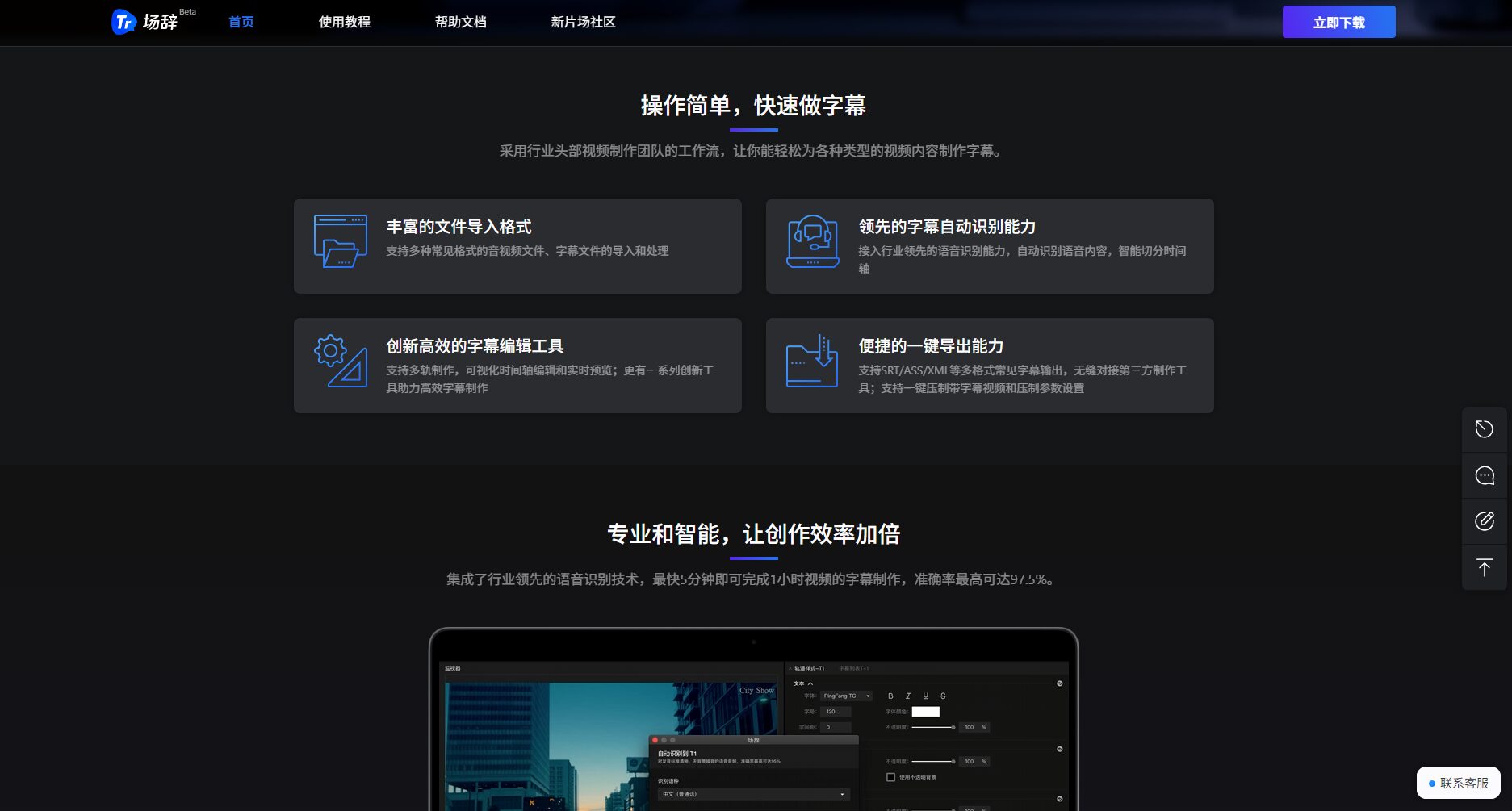

It offers a wealth of enhancement features including font, color, shadow, and font size, and supports...Real-time preview while adjustingThis allows for a smoother integration of subtitles with the visuals.
| Function points | describe |
|---|---|
| Intelligent voice recognition | Automatically recognizes audio tracks and converts them to text with high accuracy. |
| Multitrack subtitles | Supports multiple speakers on separate tracks, suitable for multi-role scenarios such as interviews and courses. |
| Timeline editing | Drag and adjust the timing of the subtitles to precisely match the visuals. |
| Subtitle style editing | You can set the font style, color, size, background, and stroke, etc. |
| Format export | One-click export of multiple mainstream subtitle formats, compatible with all major platforms. |
| High-efficiency batch processing | Supports batch import/export, suitable for content teams with large content needs. |
| Live Preview | Aligning subtitles with the screen during preview reduces unnecessary rework time. |
For more detailed features and demonstrations, please visit the official website of the speech competition.Function Page。
The speech adoptedFree trial + monthly/annual subscription feeThis model aims to minimize the entry barrier for new users.
| Version Name | Price range | Provide speech transcription duration | Remark |
|---|---|---|---|
| Free version | free | 30 minutes | New users get it upon registration. |
| Standard package | ¥XX/month (subject to the latest price on the official website) | Starting from 3 hours | Supports on-demand recharge duration and monthly subscription. |
| Premium Package | ¥XX/year | Starting from 30 hours | Suitable for content teams and batch processing needs |
| Enterprise Package | Negotiable | Customized to order | Supports API and multi-member team task pool sharing. |
Useful tips: Upgrading to a membership will grant you access to value-added features such as faster recognition speed, larger batch processing capabilities, and advanced subtitle style export privileges.
The operation process of the speech preparation software itselfExtremely simple and intuitiveSuitable for all types of users to quickly get started. See the official website for details.Getting Started Guide:
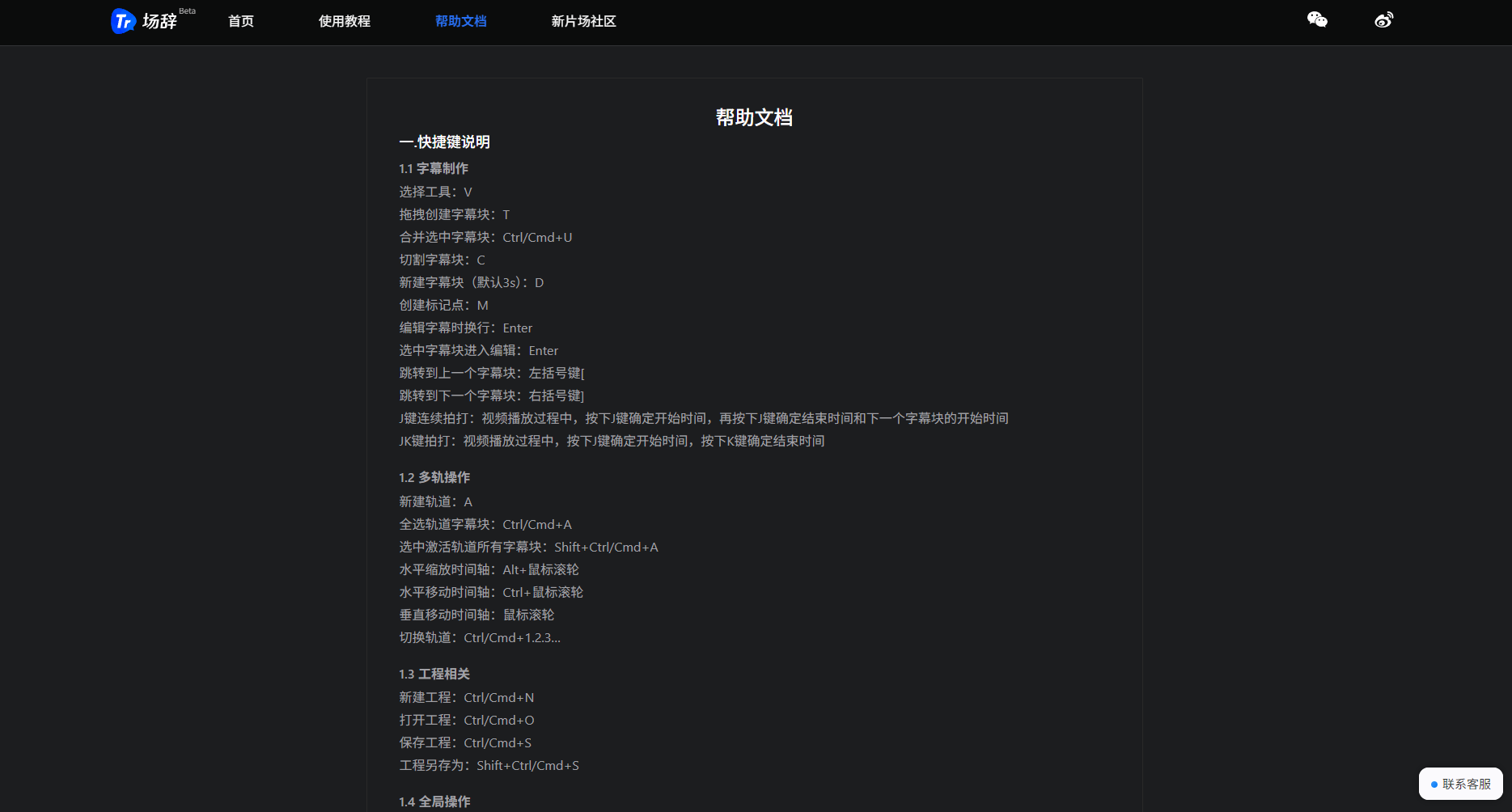
For related operation demonstrations and FAQs, please seeOfficial Help Center。
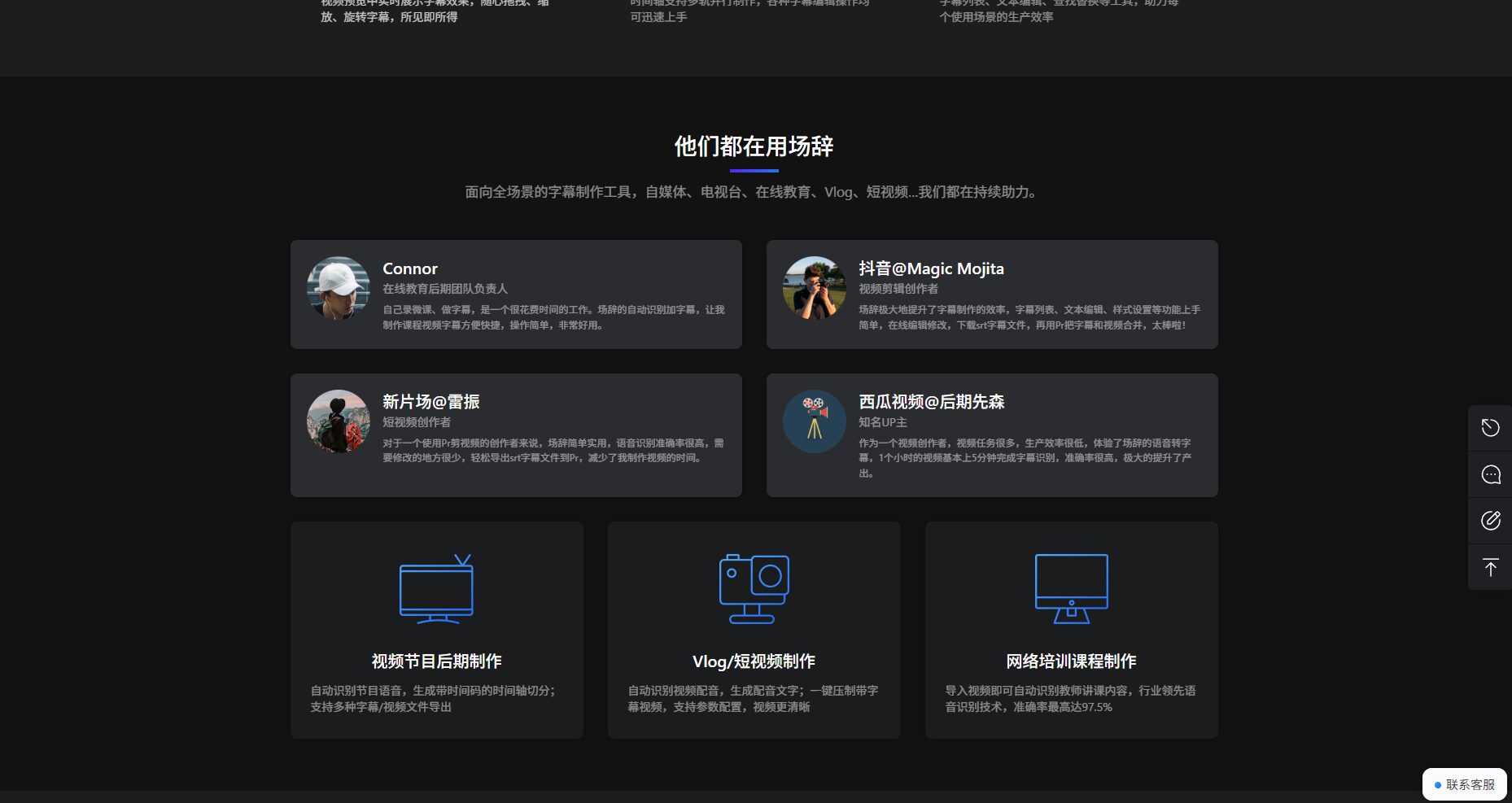
Thanks to its high-precision recognition and flexible editing of video and audio content, the scriptwriting service covers all industries:
visible,All creators and organizations related to audio and video contentBoth can leverage the power of the platform to achieve content upgrades and efficiency leaps.
| Advantages | insufficient |
|---|---|
| It has a very high degree of automation and can greatly reduce manual operation. | The recognition of some niche languages and the vocabulary in specialized fields need further improvement. |
| High accuracy (97.5%), fast output, significantly improving work efficiency. | Internet connection required; please be patient as large files or slowdowns may occur. |
| 支持多轨道、多格式编辑,适应各类节目与团队流程 | 部分高级美化功能须开通高级套餐 |
| 操作界面友好,上手无门槛,帮助中心资料齐全 | 目前暂不支持移动漫游端(仅电脑端)使用 |
| 灵活价格策略,免费额度充裕,试用过程体验感佳 |
| 功能平台 | Remarks | 字幕君 | 字幕通 | Kapwing | Pr Subtitle (Premiere插件) |
|---|---|---|---|---|---|
| 智能语音转文字 | ✅高准确率 | ✅ | ✅ | ✅ | part |
| 多轨分角色 | ✅ | ⚠️部分支持 | ✅ | ❌ | ❌ |
| 实时编辑与预览 | ✅ | ❌ | ⚠️延迟 | ✅ | ✅ |
| 高级导出 | ✅SRT/ASS/XML等多格式 | SRT为主 | SRT为主 | SRT为主 | Pr项目文件内 |
| 美化样式 | ✅多套自定义模板 | ❌ | ✅基础字体 | ✅ | 骨干功能依赖手动样式 |
| Pricing Strategy | 灵活/免费+包月包年 | 收费/按量 | 收费/按量 | Free/Paid | 需购Premiere |
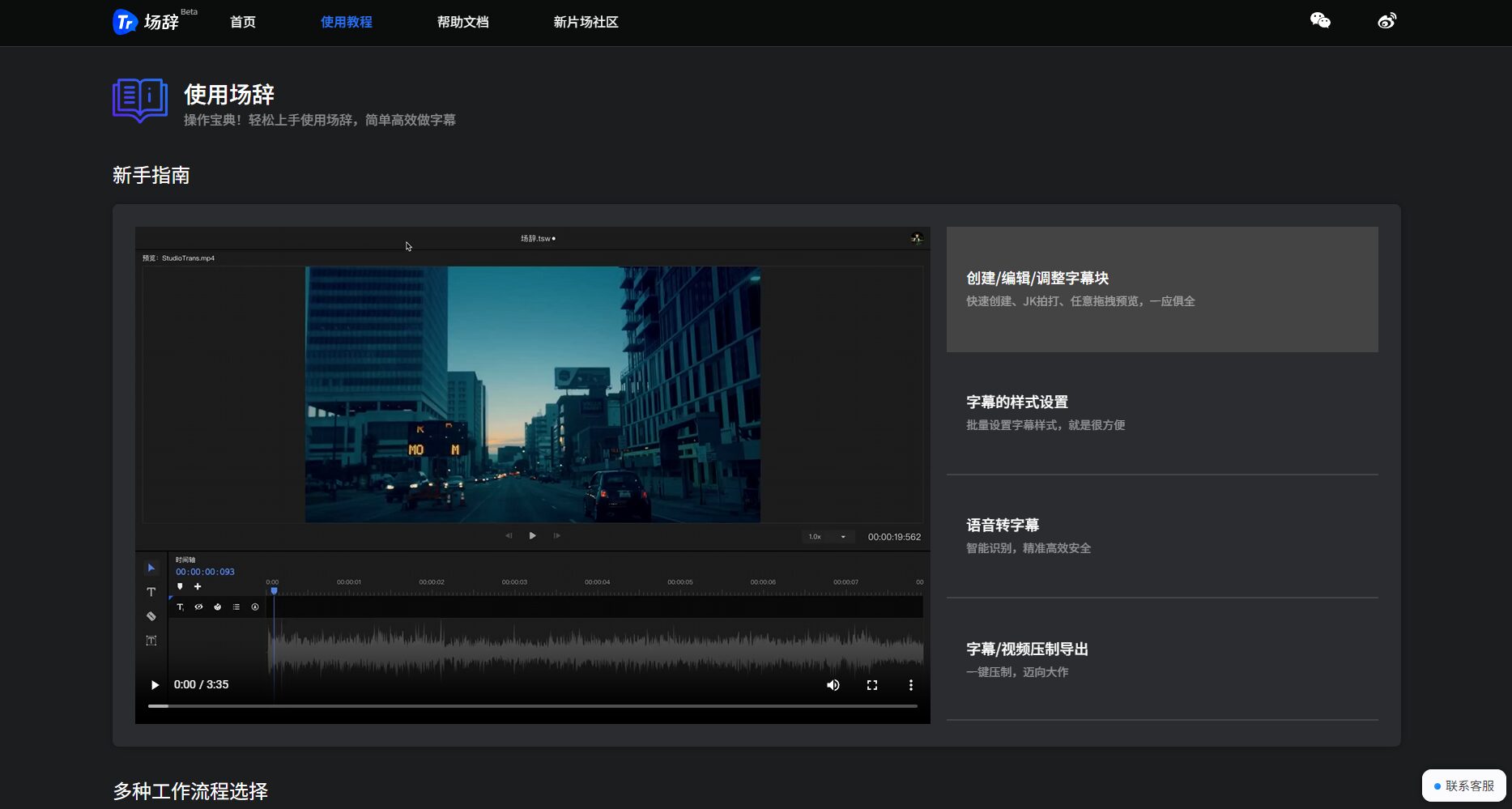
answer: 场辞支持导入mp4、mov、avi、wav、mp3等多种主流视频以及音频格式。字幕可导出为SRT、ASS、XML等,并可直接合成至视频中。
answer: 根据用户反馈和官方数据,普通场景下识别准确率高达97.5%。对于普通话、主流方言有较好适配,对于特殊行业语系或极重口音,建议人工校对后进行导出。
answer: 个人用户可享受基础语音转写额度及常用功能,团队或企业用户可通过“企业套餐”或API接口实现多成员协作、定制开发及海量任务批处理,大大提升批量运营能力。
无论你是短视频达人、课程老师还是MCN内容工厂,借助AI视频工具“场辞”,都能轻松迈入智能字幕制作新纪元。走进智能生产新时代,就从体验场辞开始!访问Official website of the venue,让视频表达更清晰、更高效。
This site's AI-powered navigation is provided by Miao.Remarks都来源于网络,不保证外部链接的准确性和完整性,同时,对于该外部链接的指向,不由AI 喵导航实际控制,在2025年10月13日 pm3:14收录时,该网页上的内容,都属于合规合法,后期网页的内容如出现违规,可以直接联系网站管理员进行删除,AI 喵导航不承担任何责任。
