
Genmoji Complete Guide: How to Quickly Generate Personalized AI Emojis? [Latest 2025 Version]
Genmoji It is the new generation launched by Apple. AI emoji creation toolApple Intelligence makes emoji generation more...Personalization, diversity and securityThis article provides a comprehensive overview of Genmoji's features, operation process, platform support, and frequently asked questions, helping you understand it.How to create your own AI emoji packs with zero learning curveWhether it's chat interaction or photo personalization, it can handle it all with ease.
![Genmoji Complete Guide: How to Quickly Generate Personalized AI Emojis? [Latest 2025 Version]](https://aicats.wiki/wp-content/uploads/2025/11/image-55-7.jpg)
2025 News Report | Technology & Digital Editor's Report
With the rapid advancement of AI technology, the way information is exchanged is also undergoing a major transformation. At the 2024 WWDC developer conference, Apple officially released…Genmoji, a brand new AI emoji generatorThis tool, powered by Apple Intelligence, enables emoji creation and communication to truly achieve [something] for the first time.Personalization and funThis guide will give you a comprehensive overview of the highlights and best practices of Genmoji.
Table of contents
| Content Chapters | Key Points |
|---|---|
| Product Introduction | Genmoji Location and Application Value |
| Main functions and highlights | AI-generated descriptions, custom photos, and diverse styles. |
| Operating steps | The complete process of creating/deleting Genmoji |
| Support and Platform | Applicable equipment, systems, and language support |
| Frequently Asked Questions (Q&A) | Functional details, privacy, compatibility and limitations |
Product Introduction
Background and positioning of Genmoji
GenmojiGenmoji is a brand-new emoji tool developed by Apple based on the Apple Intelligence AI model, officially launched with iOS 18. Unlike traditional emojis, Genmoji can be customized by the user.Description, photos, or personal needs,Instantly generate unique AI emoji stickersThis greatly expands the possibilities for user expression.
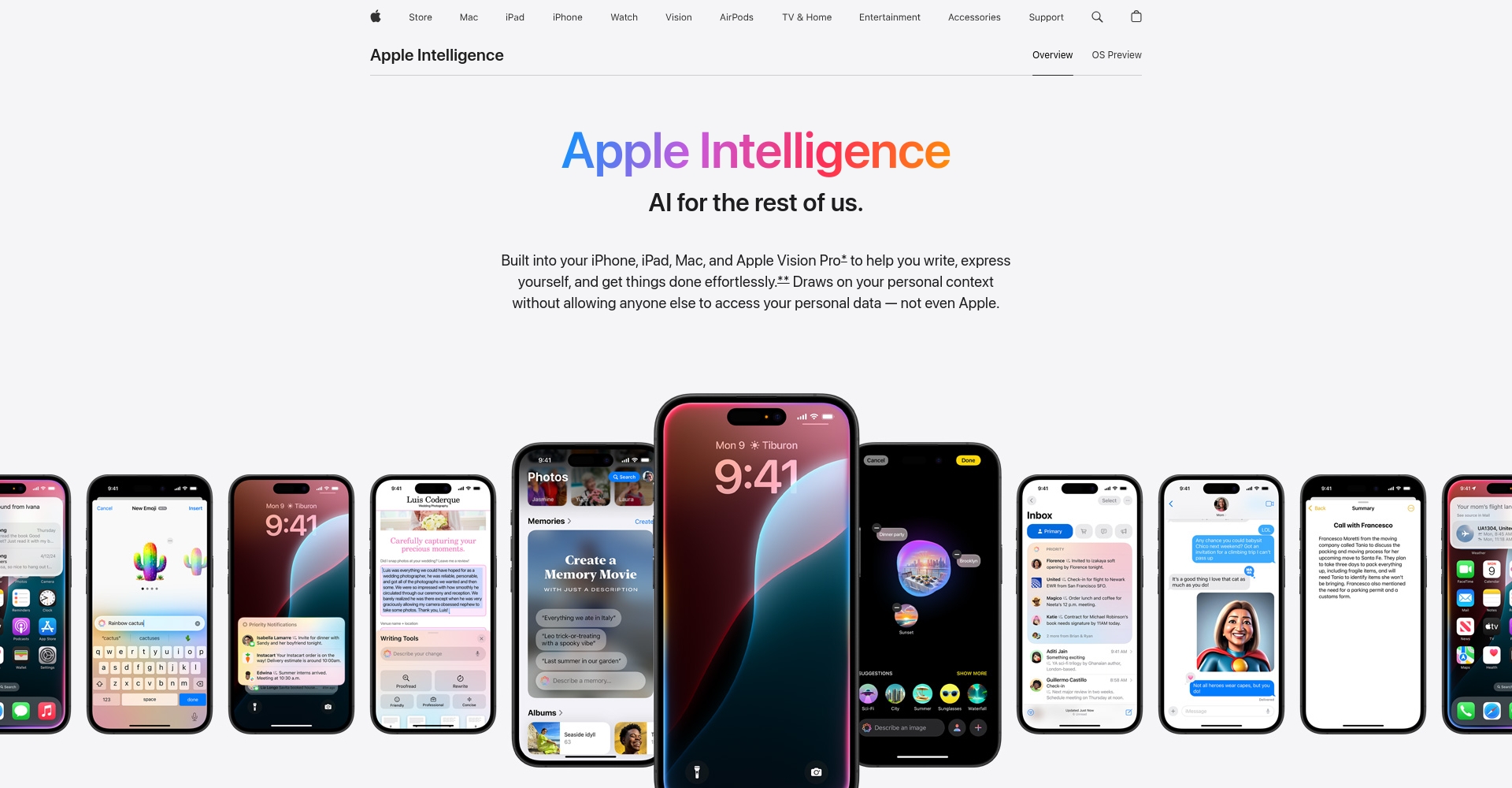

Application scenarios of Genmoji
- Show in messages and social mediaPersonal characteristicsexpression
- Create unique symbols for special holidays, team activities, and exclusive memes.
- Automatically generate Q-version stickers of friends based on photos.
Official reference:Apple Support - Create Your Own Emojis with Genmoji
Main functions and highlights
AI description generation function
Based on Apple Intelligence's generative AI models,Simply type a description (such as "excited lion" or "cat in a suit") into the keyboard to generate completely new emojis.AI can automatically understand and visualize creative ideas, requiring no artistic background.
Genmoji Feature Comparison Table
| Function | illustrate | Traditional Emoji | Genmoji(AI) |
|---|---|---|---|
| Preset number of icons | Fixed, limited to several thousand models | Thousands | Theoretically infinite |
| Personalized generation | Uncustomizable, fixed icon | 否 | Yes (based on description/photo) |
| Image source | Unicode fixed design | Official design | AI instant generation |
| Use cases | General communication, documents | Text message | Messages, stickers, personalization |
| Style switching | Single style | 否 | Multiple styles |
Photo personalization features
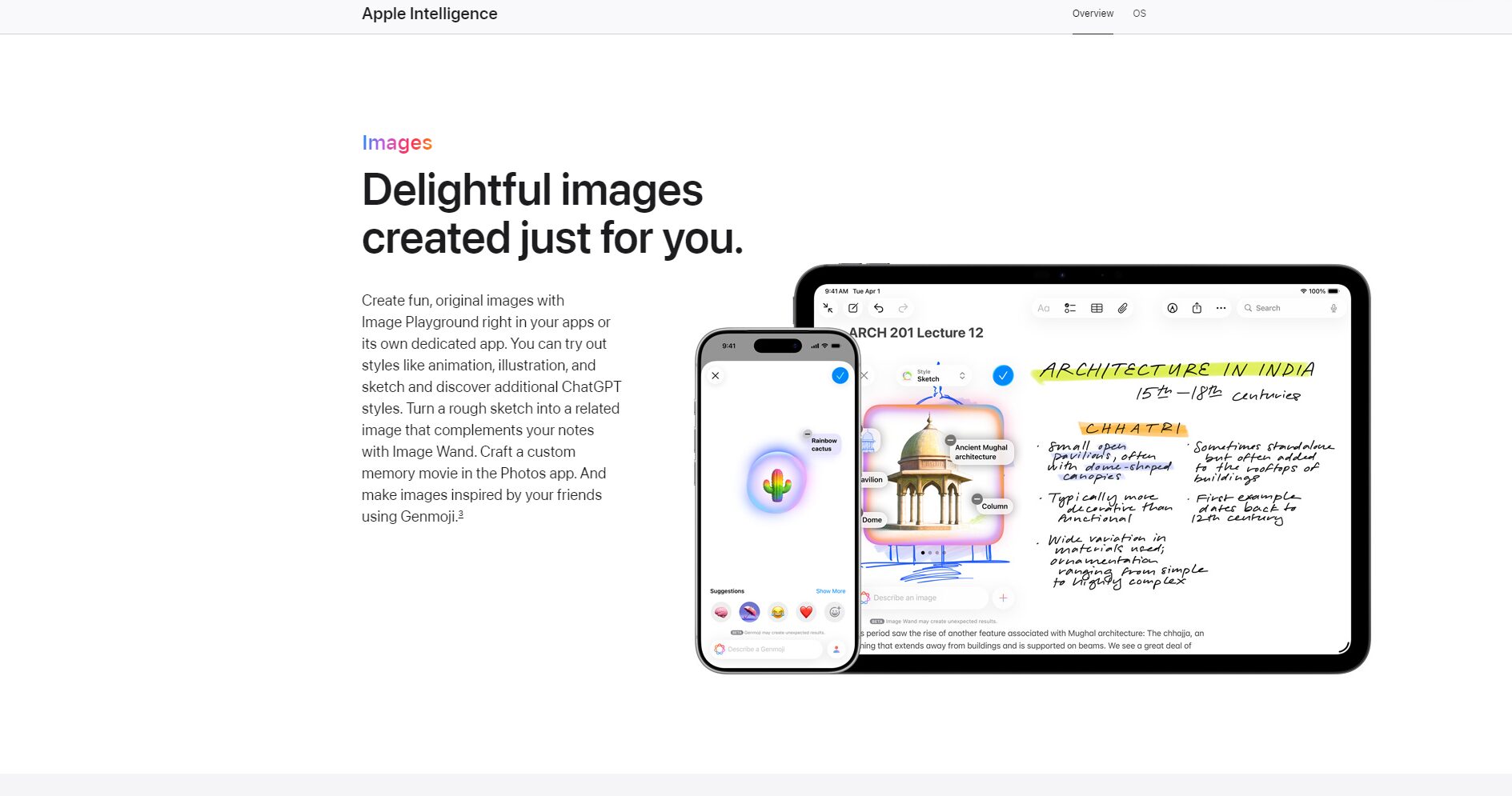
Genmoji can also automatically recognize people from user photos and generate emoji stickers.For example, selecting a friend's photo can automatically generate a cute sticker for that person, which is perfect for group chats, greetings, and other similar occasions.
Multiple art styles to choose from
Genmoji stickers are available in multiple styles (such as sketches, illustrations, chibi styles, animations, etc.).Simply adding words like "cartoon style" or "sketch style" to the description will satisfy different aesthetic preferences.
Operating steps
How to quickly generate Genmoji emojis?
Following the official instructions, you can easily get started using an iPhone/iOS 18:
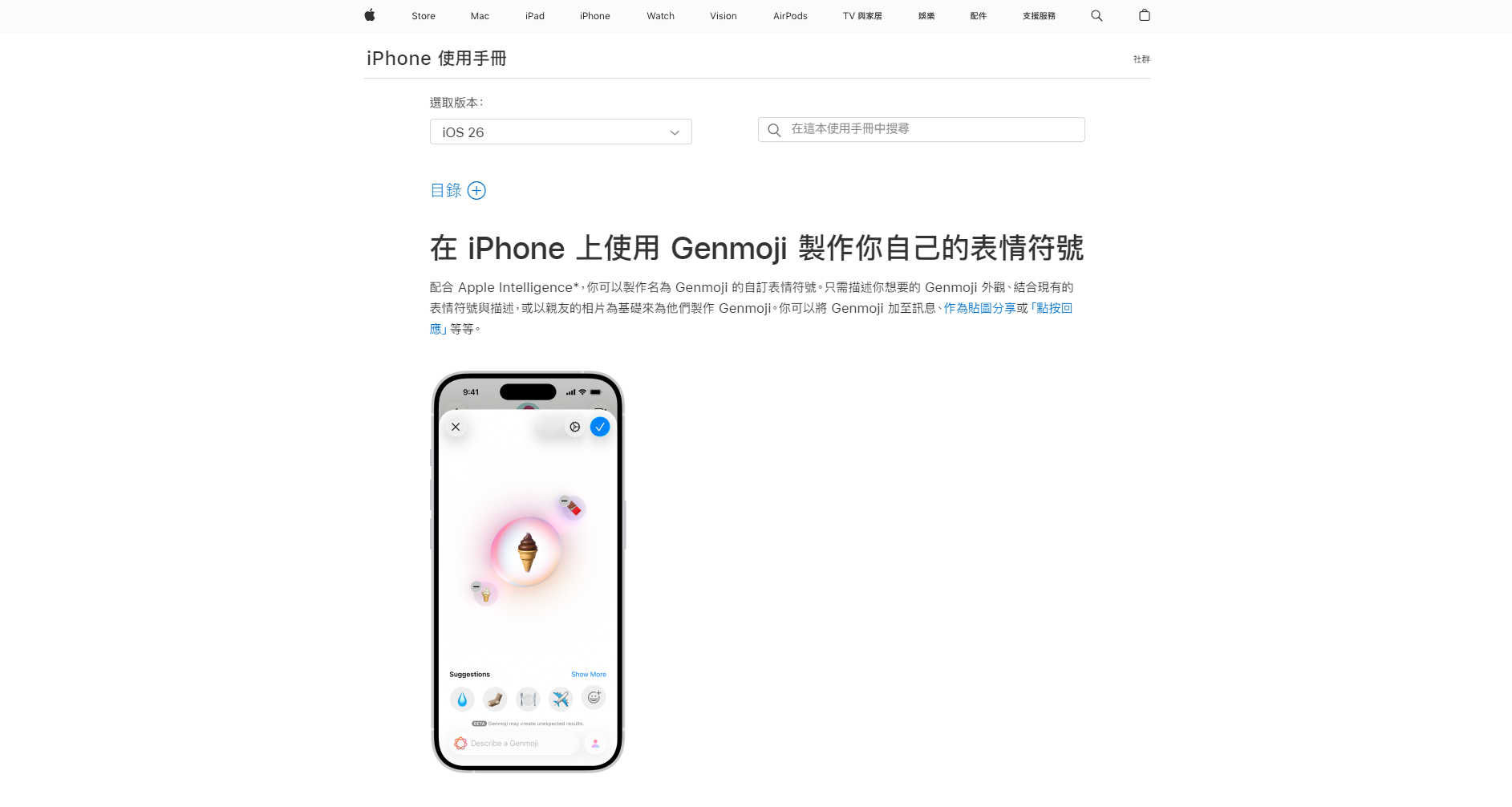
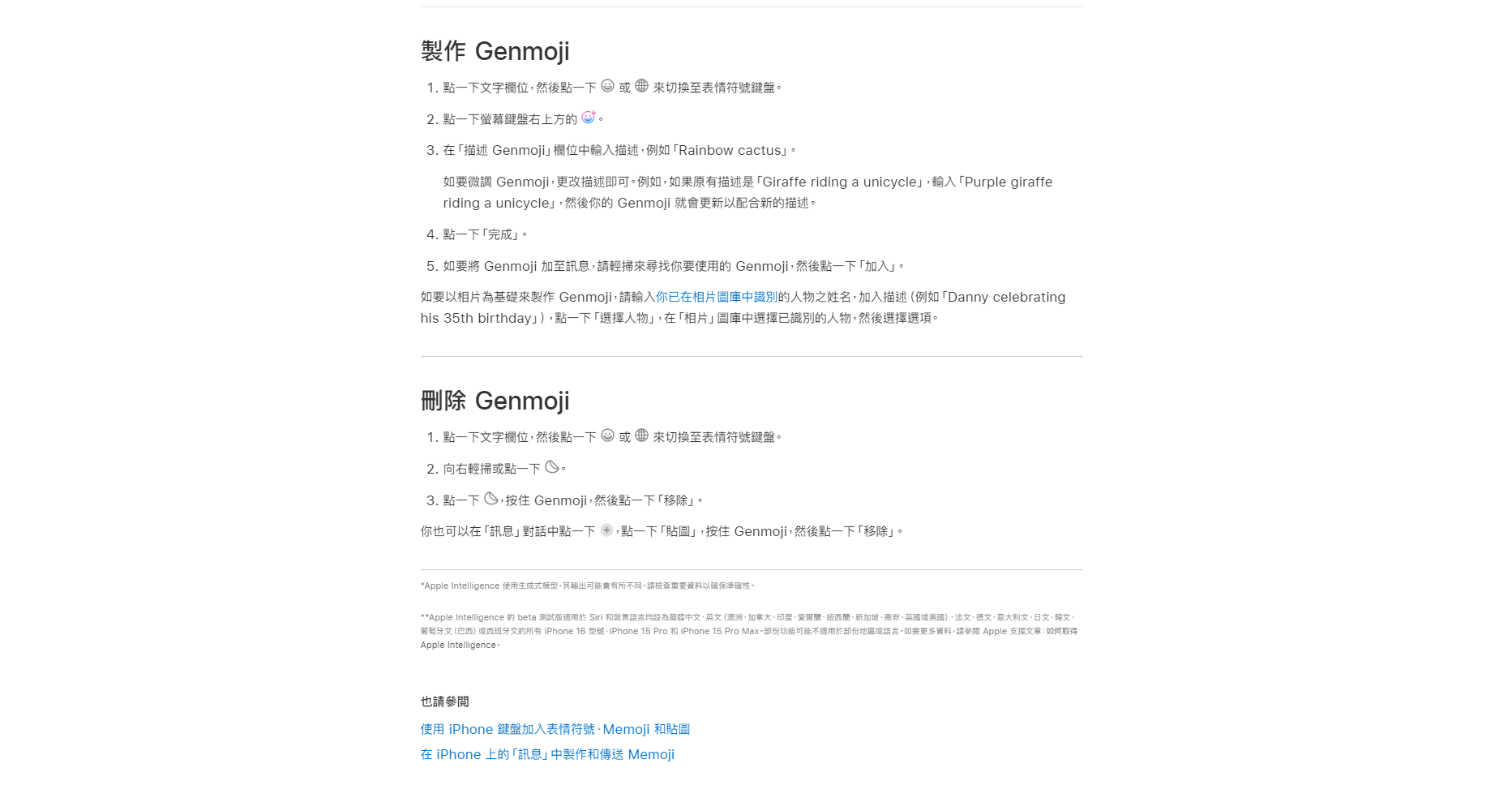
- Open the Messages app and tap the text input box.
- Tap the emoji keyboard (or long press "Next Keyboard" to switch).
- Select the "Genmoji" button in the upper right corner.
- Enter a personal description in "Describe Genmoji" (e.g., "Dancing Space Dog").
- (Optional) Provide more detailed descriptions, such as "a dancing space dog wearing a denim jacket".
- Click "Finish" to generate.
- Swipe left and right to preview different AI-generated options, and click "Join" to send a message directly.
Generate personalized Genmoji from photos:
Enter "person's name + description" in the description field, select the relevant photo, and the system will automatically recognize and create a personalized sticker.
For detailed diagrams, please see:Apple's official website (with pictures and text)
How do I delete/manage Genmoji stickers?
- Switch to the emoji keyboard in the Messages app.
- Swipe right or tap the "Stickers" button.
- Find the target Genmoji, long press it, and then click "Remove".
Support and Platform
Applicable devices/languages/regions
The current beta version of Genmoji only supports the following devices and languages, and will be released with Apple Intelligence:
| project | Support status |
|---|---|
| equipment | iPhone 16 series and iPhone 15 Pro/Pro Max (not currently supported on iPad/Mac/older models) |
| system | iOS 18 and above |
| language | Simplified Chinese, English (Japanese, Korean, French, German, Portuguese, Spanish, etc.) |
| area | The United States, parts of Asia and Europe, as well as Taiwan and Hong Kong, need to patiently wait for global rollout. |
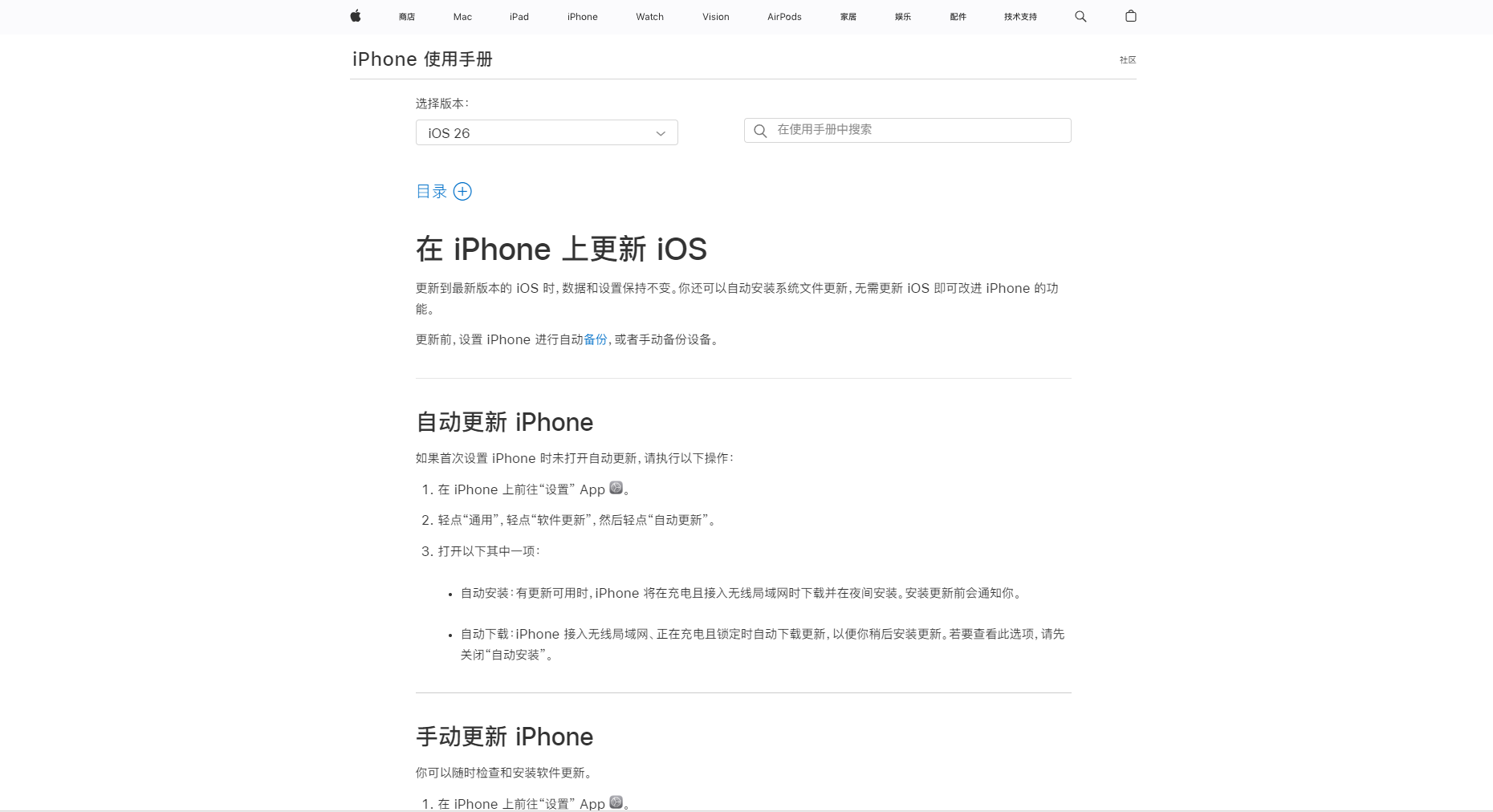
suggestionPlease upgrade to the latest version of iOS and enable Apple Intelligence services to experience all Genmoji features.iOS Update Tutorial)。
Privacy and security
Genmoji calculations are performed entirely locally on the device; photos and other data are never uploaded to the cloud.Users can use the app with confidence, without worrying about privacy leaks or data transmission.
Frequently Asked Questions (Q&A)
Q1: What is the difference between Genmoji, Memoji, and Emoji?
- MemojiCustomize your personal cartoon avatar through "face sculpting".
- EmojiThe official icon is globally unified and cannot be customized.
- GenmojiAI analyzes descriptions/photos to instantly generate unlimited creative stickers.
Q2: Can Genmoji be shared to LINE and WhatsApp?
Currently, Genmoji only natively supports the "Messages" app.Third-party platforms will need to wait for subsequent opening or adaptation.
Q3: Can it be used on non-latest iPhones?
Only iPhone 16 series and iPhone 15 Pro/Pro Max are supported.Other models are not yet compatible, but this may become more widespread in the future.
Q4: Is the generated content safe? Will it be leaked?
All data is generated locally and is not uploaded. In accordance with Apple's privacy policy, it will never be distributed externally.。
Related resource links
| Linked projects | Official website |
|---|---|
| Genmoji tutorial | Apple's official Genmoji feature description |
| Apple Intelligence Explanation | Apple Intelligence Official Introduction |
| iOS 18 update support | iOS 18 update refers to南 |
Post-interview notes:
The launch of Genmoji represents a significant step forward for Apple's AI-driven innovation in user experience, allowing...Anyone can create a wide variety of personalized emojis with zero learning curve.As the platform becomes more open and its ecosystem matures, we can expect to see even more third-party applications and features. To stay updated on the latest developments of Genmoji, we recommend following Apple's official documentation and reports from this platform.
© Copyright notes
The copyright of the article belongs to the author, please do not reprint without permission.
Related posts



No comments...
