What is an ideogram? A beginner's guide to AI drawing tools and how to use them efficiently.
ideogramIt has risen in recent yearsAI drawingThis rising star tool is known for its "precise text embedding into images" and user-friendly interface, helping creative designers, content creators, and businesses efficiently generate creative and professional visual images.This article provides a step-by-step guide from the features, costs, and introductory process of ideogram to advanced applications, teaching you how to quickly get started and use it efficiently, so that you can become an AI visual creation master whether you are a beginner or a professional!
Cognitive ideogram: A rising star in AI drawing tools
Background and development of ideogram
Officially launched in August 2023ideogramIt was founded by a group of top AI experts from Google Brain, UC Berkeley, Carnegie Mellon and other institutions.Ideogram is known for its "precise AI-generated text embedded in images".It has become a popular choice in the field of visual creation.
- Precise text synthesisIt excels at seamlessly integrating specified text (especially English) into images, suitable for logos, posters, product packaging, etc.
- Highly realistic performanceThe colors and details are rich and layered, creating a strong visual impact.
- Multi-style templatesIt has numerous built-in professional templates, allowing for quick one-click design output.
- Creative Magic HintsThe "Magic prompt" feature inspires endless creativity and transformation.
- Intuitive interfaceEven those with zero design experience can quickly get started.
Expert opinion:“Ideogram significantly lowers the barrier to professional visual creation, enabling everyone to produce high-quality works.”
Ideogram Getting Started Guide
Registration and login process
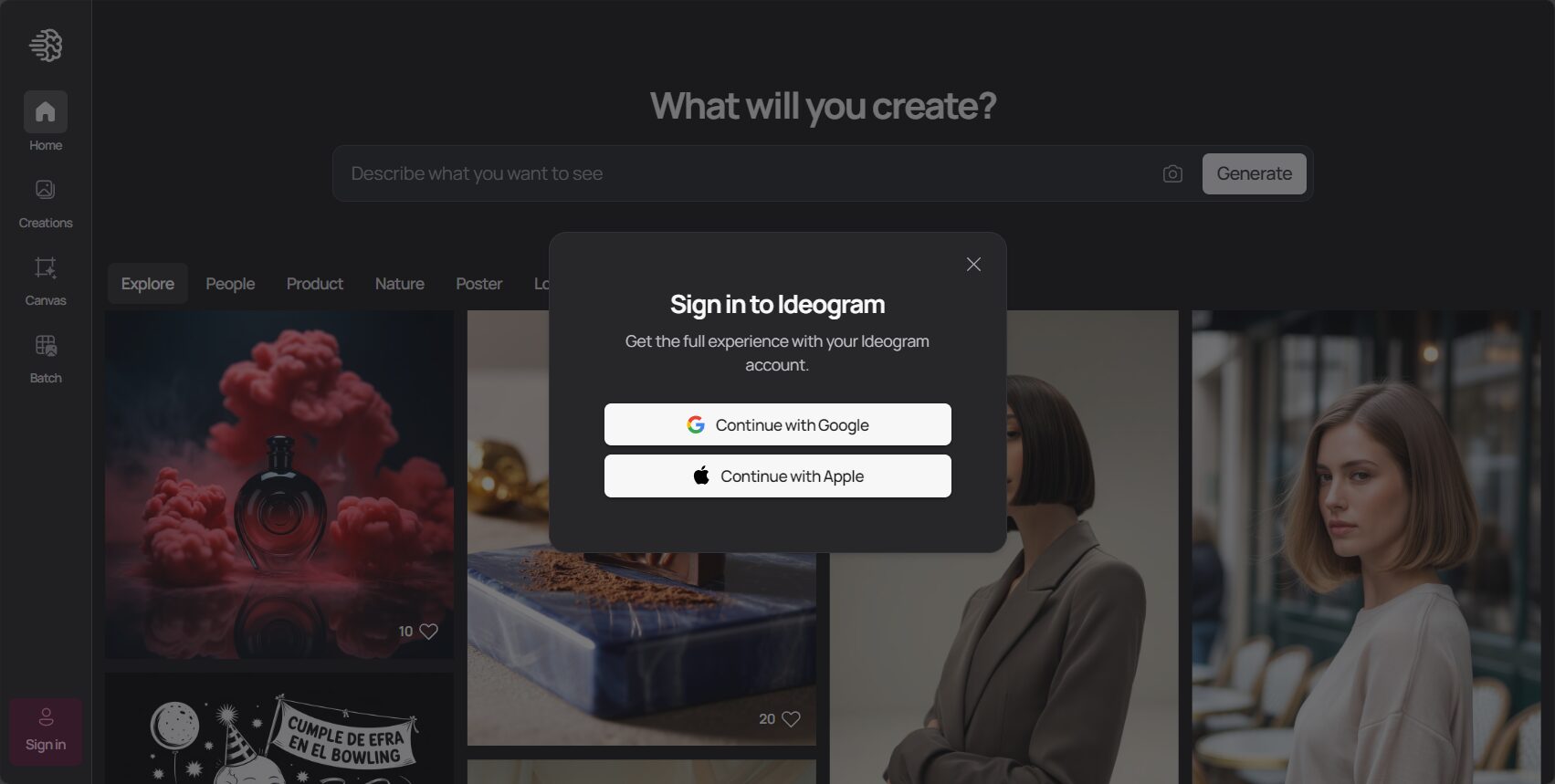
- accessideogram official website。
- Register with a Google or Apple account with one click.
- Enter descriptive keywords (English preferred), such as: A vibrant poster with the text 'Dream Big'.
- Choose an image style (such as Logo or Poster).
- Click to generate, and you can download and share the image.

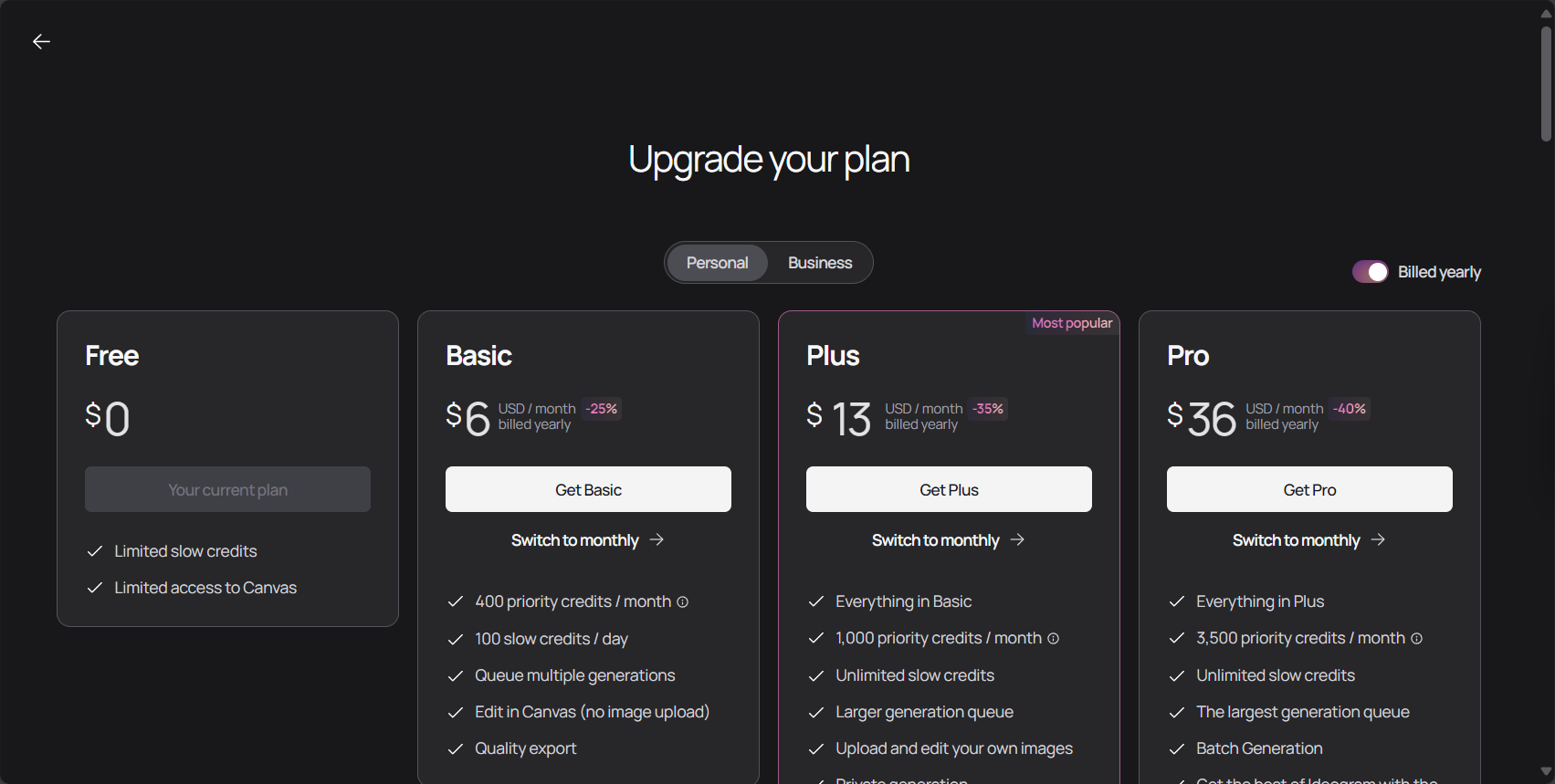
Functional options and cost comparison
| plan | Free version | Basic | Plus |
|---|---|---|---|
| cost | free | $7-8/month | $16-20/month |
| Daily generation | 10 times | Fast 400+ Slow 100 | Fast 1000+ Slow Infinite |
| Image generation permissions | public | public | Private/Deleteable |
| Image format | JPG | PNG | PNG |
| Advanced features | 无 | Partially open | Retry, Remix, and fully private open systems. |
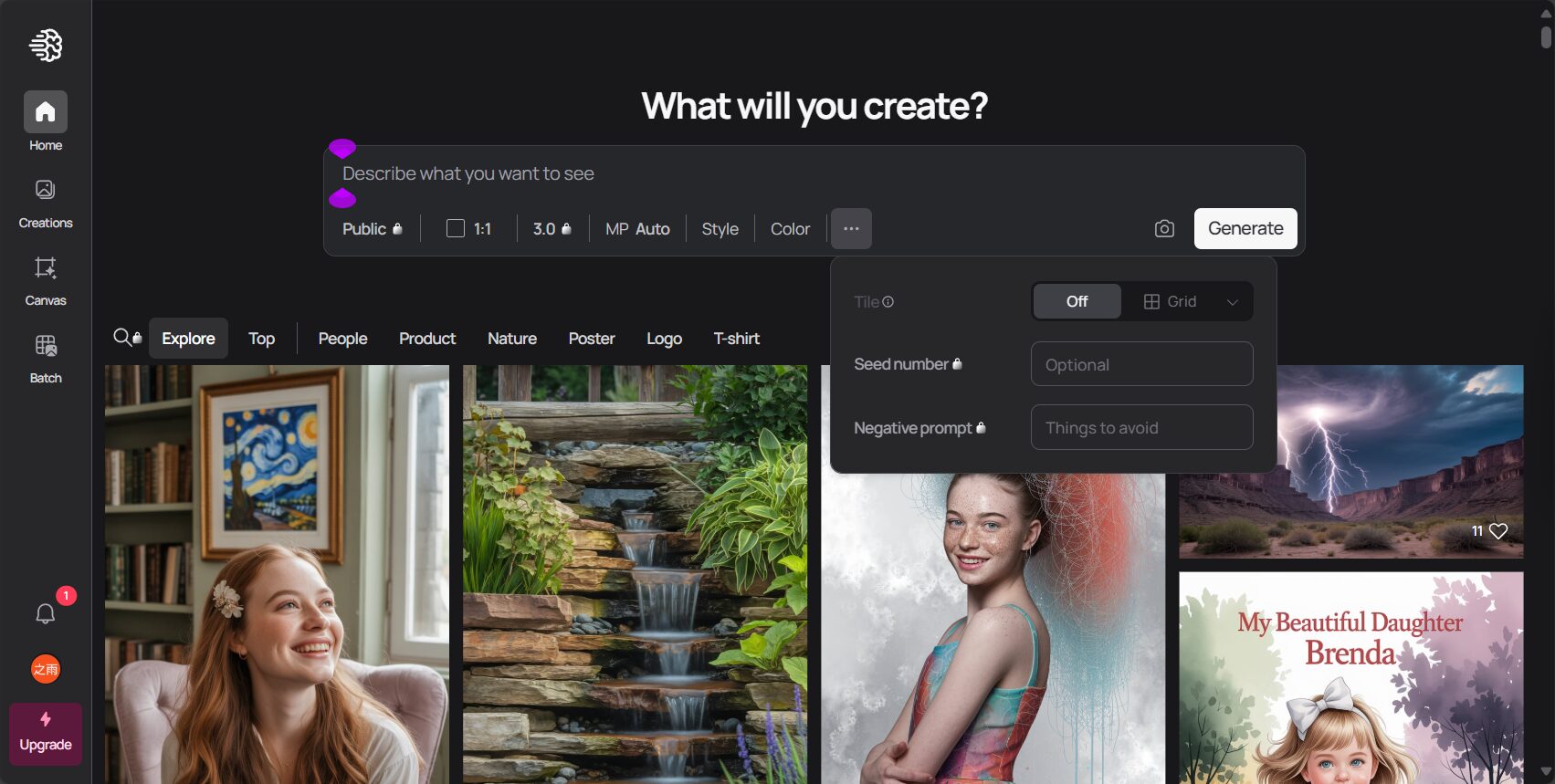
Main interface layout
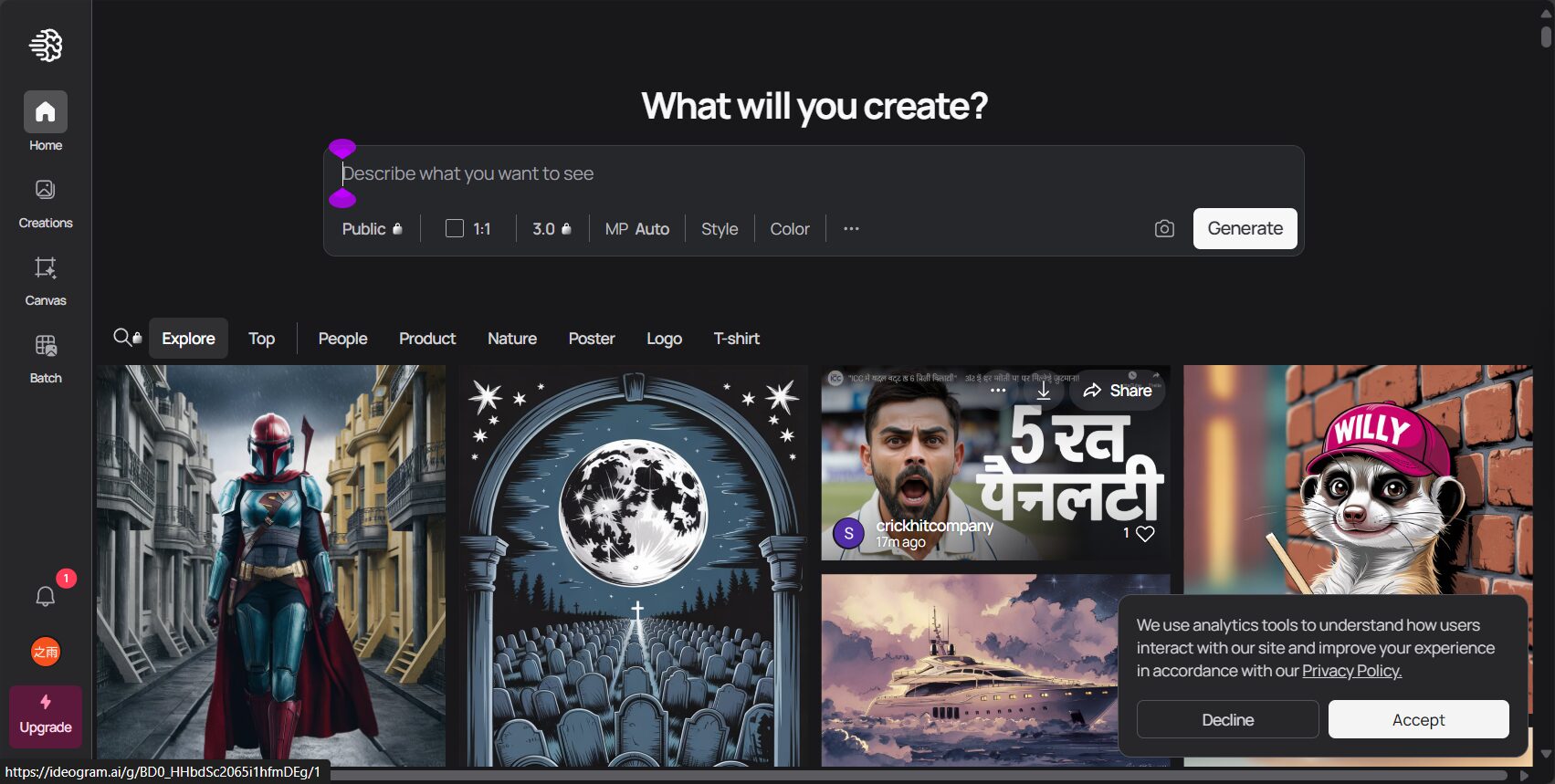
- Input suggestion bar: You can type/paste your thoughts.
- Exhibition Area: Browse other people's content to gain inspiration.
- Account settings: Manage your profile and subscription status.
How to use ideograms efficiently
Generate images containing text
The biggest highlight of ideogramIt is a perfect blend of text and images, especially suitable for brand logos, posters, etc.
- Enter Prompt, for example: A huge 3D word “Awesome” in a city, bird's-eye view, photo.
- Select a style tag (such as photo, logo).
- Once generated, you can select a suitable image to download and edit further.
Experts warn: English is more accurate, while Chinese has limited support; therefore, it is strongly recommended to use English for logos and posters.
Logo and Poster Application Techniques
- Enter the brand/company name and tone, such as "TechNova – Futuristic Blue".
- Choose between the "Logo" or "Poster" style, and ideogram will quickly output your creative designs.
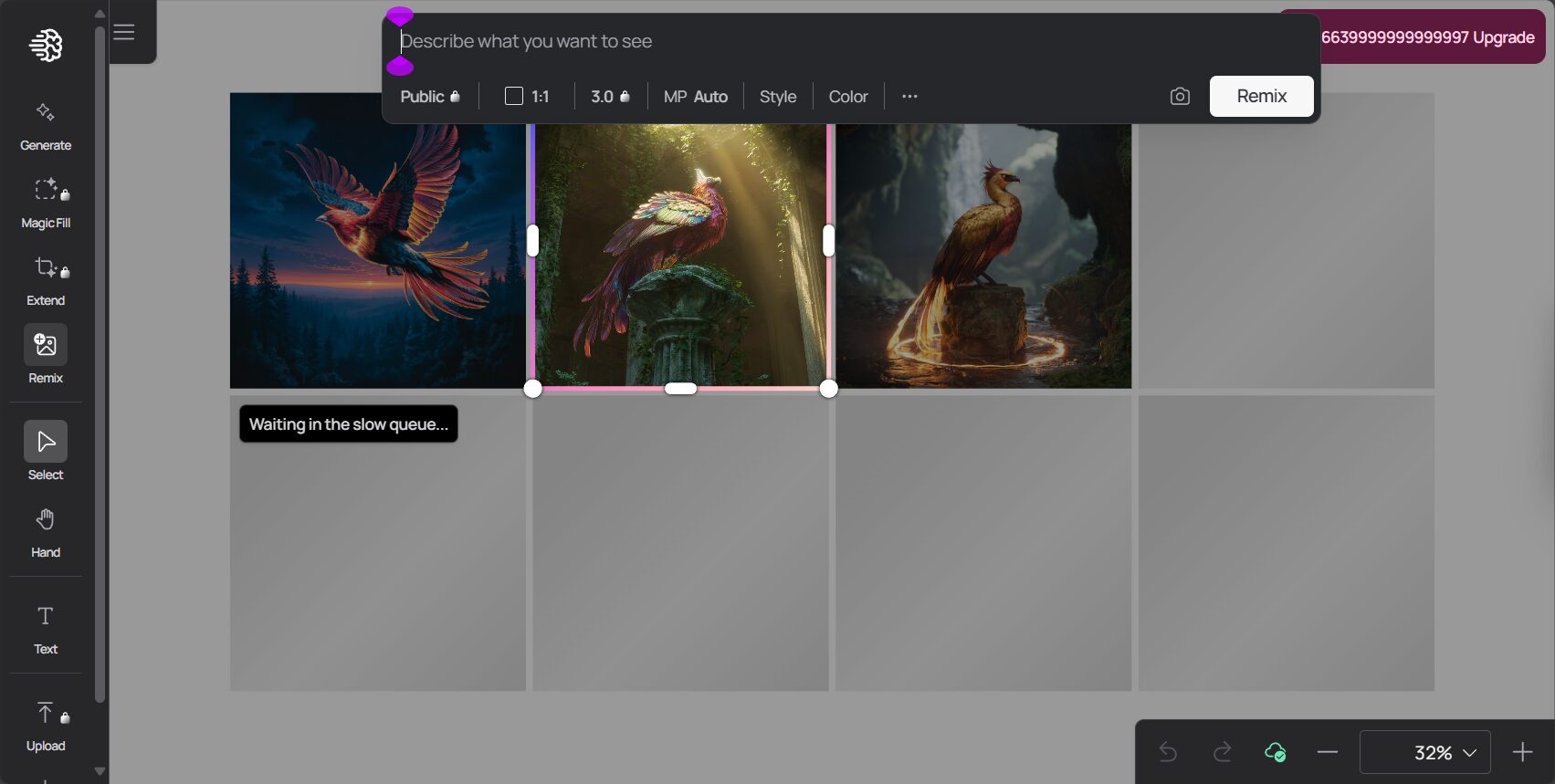
Image Retry and Remix Functions
Plus usersYou can use the Retry and Remix buttons to repeatedly adjust image details. Free users also have the Retry function for quickly optimizing unsatisfactory results.
Frequently Asked Questions (FAQ)
| question | answer |
|---|---|
| Which text types does ideogram support best? | English performs best, with more accurate proper nouns, but Chinese support is limited. |
| Can you download high-resolution images? | The paid version supports high-quality PNG images, while the free version only supports JPG. |
| Can photos be stored privately? | Only Plus users can set it to private and delete it. |
| Is it suitable for commercial use? | Some of the output can be used commercially; please refer to the official website for details. |
| Is there an app? | Currently, only the web version is supported. |
Extended application scenarios and advanced techniques of ideogram
Common Applications
- Brand Design: Create English letter logos, product packaging visuals, etc.
- Social media: Quickly produce "viral" posters, covers, and main visuals.
- Teaching and Education: Create a library of educational images with accompanying text.
- Event promotion: Generate themed slogan posters with one click.
- Content creation: Customize your own poems, quotes, and illustrations.

Tips for creating prompts
- Clearly define the text content: Directly specify the text to be displayed
- Add style/scene: Such as "graffiti style on a wall"“
- Limiting Colors and Emotions: "vintage pastel color, retro mood"“
- Try Magic PromptGet more innovative and random ideas
Extended Advanced Tutorial Resources
- Ideogram introductory tutorial (STEAM education and learning website)
- Ideogram Image Regeneration and Editing Techniques
With the advancement of AI drawing technologyIdeograms have become a powerful design tool that combines rationality and sensibility.Both novice and professional designers can rely on its tools to quickly generate stunning visual ideas. The future of ideogram will continue to innovate with technological advancements. Visit it now!ideogram official website,Start your AI visual creation journey!
© Copyright notes
The copyright of the article belongs to the author, please do not reprint without permission.
Related posts



No comments...
