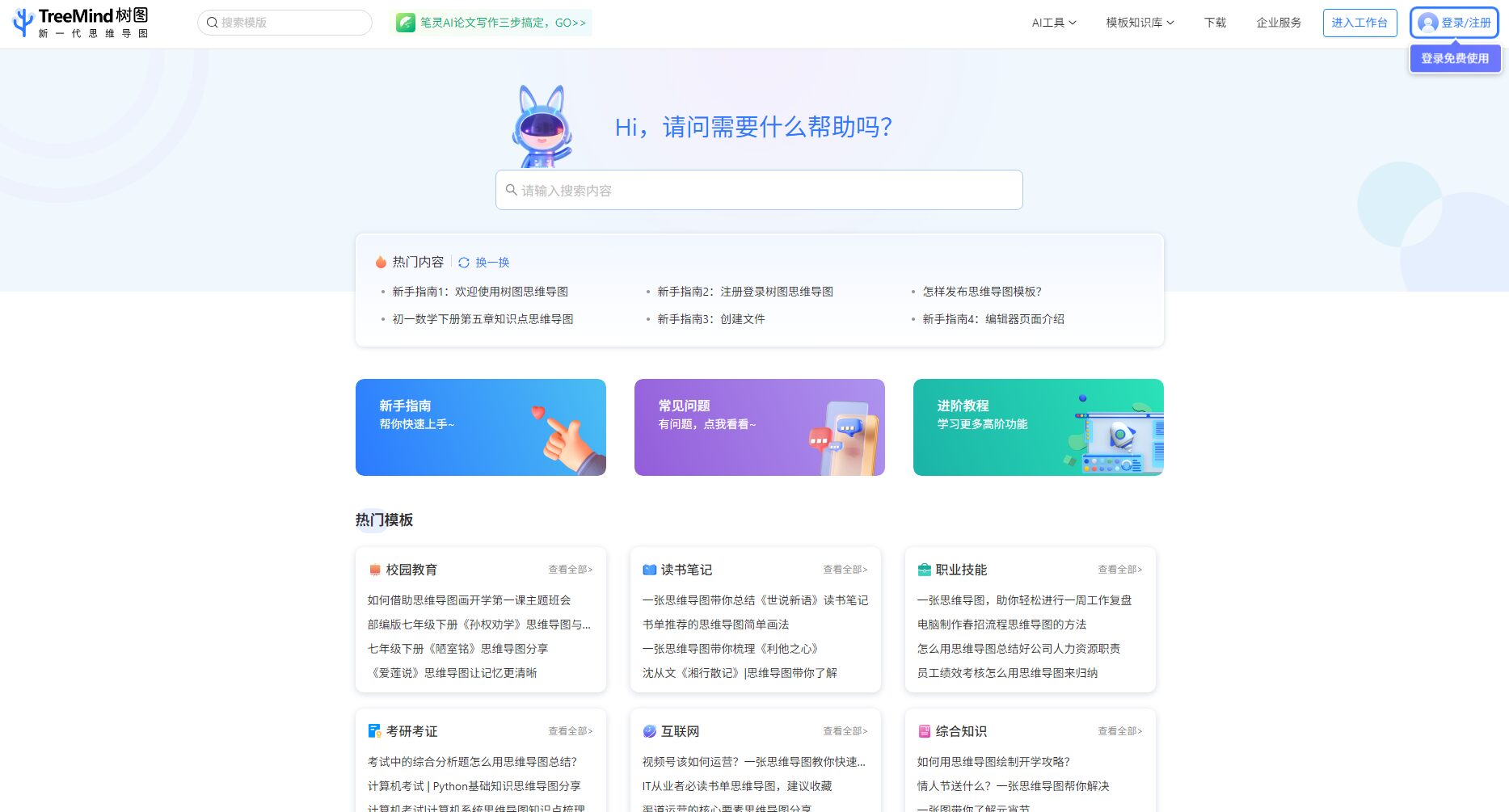
TreeMind is an AI-powered mind map generation tool that generates mind maps from a single sentence. It supports multiple structures, a vast library of templates, and team collaboration, improving efficiency in office work and knowledge organization.
TreeMind is a tree mapping software.AI-driven intelligent mind mapping toolIt features "generating mind maps in one sentence" and supports 30+ structures such as mind maps, fishbone diagrams, and timelines. It integrates mainstream large model capabilities and a knowledge base of 1.2 million+ templates.Its cross-platform compatibility, vast resources, and powerful collaboration features make it widely applicable to students, professionals, and businesses. Flexible free/low-cost packages offer robust security, facilitating efficient knowledge organization and innovative work.
With the rapid development of artificial intelligence,AI office toolsIt has become a key tool for improving office efficiency and innovative thinking. Among numerous mind mapping tools, TreeMind has won the favor of many users with its powerful AI-driven capabilities, massive template resources, and excellent multi-platform collaboration capabilities. This article will take the form of a news report to deeply analyze the background, functions, pricing, user application scenarios, and frequently asked questions of TreeMind, helping everyone to fully understand this next-generation AI-powered intelligent office platform.Visit the TreeMind website
What is a TreeMind tree diagram?
TreeMind is an AI-based tree graph software.Intelligent Mind Mapping ToolProduced by Shanghai Jushita Network Technology Co., Ltd., it features "AI-generated mind maps in one sentence" and supports more than 30 types of structures, including mind maps, tree diagrams, logic diagrams, fishbone diagrams, timelines, and organizational charts, providing users with comprehensive visualization support for learning, project management, brainstorming, and more.Direct access to the TreeMind tree graph official website Its AI capabilities integrate mainstream domestic models (such as Baidu Wenxin Yiyan and Xunfei Xinghuo), and it has 1.2 million+ templates, millions of material resources, rich export formats and powerful team collaboration functions, and is known as the "knowledge encyclopedia of mind mapping".
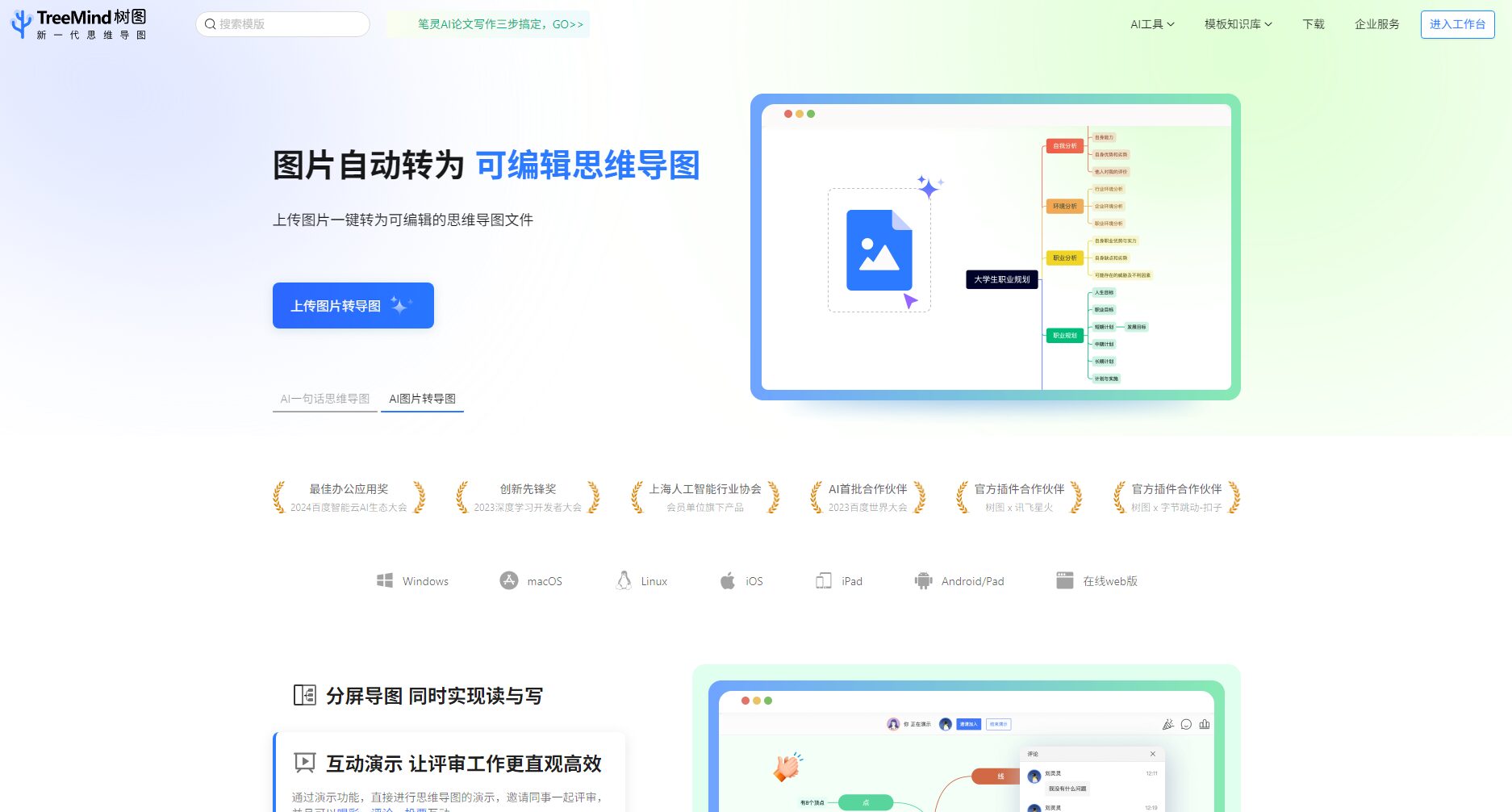
The core innovation lies in the user.Just enter one sentence(e.g., "Java development learning roadmap"), AI can automatically generate professional structured mind maps. Whether it's business analysis, event planning, reading notes, or teaching arrangements, AI can summarize the key points and structure with a single click, greatly saving time spent on manual content organization.
Massive template knowledge base
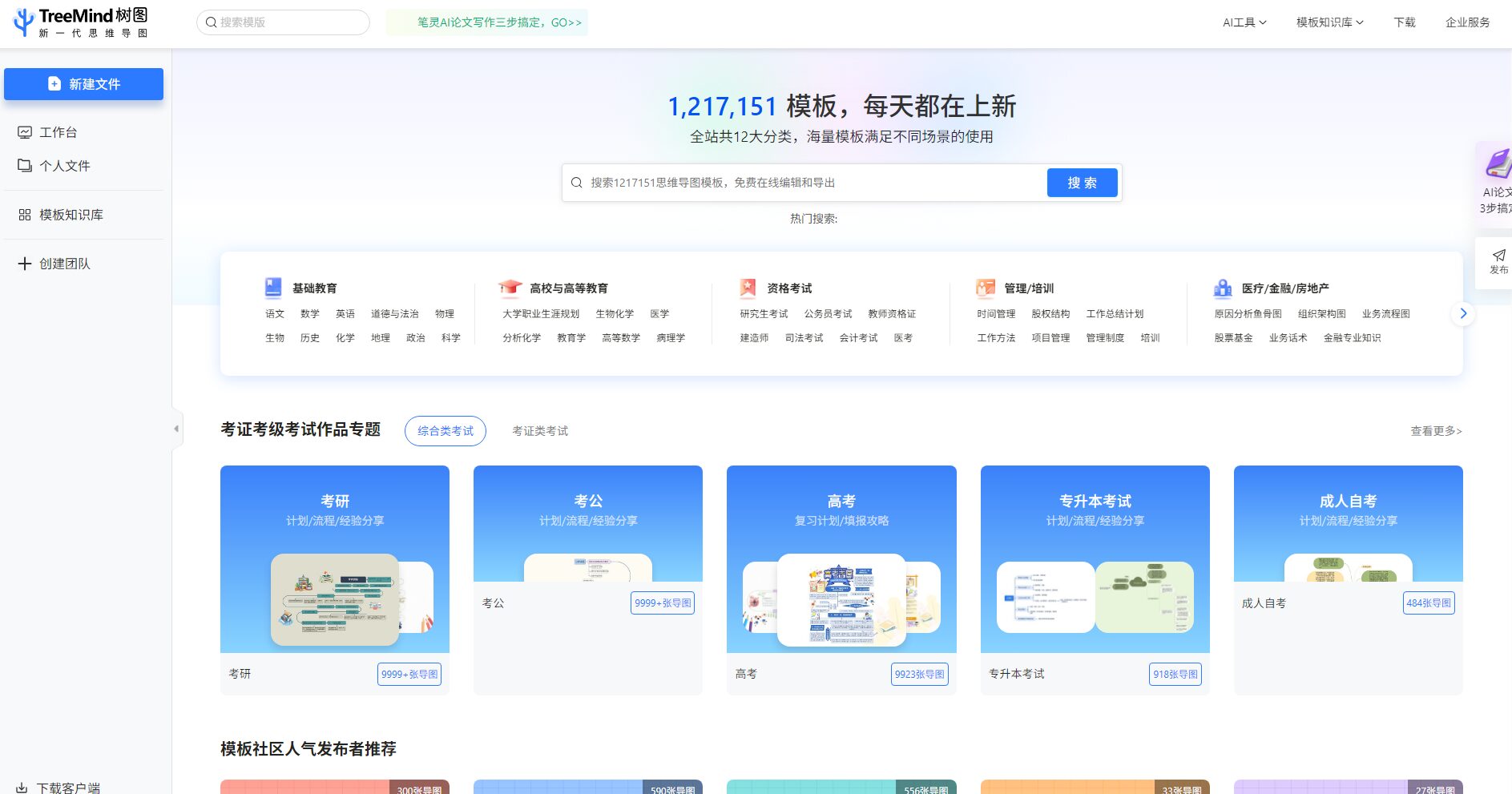
The platform comes with over 1.2 million industry templates, covering 12 major industries, 123 disciplines, and 800+ category categories, including education, internet, business, finance, medicine, and engineering design. Whether you are a student or a business user, you can quickly find a suitable template to create your designs.View the template knowledge base page
Supports importing .tmind/.xmind/.freemind files, as well as outlines from Markdown, Word, OPML, etc. Export supports more than 10 formats, including PNG, JPEG, PDF, SVG, Word (docx), and Markdown, making it easy to share, print, and reuse.
Team collaboration and cloud synchronization
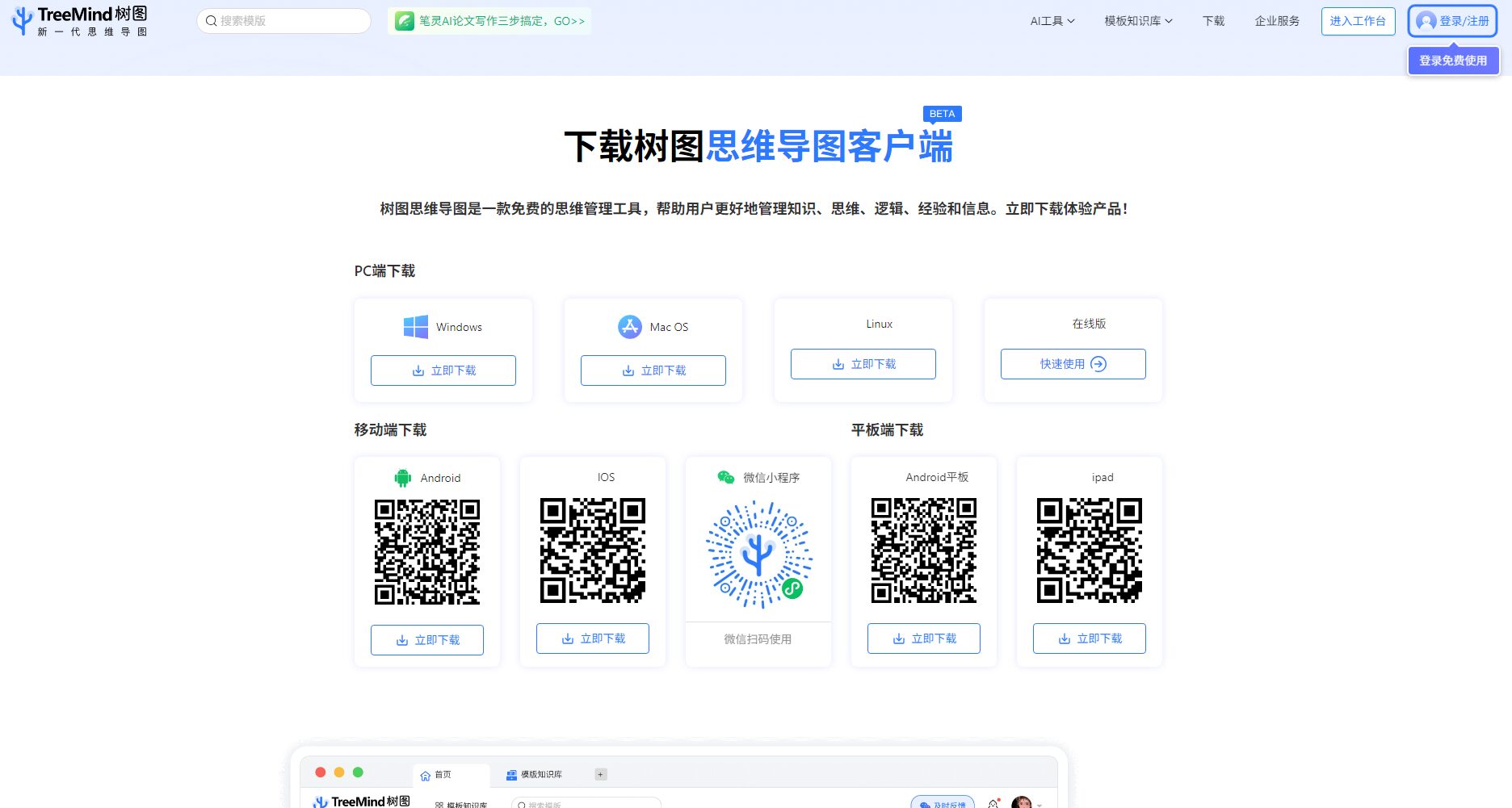
Supports Windows,MacMulti-platform compatibility including OS, Linux, iOS, Android, and Web, with real-time cloud synchronization.
It supports multi-user collaborative editing, team spaces, and file management, making it suitable for efficient collaboration scenarios such as remote teams, teacher classrooms, and group projects.Download the client/Experience the web version
Rich material and design resource library
1 million+ design resources: including icons, illustrations, 3D elements, GIFs, backgrounds, photographs, audio, video, etc., supporting personalized decoration and beautification of your mind maps.
90+ subject formulas/operators/chemical symbols can be directly accessed, making it convenient for organizing notes in science and engineering.
Interact with a vast array of 2D and 3D characters and experience truly unlimited AI role-playing dialogue. Join now! New users receive 6000 points upon login!
Describe the topic in one sentence, and AI will automatically create a structured mind map.
Template Knowledge Base
1.2 million+ templates, covering multiple industries including education, internet, and finance.
File import and export
Supports more than 10 formats and is compatible with mainstream mind mapping software such as XMind.
Teamwork
Multi-user real-time editing, team space, cloud-synchronized management
Abundant design materials
Millions of design elements, covering images, audio, video, GIFs, and mathematical formulas.
Custom structure theme
30+ structural layouts, 200+ color schemes available instantly, unlimited branches/nodes
Advanced presentations and interactions
Supports mind map slideshow presentations, synchronized applause, comments, and voting features.
AI scenario innovation applications
AI Image/Document Transformation MapUpload an image, PDF, or Word document, and AI will automatically recognize the structure and generate an editable mind map.
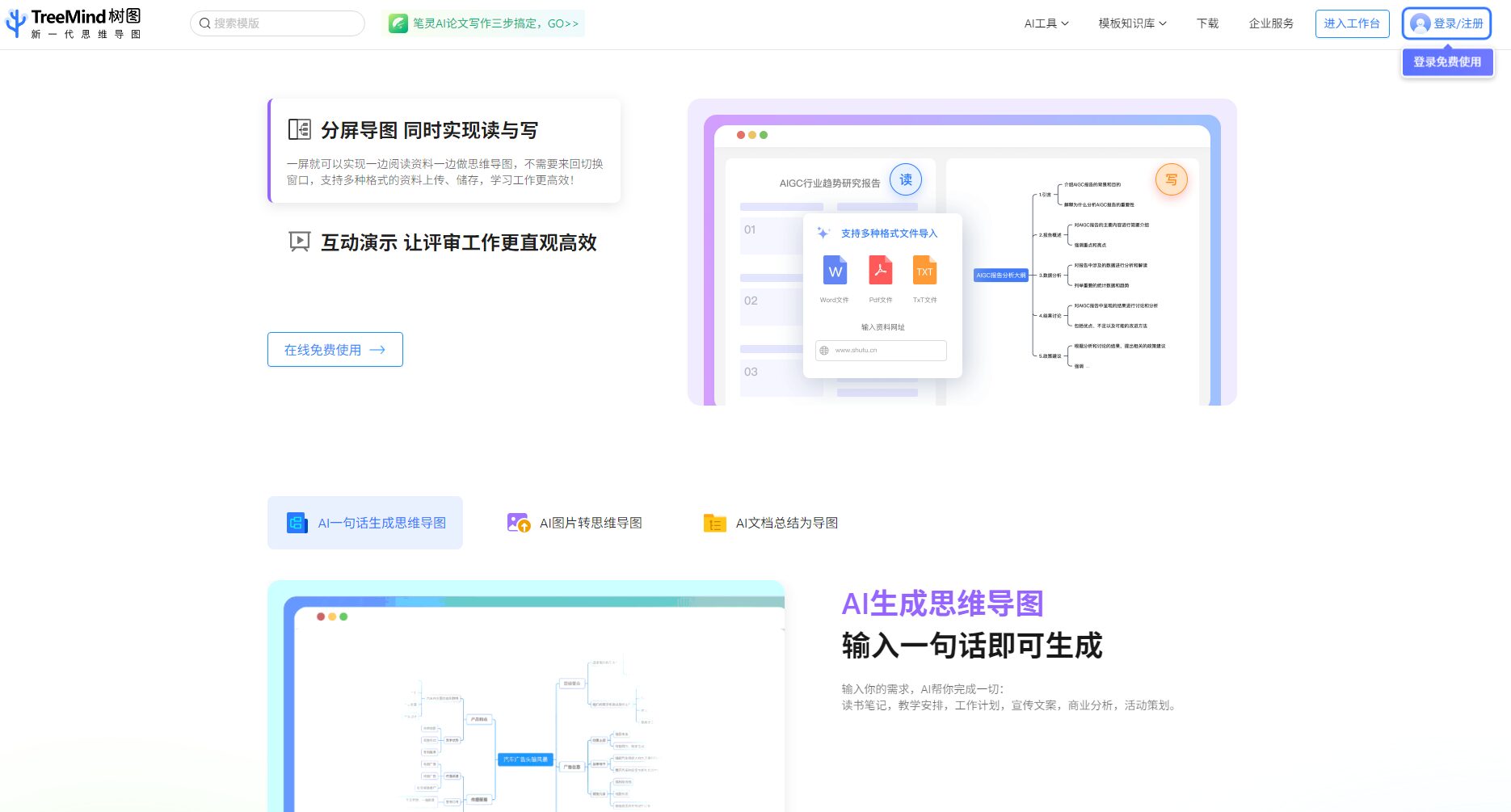
Interactive DemoIt allows for review and voting, text comments, and interactive operations, making it suitable for meeting presentations and classroom demonstrations.
Split-screen mind map editingIt supports reading materials and creating mind maps simultaneously, greatly improving learning and work efficiency.
TreeMind tree graph pricing & solutions
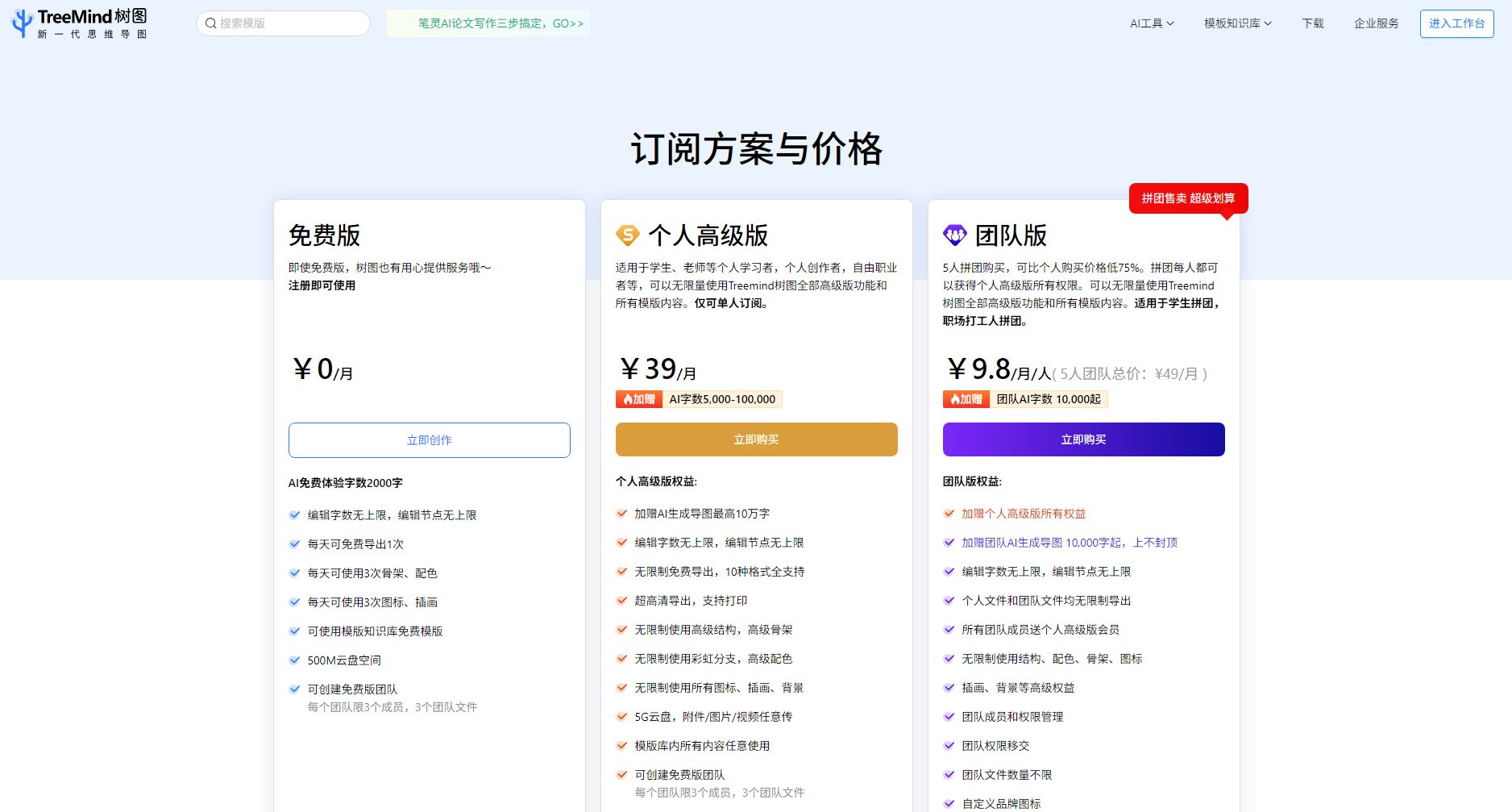
TreeMind tree diagrams useFree + Value-AddedThe paid model allows individuals and teams to access the features they need on demand.
Main versions/packages
Applicable to
Main interests
Price/Period
Free version
All users
2000-word AI experience, one free export per day, 500MB cloud storage
0 yuan
Personal Premium
Individual users/students
AI-powered word limit of 50,000-100,000 words, unlimited export, 5G cloud storage, all templates and materials.
39 yuan/month, 348 yuan/year
Team Edition
Companies/teams (5 people or more)
Personal version benefits + team space, AI word count starting from 100,000 words per person, 20GB cloud storage space
9.8 yuan/person/month
Points recharge / AI word count
All users
You can purchase an AI-enhanced word count package to enable more AI operations.
Note:The free version is sufficient for daily learning and simple collaboration. Users who prioritize batch AI operations or team collaboration are advised to purchase the personal version or join a group purchase for the team version.
TreeMind treemap functionality coversStudents, teachers, businesses, freelancers, tech enthusiasts, project managersIn multiple fields, the specific applicable scenarios are as follows:
1. Learning groups (students & teachers)
Organize the subject knowledge framework, create course outlines, knowledge notes, and review mind maps.
Teachers prepare lessons, deliver lectures and demonstrations, and students engage in group discussions and collaborations.
Presentation of solutions, team collaboration, meeting minutes, and organization of project requirements.
Content creators
Topic selection and planning, knowledge structuring, and PPT/video/course outline preparation.
Researchers/Engineers
Technical route analysis, research reports, standard processes, and innovative brainstorming.
Freelancing/Personal Growth
Life goals, growth roadmap, self-planning
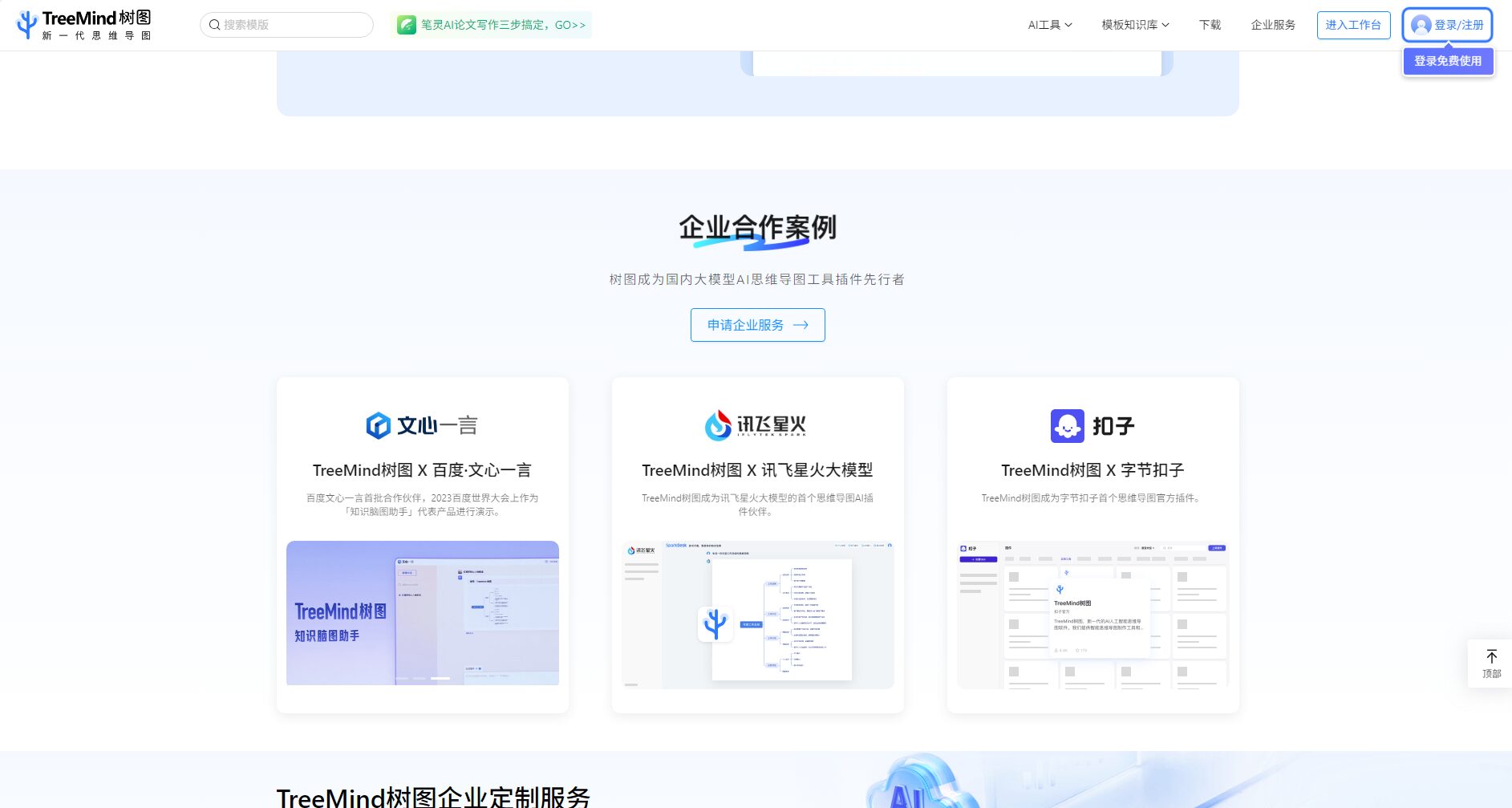
Image/Case Study of Corporate Cooperation
Features and Practical Details
Seamless cross-platform experience
Supports all platforms (Windows, macOS, Linux, iOS, Android, Web).
User feedback indicates excellent cloud synchronization and flexible switching between mobile and PC platforms.
Interactive presentations and brainstorming
Slideshow/Smooth Presentation Mode, suitable for meetings/training/classroom presentations.
Supports split-screen reading of materials and simultaneous editing of mind maps.
The node supports comments, likes, and team interaction.
Dedicated services for corporate/educational collaborations
Open SDK and API, facilitating integration of enterprise/organization's own systems.
Supports enterprise-level AI plugin customization (such as collaborations with Baidu Wenxin Yiyan and iFlytek Xinghuo).
Free scalability and data security
There are no limits on the number of nodes or characters, making it suitable for organizing large projects.
Password protection and timed file expiration ensure data and privacy security.
Frequently Asked Questions
1. Which platforms does TreeMind support? Can I still use it if I switch devices?
TreeMind tree graphs are available on browsers, Windows, macOS, Linux, iOS, Android, and iPad.All files are automatically synced to the cloud. Whether on a computer, mobile phone, or tablet, you can access and edit your mind maps anytime by logging into the same account.The client download page can be found at the bottom of the official website homepage.
2. What are the essential differences between the free and paid versions?
The free version has enough features to meet the needs of learning and general office work.It offers a daily AI experience allowance, basic templates, one free export, and 500MB of cloud storage. Teams or individuals with strong AI needs, batch mapping, collaboration, and large-scale export requirements are recommended to upgrade to a paid service, which provides access to unlimited exports, all unlocked templates, large-capacity cloud storage, and large summary documents, among other advanced features. Detailed differences are as follows:
Function
Free users
Personal Premium
Team Edition
AI number limit
2000 words/day
50,000-100,000 words/month
100,000 words/person/month
Template Library
Partially free
Unlock all
Unlock all
Export count
1 time/day
Unlimited times
Unlimited times
Number of collaborators
3 people
1 person
5 or more people
Cloud storage capacity
500MB
5GB
20GB
3. Is the data and mind map of TreeMind secure and private?
TreeMind tree diagrams are generated byOperated by a legitimate company, it features automatic cloud backup, file encryption, and password/expiration settings.Multiple protection measures are in place. You can freely set which files are public/private and restrict access permissions when sharing. Both personal and corporate documents receive full data security protection.
4. Is there a word limit to the number of words that can be generated using AI with one click? Can I purchase a separate word limit package?
AI-generated mind maps and document-to-mind map conversions consume AI character limits.Free users have a daily limit, while paid users enjoy a larger word count package.For large-scale batch operations, you can purchase AI word count packages (such as 10,000, 50,000, or 100,000 words, or short-term packages with unlimited words) to meet the needs of high-frequency users.For recharge packages, please see the "Membership Introduction" page on the official website.
5. How does TreeMind differ from other mind mapping tools?
Its biggest advantage lies in its AI-driven intelligent system, massive template library, team collaboration, and seamless experience across all platforms.Users can generate professional mind maps with just one sentence without complicated operations, suitable for various learning, office, and innovation scenarios; it supports a wide range of structure types, worry-free data synchronization, and continuously releases new resources/templates, making it a highly competitive experience.
Tool Name
Supports AI mind maps
Template quantity
cross-platform
Teamwork
Price advantage
TreeMind tree diagram
是
1.2 million+
All platforms
support
Free or low-priced membership
XMind
Supports some AI
less
Windows/Mac
support
Free/Paid Version
MindNode
No AI
generally
Mac/iOS
Not supported
Paid
GitMind
Includes AI
More
Web version
support
Free/Paid Version
Conclusion
TreeMind, as a new generation of AI office tools, not only greatly improves the efficiency of individuals and teams in creating mind maps, but also uses intelligent algorithms and a vast library of knowledge templates to enable users from all walks of life and with various needs to easily and efficiently organize knowledge, generate innovative ideas, and collaborate as a team.Its innovative features, such as one-sentence generation, ready-to-use templates, split-screen editing, and interactive demonstrations, have pioneered a new trend in AI-driven mind map creation. In the future, with the continuous evolution of AI models and the expansion into new scenarios, TreeMind is expected to become the preferred productivity tool for more learners, educators, business professionals, and content creators. To learn more and experience it for free, please visit the official TreeMind website:https://shutu.cn。
Interact with a vast array of 2D and 3D characters and experience truly unlimited AI role-playing dialogue. Join now! New users receive 6000 points upon login!
TreeMind tree diagramThe number of visitors has reached 35. If you need to check the site's ranking information, you can click "...""5118 Data""Aizhan Data""Chinaz data""Based on current website data, we recommend using Aizhan data as a reference. More website value assessment factors include:"TreeMind tree diagramAccess speed, search engine indexing and volume, user experience, etc.; of course, to evaluate the value of a website, the most important thing is to base it on your own needs and requirements, and some specific data will need to be obtained from [research institutions/resources].TreeMind tree diagramWe will negotiate with the website owner to provide information such as the website's IP addresses, page views (PV), and bounce rate.
aboutTreeMind tree diagramSpecial Announcement
This site's AI-powered navigation is provided by Miao.TreeMind tree diagramAll external links originate from the internet, and their accuracy and completeness are not guaranteed. Furthermore, AI Miao Navigation does not have actual control over the content of these external links. As of 8:27 PM on October 17, 2025, the content on this webpage was compliant and legal. If any content on the webpage becomes illegal in the future, you can directly contact the website administrator for deletion. AI Miao Navigation assumes no responsibility.