

AI Photos
AI Photos is an AI image generation tool that supports text descriptions and photos to quickly generate high-quality images, illustrations, and short videos. It is applicable to multiple platforms and scenarios.
PowerPresent AI is an automated tool that uses artificial intelligence to generate high-quality presentations (PPT/Google Slides) with a single click. It supports various design styles and intelligent document conversion, greatly improving efficiency in office work, learning, and presentations.
 PowerPresent AI
PowerPresent AI It is driven by the next generation of AI.Presentation automatic generation platformIt supports one-click intelligent content generation for PPT/Google Slides, various aesthetic style templates, one-click conversion of documents and web pages to PPT, export and online display, and other functions.No design background is required; users simply input a theme, and AI can generate professional and personalized presentations.It significantly improves work and study efficiency. Suitable for diverse scenarios including enterprises, education, creative industries, and startups. Furthermore, the platform offers a free trial, a variety of pricing options, and robust data security, making it a powerful intelligent tool for digital office transformation.
[Tech News Report] With the increasing popularity of AI office tools, the intelligent automatic generation of presentations has become a strong demand in the fields of work, study and entrepreneurship.PowerPresent AI(Official linkAs a newly emerging presentation automation platform, [PPT platform name] deeply integrates artificial intelligence into the PPT creation process, greatly improving users' creative efficiency and expressiveness. This article will comprehensively interpret the features, functions, pricing, and application scenarios of this tool, and use tables and lists to help readers understand its unique advantages.
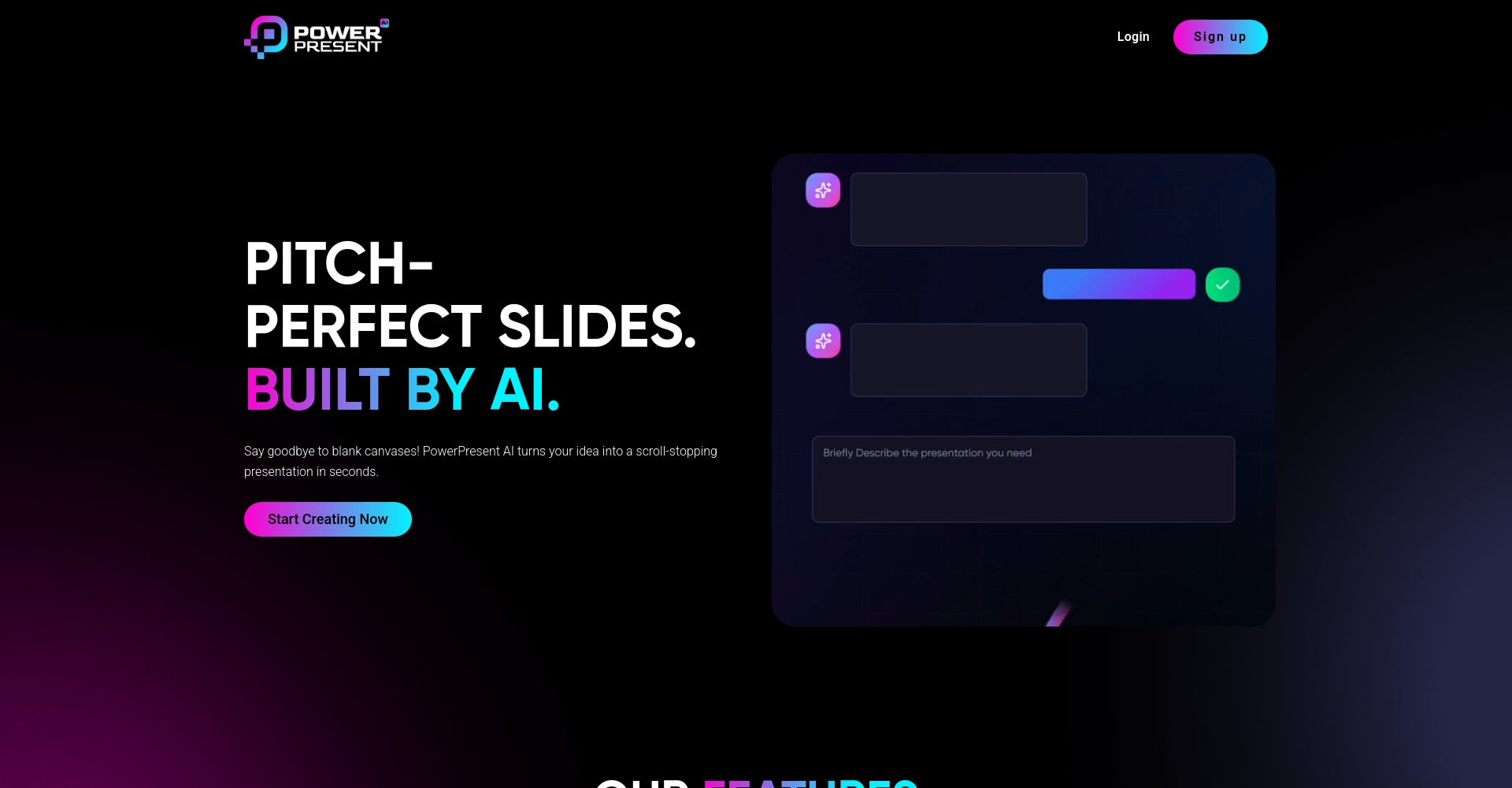
PowerPresent AI is an AI-powered presentation auto-generation tool designed to empower anyone with minimal design experience to create professional and visually appealing PowerPoint or Google Slide presentations. Its core features include:
| Function | describe | Applicable Scenarios |
|---|---|---|
| AI topic generation | Enter a topic or outline, and AI will automatically generate a complete presentation. | Business presentations, teaching lectures |
| Multi-art style templates | Freely switch between design styles to enhance visual appeal | Marketing, academic exchange |
| Quick document conversion | Supports uploading PDF/Docx files and generating PPT with one click. | Company reports, academic papers |
| Webpage extraction and generation | Paste the web link to automatically organize the knowledge points and generate a structured document. | Information integration, online courses |
| One-click export and online display | Supports PPTX export and online display | Meeting presentations and remote sharing |
PowerPresent AI employs a clear and flexible pricing strategy to meet the personalized needs of different user groups.View the latest prices)。
The mainstream pricing schemes are as follows:
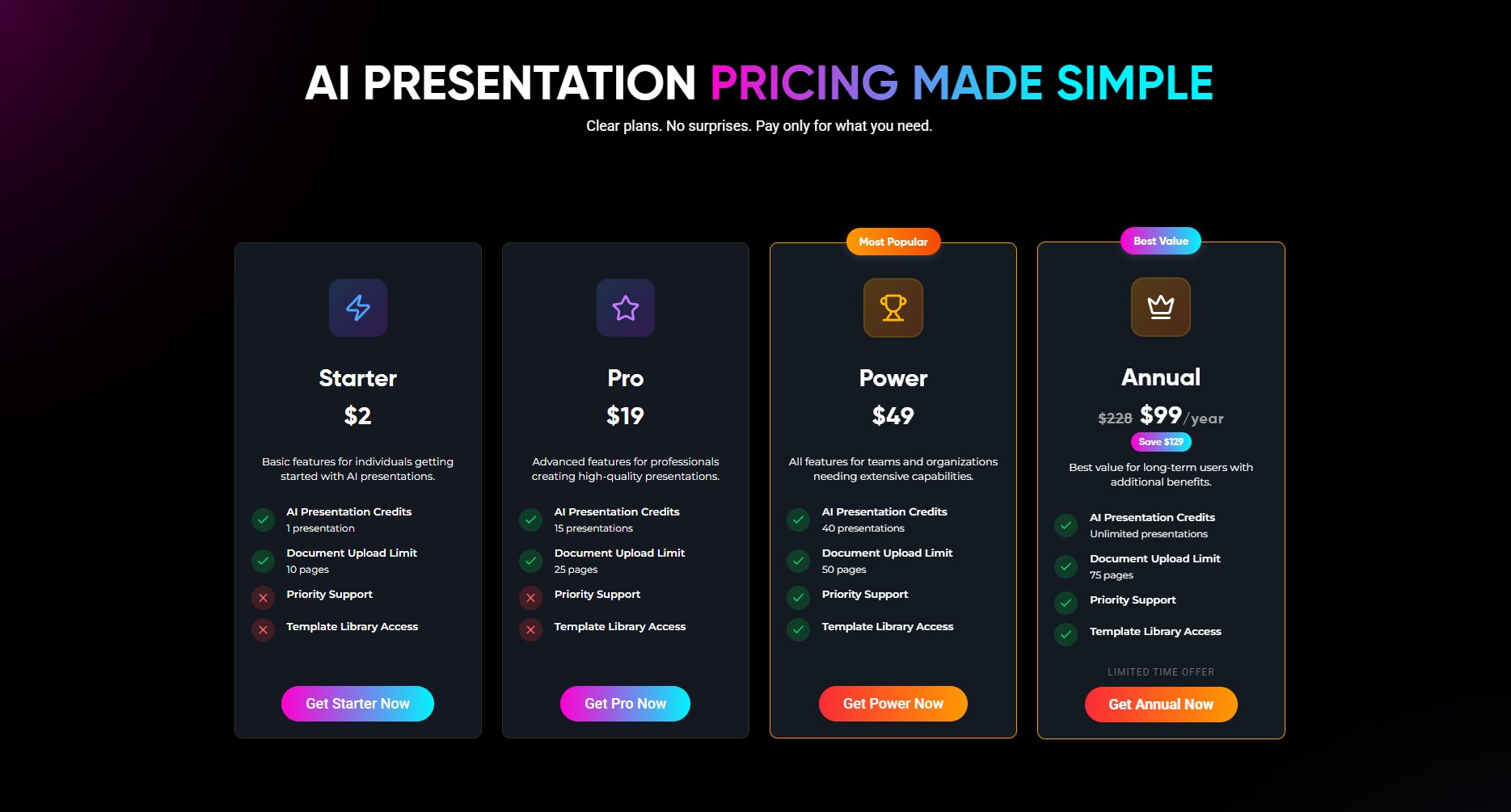

| plan | price | Number of presentations | Document upload restrictions | Priority support | Template Library |
|---|---|---|---|---|---|
| Starter | $2/time | 1 copy | 10 pages | – | – |
| Pro | $19 | 15 copies | Page 25 | – | – |
| Power | $49 | 40 copies | 50 pages | √ | √ |
| Annual | $ 99/year (Original price $ 228) | unlimited | Page 75 | √ | √ |
Every new user can try an AI-generated presentation for free; no subscription is required.
| User type | Typical uses | Advantages |
|---|---|---|
| Business elites | Investment Roadshow | Save time and improve expression |
| Educators/Students | Courseware, lecture notes, and paper PowerPoint presentations | Easy to learn and have a clear structure |
| Market BD/Operations | Project reporting and promotion | Diverse templates, brand customization |
| Entrepreneurs | Project Proposal | One-click generation, professional and beautiful |
| Those with weak design fundamentals | Daily display | Fully AI-Automated |
| product | AI content generation | Multi-style templates | Webpage/Document Input | PPTX export | Pricing Strategy | Special advantages |
|---|---|---|---|---|---|---|
| PowerPresent AI | √ | √ | √ | √ | Single use/Annual subscription | Cutting-edge aesthetics, fully automated AI process |
| AIPPT | √ | – | √ | √ | subscription | Easy to operate |
| GlimmerAI | √ | √ | – | √ | Monthly fee | Multilingual, user-friendly interface |
| Meitu AI PPT | √ | √ | – | √ | free | Image enhancement |
1. Which output formats are supported?
Currently, it supports exporting to PPTX format, and can also be presented online or imported into Google Slides for further editing.
2. Can it be edited and modified, and can custom templates be created?
The 100% supports editing of structures, text, and images, and allows users to freely adjust styles and themes.
3. Is the content safe? Will it be leaked?
Enterprise-grade encryption, dedicated content protection, and protection against platform abuse. See details.Privacy Policy。
As businesses and individuals increasingly demand efficient and intelligent office solutions, AI tools are bringing new momentum to digital transformation.PowerPresent AI, with its outstanding advantages of "one-click generation, rich templates, and diverse styles," frees presentation creation from tedious tasks, allowing users to focus on content expression.It continuously empowers your career and studies. If you want to free your hands and embrace the efficiency of AI-powered PPT creation, please try it now.PowerPresent AI!
This site's AI-powered navigation is provided by Miao.PowerPresent AIAll external links originate from the internet, and their accuracy and completeness are not guaranteed. Furthermore, AI Miao Navigation does not have actual control over the content of these external links. As of 9:03 PM on September 24, 2025, the content on this webpage was compliant and legal. If any content on the webpage becomes illegal in the future, please contact the website administrator directly for deletion. AI Miao Navigation assumes no responsibility.
