

Humata
Humata is an AI-powered document analysis platform that supports uploading documents in multiple formats, including PDF, and features intelligent question answering, automatic summarization, and report generation.
HitPaw Watermark Remover is a professional AI-based watermark removal tool that supports one-click watermark removal from images and videos, object erasure, and batch processing. It is simple and efficient to use.
 HitPaw Watermark Remover
As content creators, designers, and ordinary users increase their demand for high-quality images and videos,AI Image Object Removal ToolIt is becoming a new favorite in the market. This article explains in detail HitPaw Watermark Remover Its outstanding performance in various watermark removal needs includes core functions such as one-click removal of static/dynamic watermarks, AI-powered object removal, support for multiple formats, and batch processing, as well as flexible pricing options, applicable scenarios, and performance comparisons with similar products.Its intuitive and easy-to-use interface, outstanding AI capabilities, and flexible billing model make it the top choice in the watermark removal tool market.
As content creators, designers, and ordinary users increase their demand for high-quality images and videos, AI-powered image object removal tools are gradually becoming a new favorite in the market. Today we will provide readers with a detailed look at a highly regarded and well-received watermark removal platform—HitPaw Watermark RemoverThis report will combine industry information, user feedback, and tool testing to provide a complete analysis of its functions, pricing model, applicable scenarios, practical tutorials, and frequently asked questions.
Click here to visit the HitPaw Watermark Remover official website

HitPaw Watermark Remover's main features are...Remove all kinds of watermarks, objects, text, stickers, and logos from images and videos with one click.", especially focusing onAI intelligently and automatically identifies and removes "dynamic watermarks".“It not only supports erasing static objects, but is also effective for dynamic watermarks in videos that move and change color over time.
据Official website detailsHitPaw Watermark Remover offers different erasure modes for videos and images. The following are descriptions of each mode and their applicable scope:
| Functional mode | Applicable to | Technical Highlights | Does it support images/videos? |
|---|---|---|---|
| AI model | Static/Dynamic Watermarks/Objects | Deep learning to identify and repair damaged areas | Either is acceptable |
| Smooth Fill | Plain/Single Background Watermark | Regional pixel smoothing and automatic color correction | Either is acceptable |
| Mask Fill | Small watermarks in a fixed scene | Seamlessly fill in neighboring area images | Either is acceptable |
| Color fill | monochrome or simple color block watermark | The program analyzes the surrounding colors and automatically fills them in. | Either is acceptable |
| Gaussian blur | Complex and difficult-to-remove watermarks | Blurring makes the watermark less noticeable | Either is acceptable |
The design includes 5 video watermark removal modes and 3 image watermark removal models, ensuring that users can flexibly choose the best solution for various complex watermarks.
Diverse supportWhether you're using Windows, Mac, a phone, or a tablet, HitPaw Watermark Remover offers both desktop and online versions. It supports mainstream image (JPG/PNG/BMP/TIFF, etc.) and video (MP4/MOV/AVI/WMV, etc.) formats.
Highlights and technologiesWith the help of AI, HitPaw not only removes watermarks, but also performs automatic object recognition and "content-aware" restoration. For example, it can remove clutter from images and passersby from videos without leaving any trace.
Learn more about AI-powered object removal functionality


All uploaded filesIt is only stored in local processing and can only be accessed by the user.There is no need to worry about data leaks.
HitPaw Watermark Remover not only providesFree trialFurthermore, it offers a variety of flexible payment options to suit different user needs.
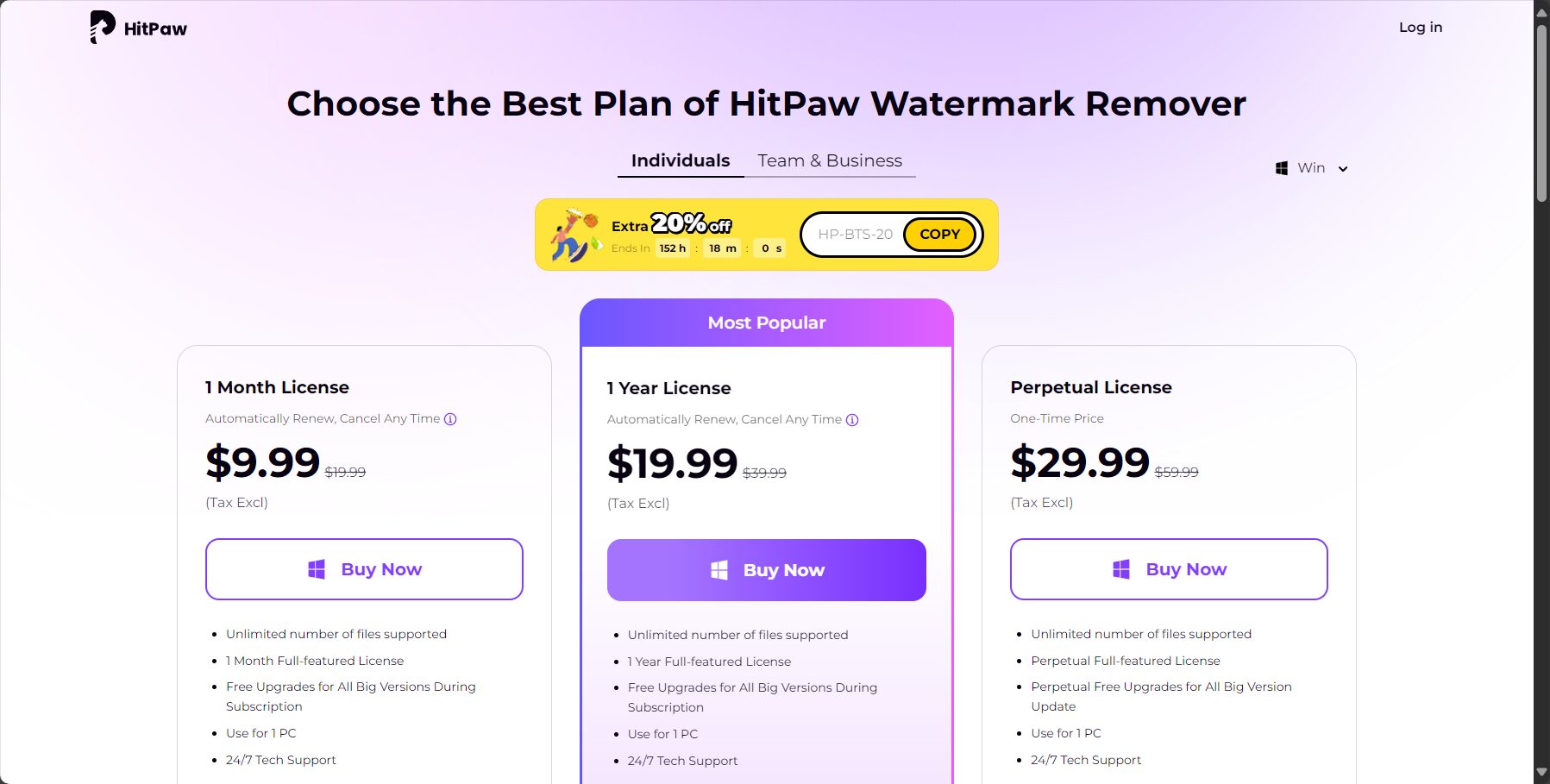
| Scheme type | Price (RMB) | Applicable Time | Supported Platforms | Remark |
|---|---|---|---|---|
| Monthly subscription | 60 yuan | 1 month | Win/Mac | Subscription period can be continuously updated |
| Annual subscription | 160 yuan | 12 months | Win/Mac | Save 44%, more cost-effective than monthly payments. |
| Perpetual license (buyout) | 210 yuan | permanent | Win/Mac | Unlimited updates after purchase |
| Online VIP | Per use/Monthly subscription | 1 month/per visit | Web page | Suitable for occasional/urgent use |
| Use of projects | Free version | Paid version (monthly/yearly) | Permanent buyout |
|---|---|---|---|
| Number of times to remove watermark | limited | unlimited | unlimited |
| Supports AI-powered dynamic watermark removal | part | Fully open | Fully open |
| Maximum file size for images/videos | 500MB | 2GB+ | 2GB+ |
| Export with or without official website watermark | 有 | 无 | 无 |
| High-speed batch processing | 否 | 是 | 是 |
Provided by HitPaw Watermark RemoverDesktop application (Win/Mac)与Online versionBoth emphasize a user-friendly, 3-step operation experience.
Since its launch, HitPaw Watermark Remover has attracted attention.Multi-tiered user groups:
Applicable Scenarios:

| product | Is it AI intelligent? | Supports dynamic watermarking | Supported formats | Flexible pricing | Batch processing? |
|---|---|---|---|---|---|
| HitPaw Watermark Remover | 是 | 是 | All images/videos | 是 | 是 |
| Remove.bg (image) | 否 | 否 | picture | Paid only | Single sheet only |
| Apowersoft Watermark Removal | part | part | All images/videos | 是 | 否 |
| Photoshop (handmade) | 否 | 否 | picture | Buyout | 否 |
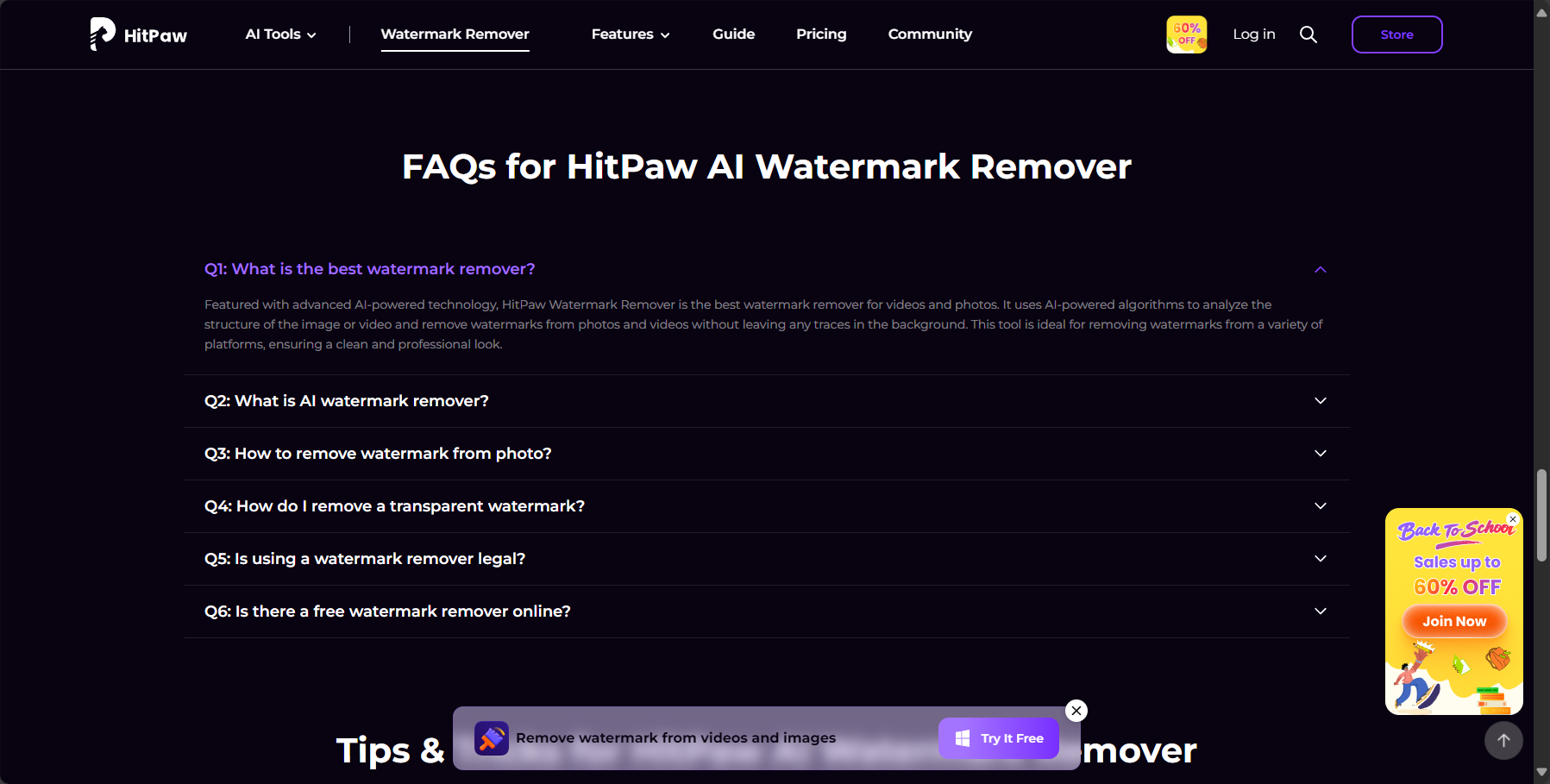
answer: According to user testing, HitPaw Watermark Remover AI strives to maintain image quality during processing, exporting at the original resolution by default. In rare cases with complex backgrounds or large watermarks, some areas may appear slightly unnatural; this can be addressed by switching modes or manually correcting and optimizing.
answer: HitPaw Watermark Remover supports video timeline settings. You can manually mark the periods when the watermark appears and adjust the AI dynamic detection mode to achieve dynamic watermark removal. This is currently one of the few video platforms capable of handling dynamic watermarks.
answer: The free version offers unlimited access to all watermark removal modes, but exported files will display the HitPaw official logo watermark, and there are limitations on file size, batch size, and AI mode. Upgrade to the paid version at any time to remove all limitations.
answer: Yes. HitPaw Watermark Remover supports batch import of multiple images/videos, and allows you to set the removal area, mode, and duration separately, greatly improving efficiency.
answer: Currently, it supports major languages such as Simplified Chinese, Traditional Chinese, English, Japanese, and Spanish.
HitPaw Watermark Remover, with its...Its intuitive and easy-to-use interface, powerful AI-powered image object removal capabilities, and flexible pricing options have made it the preferred brand in the watermark removal tool market.Whether you're a professional photographer or a newbie to social media, this tool can significantly improve post-production efficiency and final image quality. We look forward to more innovations in the future, making watermark removal smarter and simpler!
To experience or download, please visit [website/platform name] at any time.Download from official websiteView more features.
This site's AI-powered navigation is provided by Miao.HitPaw Watermark RemoverAll external links originate from the internet, and their accuracy and completeness are not guaranteed. Furthermore, AI Miao Navigation does not have actual control over the content of these external links. As of 4:39 PM on September 9, 2025, the content on this webpage was compliant and legal. If any content on the webpage becomes illegal in the future, you can directly contact the website administrator for deletion. AI Miao Navigation assumes no responsibility.
